








What is iRemoval Pro? iRemoval Pro is a tool specifically designed to help users bypass the iCloud lock, granting access to iPhones that are otherwise locked due to forgotten credentials or being tied to a previous owner. But before you dive in, you may have some important questions: Is it legitimate? Is it safe to use? Is it free? Our real test clears up these concerns. We've also covered how to download and use the iRemoval Pro tool for iCloud bypass and suggested a reliable alternative. Let's dive in.

- Part 1. iRemoval Pro Reviews: Things to Know
- Part 2. How to Download iRemoval Pro on Wins/Mac
- Part 3. iRemoval Pro Tests: How to Use iRemoval Pro
- Part 4. Does iRemoval Pro Bypass Tool Really Work?
- Part 5. Conclusion
Part 1. iRemoval Pro Reviews: Things to Know
Is iRemoval Pro legit? Yes, but iRemoval Pro does not work on stolen or blacklisted devices. Always verify the legal status of your device before attempting to unlock it to ensure you comply with the law. Besides, we also provide key information to address common questions about iRemoval Pro.
01iRemoval Pro Versions
iRemoval Pro offers two unlocking versions: iRemoval Pro and iRemoval Pro Premium. iRemoval Pro v7.2 provides basic features, such as iCloud bypass, but only supports limited device models and earlier iOS versions. In contrast, iRemoval Pro Premium Edition 5.2.1 includes more advanced features and offers broader compatibility, including the latest iOS versions. Below are the updated key differences between the two iRemoval plans.
| Details | iRemoval PRO v7.2 | iRemoval Pro Premium Edition 5.2.1 |
|---|---|---|
| Supported Devices | iPhone 6S to iPhone X | iPhone XS to iPhone 16 Pro Max |
| Supported iOS | iOS 15.0 to iOS 16.7.10 | Up to iOS 26 |
| Jailbreak | Yes | No |
02iRemoval Pro Price
iRemoval Pro is not a free service. Prices currently range from $12 to $190 per device, depending on the bypass plan you choose. Versions for older devices (iPhone 6s to iPhone X) are cheaper, while newer devices, such as the iPhone XS to iPhone 16 Pro Max, can cost more.
03iRemoval Pro Crack
iRemoval Pro is generally safe to use if downloaded from a legitimate source. However, the iRemoval Pro cracked files are risky. They may expose your system to malware, cause stability issues, and even compromise your privacy. Always download from the official sources to ensure safety.
Part 2. How to Download iRemoval Pro on Wins/Mac
Now that you understand the necessary details about iRemoval Pro, it's important to move on to the installation process. Installing iRemoval Pro is simple and straightforward, whether you're using Windows or macOS. Next, we will walk you through the steps on how to install iRemoval Pro on your PC.
01How to Download iRemoval Pro:

Go to the iRemoval official website and then choose the version you want to download.
02How to Register in iRemoval Pro:
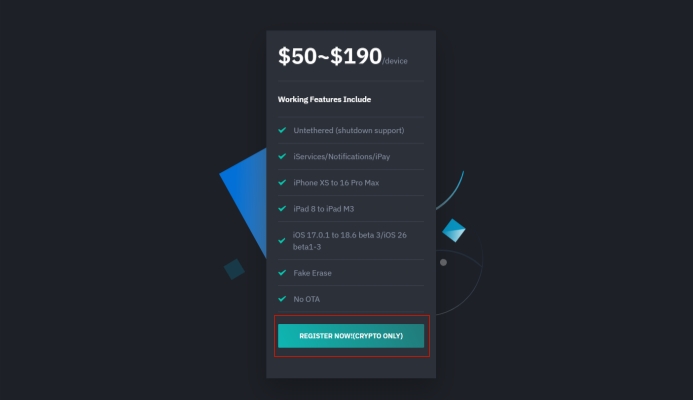
Step 1. Link the PC and device to copy the SN shown in the iRemoval Pro interface.
Step 2. Scroll down the iRemoval Pro official page and click REGISTER NOW to register with the SN(serial number) and purchase it.
Part 3. iRemoval Pro Tests: How to Use iRemoval Pro
After installing and activating the appropriate iRemoval Pro on your system, you're ready to begin the unlocking process. The unlock process is similar on both Mac and Windows. Next, we tested the latest iRemoval Pro version to unlock iCloud on a Windows PC.
Step 1. Launch iRemoval Pro Premium Edition on your PC and connect your locked device.
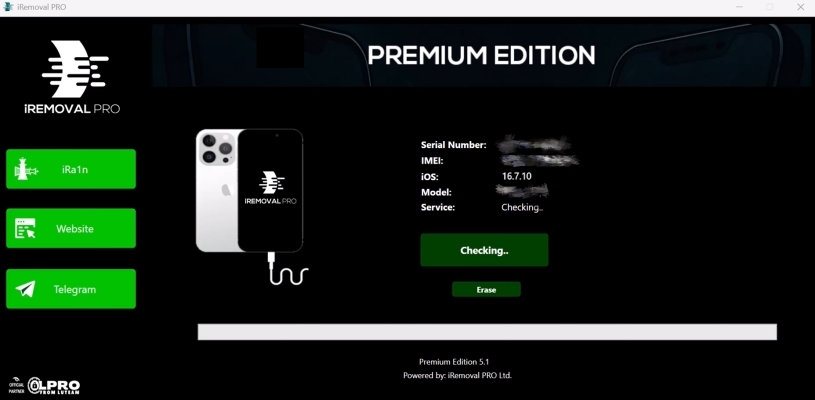
Step 2. Wait for the software to check your device; it will indicate whether your device is supported.
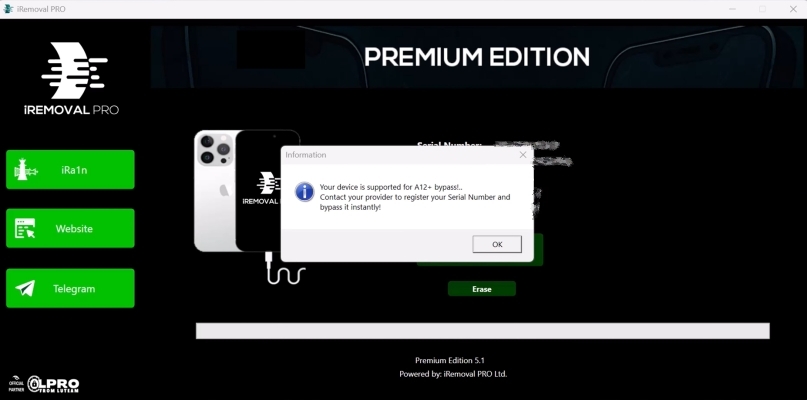
Step 3. Once the check is complete, select OK and then click the Activate button on the screen.
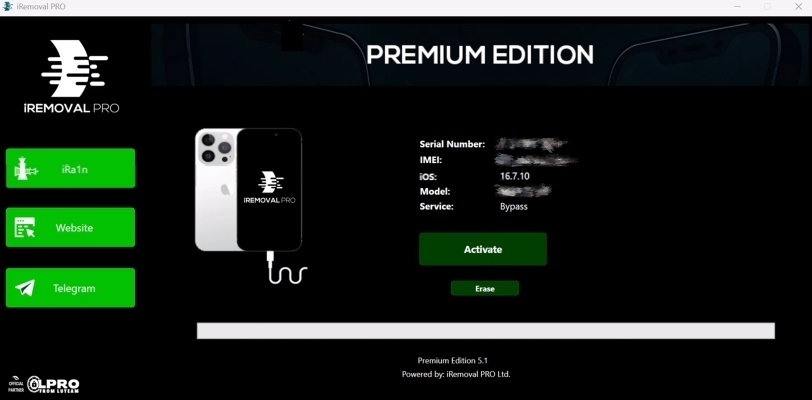
Step 4. The iRemoval software will then begin bypassing the iCloud lock, which takes about 2 to 10 minutes.
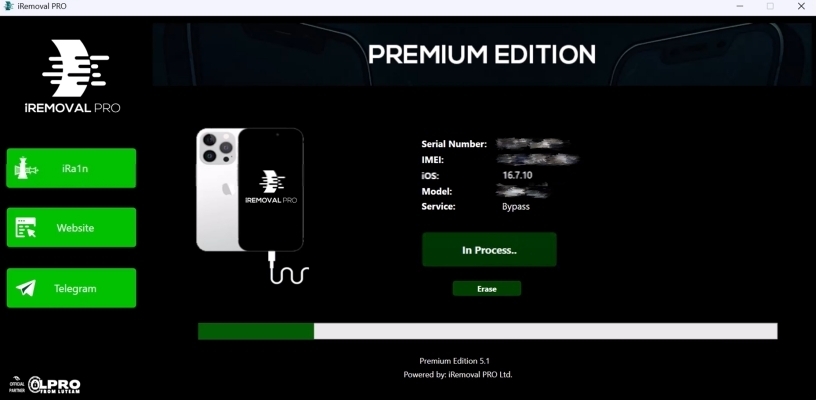
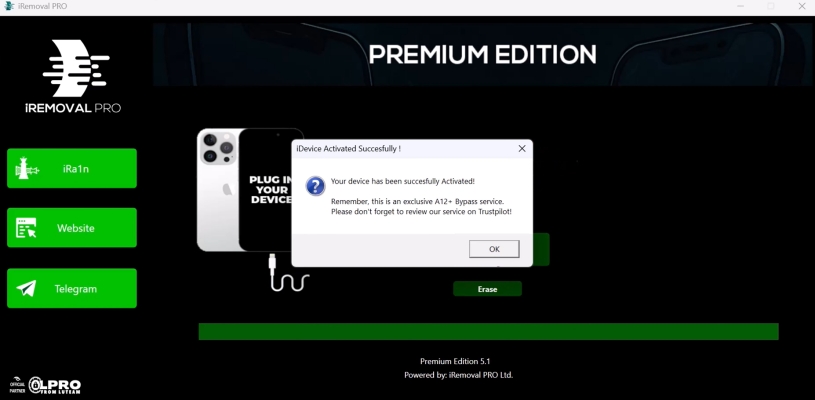
Step 5. Afterward, you'll receive a successful activation message, and you can use your device without the activation lock and signal.
Part 4. Does iRemoval Pro Bypass Tool Really Work?
This is what most users want to know: how effective the iRemoval Pro tool really is. Next, we'll share real test results and user experiences with the software to show whether it truly works for bypassing iCloud activation locks.
01iRemoval Pro Test Results
Through our test, iRemoval Pro software works great for iOS 16 iCloud unlock, proving effective in bypassing the lock. However, the drawbacks are noticeable: it takes too much time for registration and appears to provide only a temporary unlock method rather than a permanent solution.
02iRemoval Pro User Reviews
Like many other bypass tools, iRemoval Pro has received a mix of positive and negative feedback regarding its unlocking services. Users have shared their experiences on platforms like Trustpilot, offering insight into how the tool performs in real-world scenarios. Next, let's take a closer look at users' opinions to help you decide whether to proceed with using iRemoval Pro.
 Product rating:
⭐⭐⭐⭐⭐
Product rating:
⭐
Product rating:
⭐⭐⭐⭐⭐
Product rating:
⭐
A: Regarding your question. if u reset it, it will still require previous owners iCloud.
Based on comments from Reddit and Trustpilot, iRemoval Pro can bypass the iCloud lock, but post-unlock drawbacks are common, including unusable iCloud features, unstable server connections, and other system issues. The most serious complaint is that the activation lock can return after resetting the device. If you need a more reliable and permanent solution, consider the iRemoval alternative described below.
03Best Alternative to iRemoval Pro
MagFone iPhone Unlocker is a more reliable and quicker alternative to iRemoval Pro, delivering a higher success rate on iPhones and iPads running iOS 12 to iOS 16.7.5. Unlike iRemoval Pro, which requires payment for every single unlock, MagFone offers affordable one-time monthly or yearly plans with unlimited unlocking chances. With fewer risks involved, a user-friendly interface, MagFone makes the unlocking process much smoother and more convenient for users. Here's how to use MagFone Activation Unlocker for iPhone and iPad Activation Lock bypass.

MagFone iPhone Unlocker
Bypass iCloud Activation Lock on iPhone, iPad, and iPod touch without the original Apple ID or password.
Step 1Access MagFone Activation Unlocker
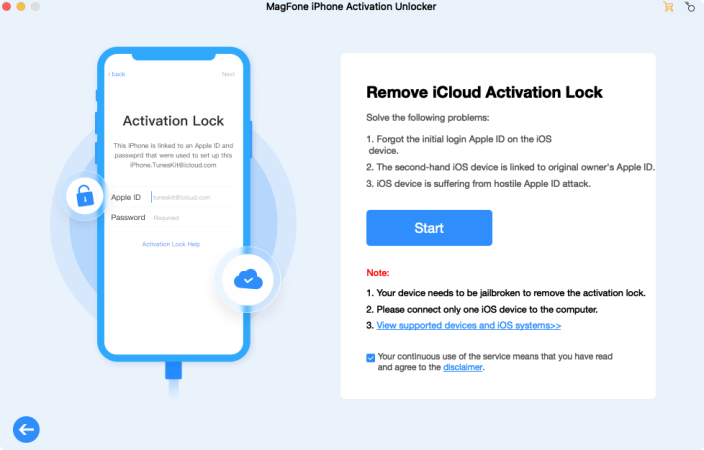
First, download and install MagFone Activation Unlocker on your computer. Once installed, open the software and connect your iPhone to the computer. Select the appropriate option to remove the iCloud Activation Lock, and click the Next button to proceed.
Step 2Continue to Jailbreak Your Device
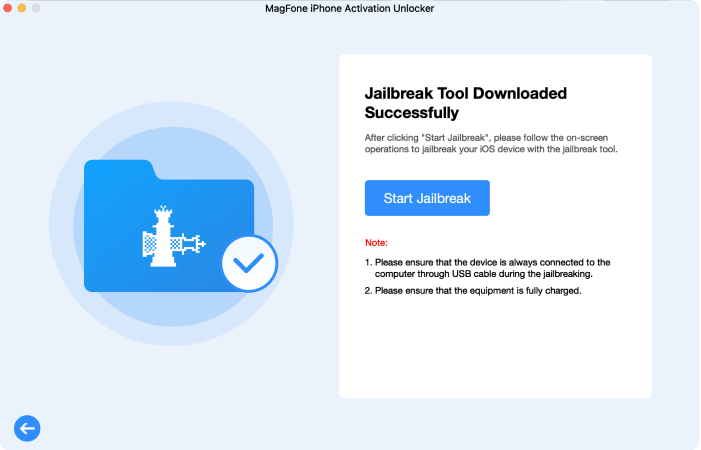
After agreeing to the software's disclaimer, download the necessary jailbreak tool through MagFone. Follow the onscreen instructions to jailbreak your device safely or you can check the following notes. Ensure that your device is properly connected during the process.
Step 3Begin Bypassing the iCloud Lock
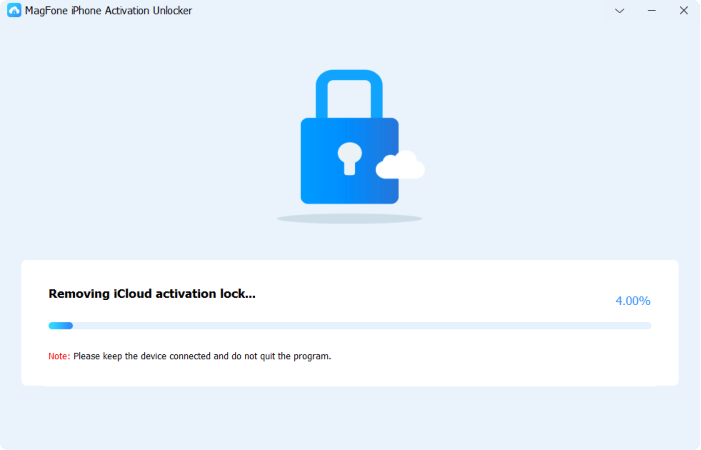
When the jailbreak is complete, double-check the device details on your computer to confirm everything is correct. Click the Start to Remove button to begin bypassing the iCloud Activation Lock. After it's fully unlocked, you can set up your device again.
Part 5. Conclusion
iRemoval Pro is a paid tool designed to bypass iCloud activation locks on iPhones, compatible with various models and iOS versions. It works on both Windows and Mac but has some device limitations. While generally safe, cracked versions can be risky. This guide covers its legitimacy, usage, pros and cons, and provides the best alternative, MagFone Activation Unlocker, offering a higher success rate and broader device compatibility for users seeking a more reliable unlocking solution.

Dylan Jones
Editor in chief





