








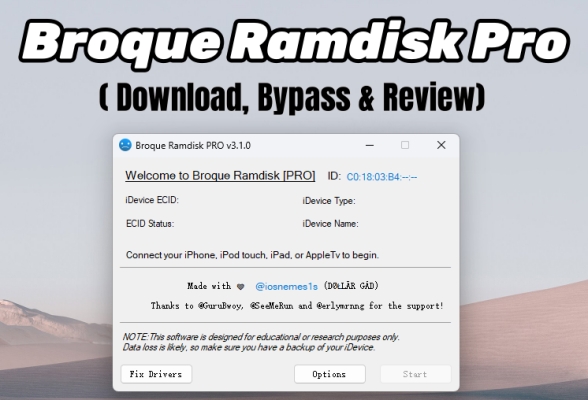
Stuck in the iCloud Activation lock screen on your iPhone? Broque Ramdisk Pro could be the solution you need. This advanced tool offers a powerful way to bypass iCloud locks and even MDM restrictions. But does it really work? Where can you download it? In this review, we'll explore how Broque Ramdisk Pro works, user experiences with the tool, and guide you through the download and usage process. Let's dive into the details and find out if this tool lives up to the hype.
- Part 1. Brief Overview of Broque Ramdisk Pro
- Part 2. How to Download Broque Ramdisk Pro [Wins & Mac]
- Part 3. How to Use Broque Ramdisk Pro for iCloud Bypass
- Part 4. User Concerns of Broque Ramdisk Pro iCloud Bypass
- Part 5. What to Do If Broque Ramdisk Bypass Not Working
- Part 6. Conclusion
Part 1. Brief Overview of Broque Ramdisk Pro
Broque Ramdisk Pro is a specialized security tool designed to bypass iCloud Activation Locks on iOS devices. It operates by utilizing a "Ramdisk" method—essentially booting the device into a temporary, custom environment in its volatile memory (RAM). This allows the software to modify system files and skip the activation trigger without requiring the original Apple ID or password. Because it operates at the hardware level using the checkm8 exploit, it is widely considered a highly effective "last-resort" solution for recovering access to locked iPhones and iPads.
Main Features of Broque Ramdisk Pro:
- Generate activation files to bypass iCloud activation lock.
- Bypass passcode security to unlock iOS devices.
- Remove Apple ID for complete device access.
- Bypass MDM (Mobile Device Management) restrictions.
Part 2. How to Download Broque Ramdisk Pro [Wins & Mac]
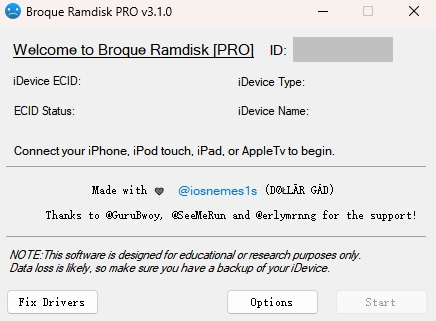
Broque Ramdisk Pro v3.1.0, the latest version released in April 2025 and still current, offers major improvements over v2.8.4. This update enhances performance, streamlines the user interface, and introduces new features, including A12+ bypass support. It also expands compatibility to support both tethered and untethered iCloud bypass across iOS versions 15 through 18, making it a more versatile tool for iOS unlocking needs.
01Technical Specifications of Broque Ramdisk Pro
| Requirement | Windows | Mac |
|---|---|---|
| Supported Systems | Windows 7 to Windows 11 | macOS 10 to macOS 13 |
| Supported Version | v3.1.0 | v1.4 |
| Device Compatibility | iPhone 6S, iPhone 6S Plus, iPhone SE, iPhone 7 and iPhone 7 Plus, iPhone 8, iPhone 8 Plus, iPhone X iPad (2017) 5th gen, iPad Pro (12.9 in.) 1st gen, iPad Pro (9.7 in.), iPad (2018, 6th gen), iPad (2019, 7th gen), iPad Pro 10.5" (2017), iPad Pro 12.9" 2nd gen (2017) |
|
| Supported iOS | iOS 15-18 | |
| Storage | Minimum 100MB Free Space | |
02Broque Ramdisk Pro Download
After knowing the specifications of this tool, you can proceed to install the tool on your device in its official website.
For Windows

Step 1. Download the latest version of Broque Ramdisk Pro on your Windows PC. If you can't download, click three dots from the top right corner, then go to the Downloads section. Then select the three dots next to the file and hit the Download dangerous files option.
Step 2. Unzip the downloaded Broque Ramdisk Pro file (password: 123).
Step 3. Launch the Broque Ramdisk Pro executable from the extracted folder.
For MacOS
Step 1. Download the Broque Ramdisk Pro for Mac and run the file to begin the setup.
Step 2. Go to > System Preferences > Privacy & Security, then click Open anyway in the Security section.
Step 3. When prompted with a warning about unverified developers, click Open to proceed.
Step 4. Relaunch the Broque Ramdisk Pro installer for macOS and follow the provided instructions to complete the installation.
Part 3. How to Use Broque Ramdisk Pro for iCloud Bypass
After downloading the Broque Ramdisk Pro tool on the computer, we'll proceed to test it for bypassing the iCloud lock on a Windows PC. Here's the process.
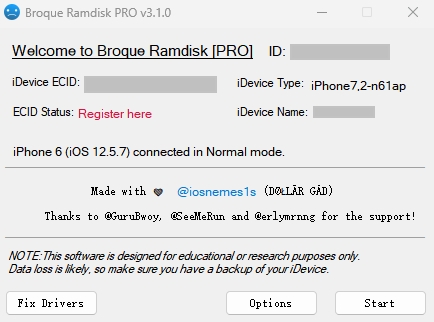
Step 1. Link your iPhone to your Mac or Windows PC and run Broque Ramdisk Pro.
Step 2. Click the iDevice ECID to copy it. Then, select Register here and paste the ECID number to register.
Step 3. Select Options in the program and tick the Hello Screen Bypass option.
Step 4. Connect your device using a USB and enter it into DFU mode by following the onscreen steps.
Step 5. Continue to choose the right iOS version of your device and download the boot files.
Step 6. Click Boot iDevice and wait for it to complete. After that, you should go on to check Generation Activation Ticket and change serial.
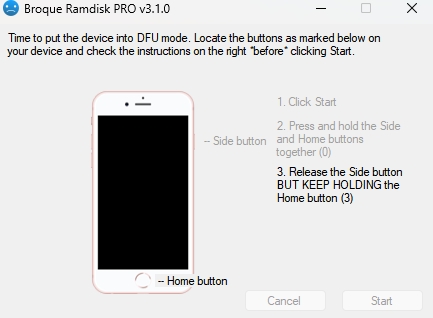
Step 7. Your device will reboot. Follow prompts to enter DFU mode again, then click Change SN to apply the new serial number.
Step 8. Open 3uTools and flash the firmware to finalize the serial change. This locks in the modifications.
Step 9. Go back to Broque and click Generate Activation Ticket.
Step 10. Under Options, reselect Hello Screen Bypass Ramdisk and click Start from the home screen.
Step 11. Re-enter DFU mode, choose the correct iOS version, and click Boot Device again.
Step 12. After entering Ramdisk mode, click Next, then Bypass iCloud. Wait for the tool to complete the bypass.
In our test, we successfully bypassed the iCloud lock on an iPhone 7. Additionally, you may wonder whether it's safe and free to use for iCloud bypass. Below, we've explained three frequently asked questions about the Broque Ramdisk PRO tool.
-
Is Broque Ramdisk Pro free for iCloud bypass?
Broque Ramdisk Pro is no longer free to use. While some versions may offer limited trial features or free download access, full functionality, including iCloud bypass and activation support, typically requires payment.
-
Will I Keep Signal After the Broque Ramdisk Bypass?
In most cases, you won't keep a signal after using Broque Ramdisk Pro to bypass the iCloud Activation Lock. Like many hardware-based or software ramdisk bypass tools, it typically removes activation restrictions but disables cellular functionality, meaning you won't be able to make calls, send texts, or use mobile data. This limitation is especially common with free or semi-tethered bypass methods.
-
Will I Lose Data After Using the Broque Ramdisk Tool?
Your personal data on the device will be wiped after the Broque Ramdisk jailbreak. To avoid losing important information, it's highly recommended to back up your data before using it. You can do this by connecting the device to your PC and running iTunes, then selecting Back Up Now.
Part 4. User Concerns of Broque Ramdisk Pro iCloud Bypass
As a popular iCloud unlocking service, Broque Ramdisk Pro has gained a strong reputation, but it has also raised some concerns among users. Let's take a look at the real experiences of those who have used this tool.
 Product rating:⭐⭐⭐⭐
Broque Ramdisk Pro has proven effective for many users in bypassing iCloud activation locks. One user shared their success with unlocking an old iPad Pro they found in their late grandmother's house. After failing with other methods, they used Broque Ramdisk Pro on Windows to change the serial number, create fake activation tickets, and transfer them via jailbreak and SSH. This tool is praised for its reliability in unlocking devices with iCloud locks.
Product rating:⭐⭐
Despite its popularity, Broque Ramdisk Pro has raised some concerns among users. A major issue is that recent versions of the tool are flagged as potentially malicious by several antivirus vendors on VirusTotal, which has led to security concerns. Users have also reported problems such as the tool failing to detect devices, errors during activation file generation, and difficulties when the program crashes or fails to work after updates.
Based on the user experiences and features mentioned above, Broque Ramdisk Pro shows a mixed unlocking results. To help you decide whether it suits your needs, here's a quick summary of the tool's pros and cons for your reference.
 Pros
Pros- High success rate.
- Help modify device SN.
- Works on latest iOS.
- Bypasses MDM and passcode.

- No official download source.
- Doesn't retain cellular signal.
- Data loss after bypass.
- Requires technical knowledge.
Part 5. What to Do If Broque Ramdisk Bypass Not Working
There are several common issues you might encounter when downloading or using Broque Ramdisk Pro. These problems can prevent the tool from working properly, but most have straightforward fixes. Below are some targeted solutions to help you troubleshoot and resolve errors quickly.
Error 1: Please connect to the internet —— Check your computer's internet connection and ensure it's stable.
Error 2: We detected a VPN connection —— Disable or uninstall any VPN running on your PC.
Error 3: We couldn't create valid activation files —— Try changing the serial number within the tool and retry.
If you encounter other alerts that are harder to fix, consider MagFone iPhone Unlocker. It features a more intuitive interface and simplified steps, making it ideal for both beginners and advanced users. If you're seeking a hassle-free experience with more reliable results, MagFone Activation Unlocker is a top choice for bypassing the iCloud Activation Lock. Below are three simple steps to use MagFone for unlocking your device quickly and safely.

MagFone iPhone Unlocker
Bypass iCloud Activation Lock on iPhone, iPad, and iPod touch without the original Apple ID or password.
Step 1Start MagFone and Link Your iPhone
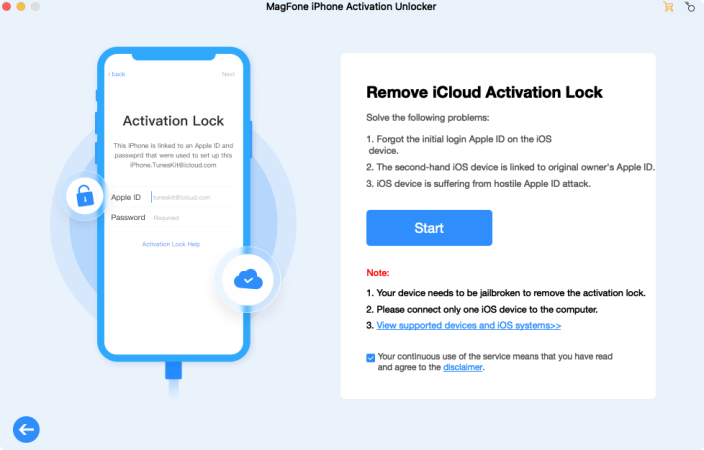
Run MagFone Activation Unlocker on a trusted computer and then you can choose the Remove iCloud Activation Lock tab. Agree to the disclaimer, then connect your iPhone to the computer using a USB cable to proceed.
Step 2Get Your iPhone into DFU Mode
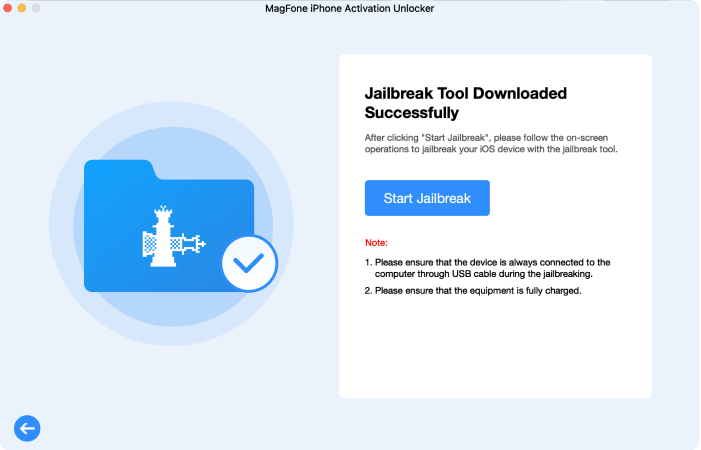
Once the software detects your iPhone, follow the on-screen instructions to manually enter DFU mode. The tool will automatically begin the jailbreaking process after successfully detecting your device in DFU mode.
Step 3Finish the iCloud Lock Bypass
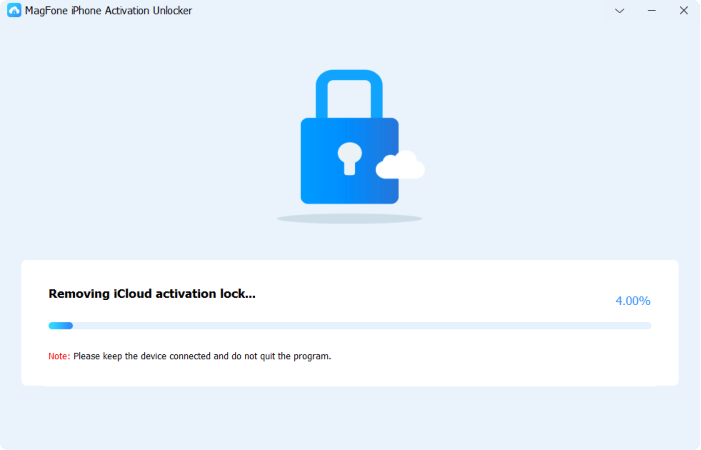
After the jailbreaking process is completed, MagFone will start the iCloud unlock process. Wait for about 2-5 minutes while it works. Once the process is complete, your iPhone will be fully unlocked and ready to use.
Part 6. Conclusion
Broque Ramdisk Pro offers a powerful and advanced solution for bypassing iCloud activation locks, but it's not without its challenges. The software works best for tech-savvy users who are comfortable navigating complex systems. It's a great option for those in need of a reliable, versatile tool for unlocking older devices. However, for those looking for a simpler solution or working with newer devices, the alternative tool MagFone Activation Unlocker may be more appropriate.

Dylan Jones
Editor in chief




