









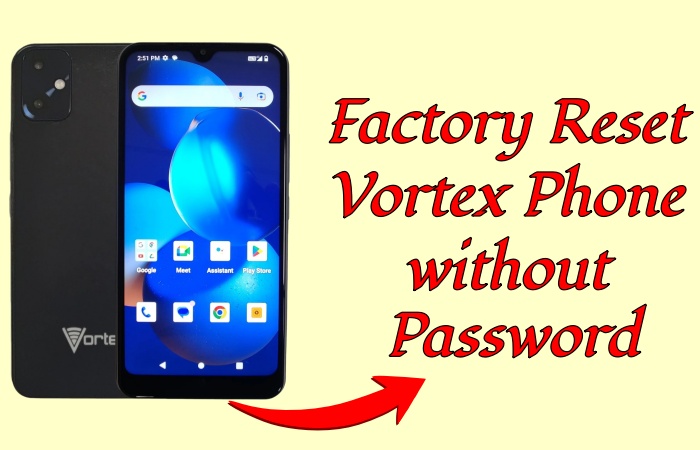
Troubled with your Vortex phone that's frozen, slow, or locked? Wanna erase all personal data on your Vortex phone before selling or giving it away? Performing a factory reset is often the best solution, but what to do? This guide will walk you through how to factory reset a Vortex phone with or without password in different ways. Learn more details here.
- Part 1. How Do You Factory Reset a Vortex Phone?
- Part 2. How to Factory Reset a Vortex Phone without Password
- Part 3. How to Factory Reset a Vortex Phone with Buttons
- Part 4. How to Reset a Vortex Phone to Factory Settings
- Part 5. Conclusion
Part 1. How Do You Factory Reset a Vortex Phone?
A factory reset restores your Vortex phone to its original factory settings. This process:
- Wipes all data like apps, contacts, photos, and videos stored on the device.
- Removes user accounts and settings.
- Solves software issues like freezes, slow performance, or app crashes.
After a factory reset, you can gain your Vortex phone like new. There are several methods like below to help you factory reset your Vortex phone whether knowing the screen password or not. And before factory resetting your Vortex phone, you can remove Google account to prevents Factory Reset Protection from triggering.
| Method | Password | Easy to Operate | Best For |
|---|---|---|---|
| MagFone Android Unlocker | ❌ | ✔️ | Quick factory reset without any password |
| Recovery Mode | Google password required | ❌ | Direct factory reset with Google account and password |
| Factory Settings | Screen password required | ❌ | Direct factory reset with the screen lock password |
| Find Hub Site | Google password required | ❌ | A remote factory reset with Google account and password |
| Find Hub App | Google password required | ❌ | A remote factory reset with Google account and password |
Part 2. How to Factory Reset a Vortex Phone without Password
If your Vortex phone is locked, or you want to perform a factory reset without access to Settings, MagFone Android Unlocker provides a safe and efficient way to reset your device. Without your screen lock password or Google account, this tool enables you to reset your Vortex phone to the original status in several clicks. Now, follow the steps below to factory reset your Vortex phone without a password.

MagFone Android Unlocker
Remove multiple kinds of screen locks on over 5000 Android devices and delete Google FRP lock without a password.
Step 1 Connect Your Voretx Phone to A Computer
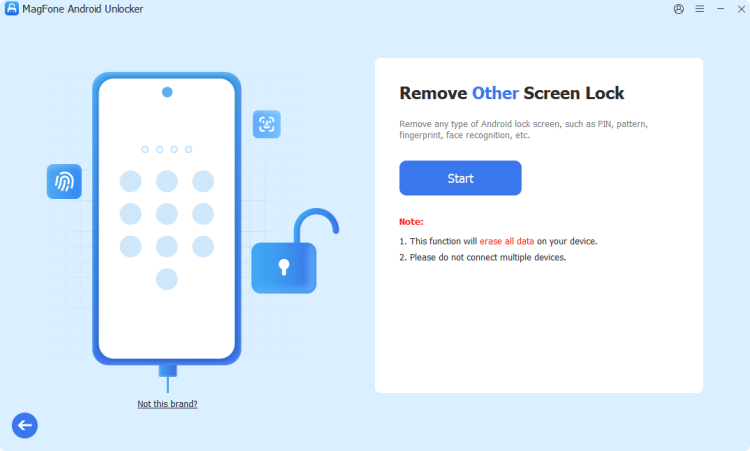
Launch and fire up MagFone Android Unlocker. Choose Remove Screen Lock and wait for your Vortex phone to be detected.
Step 2 Put the Vortex Phone into Recovery Mode
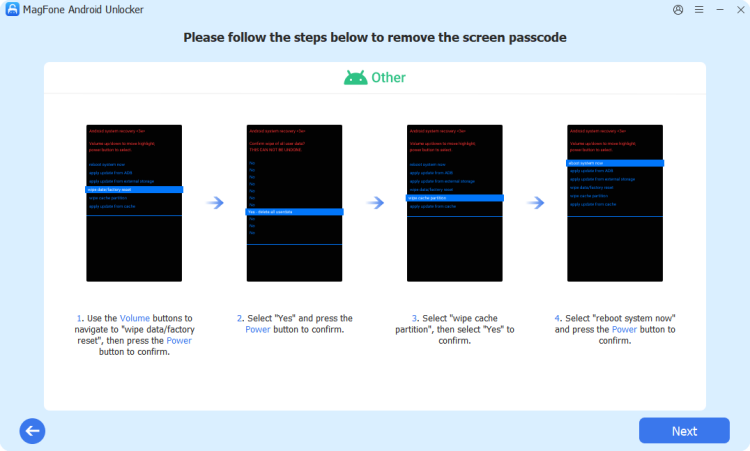
Put your Vortex phone into Recovery Mode by following the on-screen steps. After entering the Recovery Mode, click Next.
Step 3 Factory Reset Vortex Phone Successfully
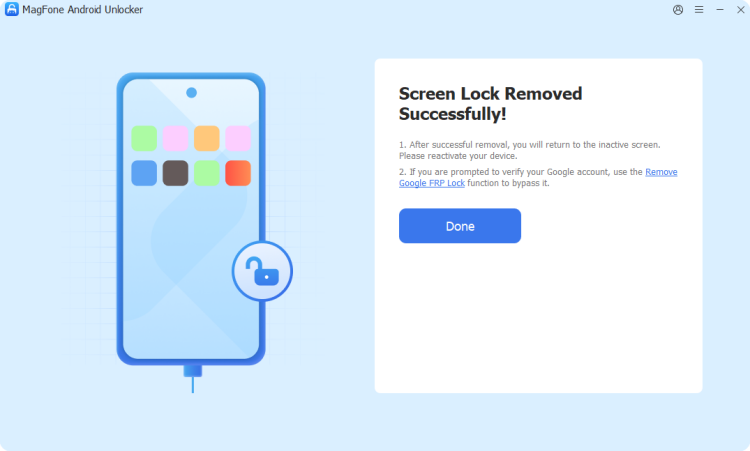
MagFone will help you factory reset your Vortex phone quickly and safely, and then you can set up your phone freely.
Part 3. How to Factory Reset a Vortex Phone with Buttons
When your Vortex phone cannot boot normally or the Settings menu is inaccessible, another option to factory reset your device is to use buttons. With hardware buttons, you can boot your Vortex phone into Recovery Mode, then start a factory reset. This method doesn't require the screen lock password, but you need to log into the previous linked Google account during the setup.
📝Requirements:
Google account and password
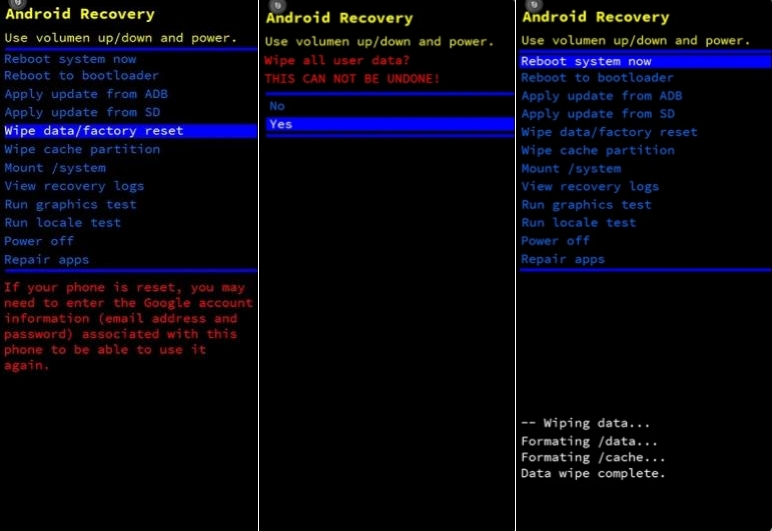
Step 1. Power off your Vortex phone completely.
Step 2. Press and hold both Volume Up and Power buttons simultaneously until the Recovery menu appears.
Step 3. Release the buttons to enter Recovery Mode.
Step 4. Use the Volume Down button to navigate and Power button to select Wipe data/factory reset.
Step 5. Proceed to select Factory data reset to initiate the erasing process.
Step 6. In the last step select Reboot system now to restart your device.
Part 4. How to Reset a Vortex Phone to Factory Settings
Using a third-party tool like MagFone Android Unlocker or Recovery Mode, you can safely restore your Vortex phone to its original factory condition. But if you know your screen lock password or Google account login, you can perform a direct factory reset in the Settings menu or a remote factory reset with Google Find Hub.
Method 1. Reset a Vortex Phone in Settings (Screen Password Required)
Factory reset your Vortex phone in Settings is the easiest way to reset it. If you can remember your screen password clearly, you can factory reset your Vortex phone directly and quickly.
📝Requirements:
Screen password
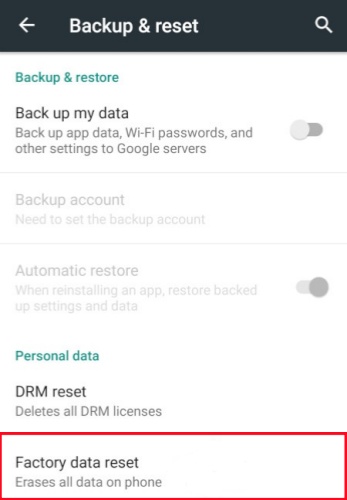
Step 1. Head to Settings, and scroll down to tap System.
Step 2. Find Back up & reset in the bottom, and then choose Factory data reset.
Step 3. Confirm your choice by tapping rase all data twice, then the factory reset will start.
Method 2. Reset a Vortex Phone on Find Hub Site (Google Password Required)
Compared with a direct factory reset, you can also factory reset a Vortex phone remotely. If you have signed into your Google account and enabled Find My on your Vortex phone before, you can factory reset it on the Find Hub site. Don't forget to connect to a useful network for factory resetting.
📝Requirements:
Enabled Find My before
Google account and password
A networked device
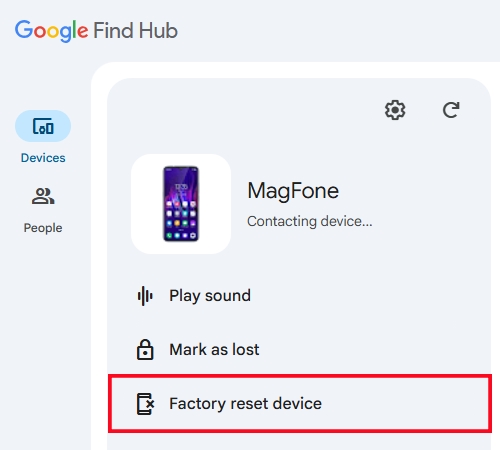
Step 1. Log in Find Hub site with the same Google account as your Vortex phone.
Step 2. Choose your Vortex phone from the list of Devices.
Step 3. Click Factory reset device > Next, then confirm with the Reset option.
Method 3. Reset a Vortex Phone via Find Hub App (Google Password Required)
Similar to the Find Hub site, factory resetting your Vortex phone by the Find Hub app can also reset it remotely. Using the Find Hub app to factory reset your Vortex phone requires your Vortex phone and another device to be online and signed into the same Google account.
📝Requirements:
Enabled Find My before
Google account and password
Another Android device
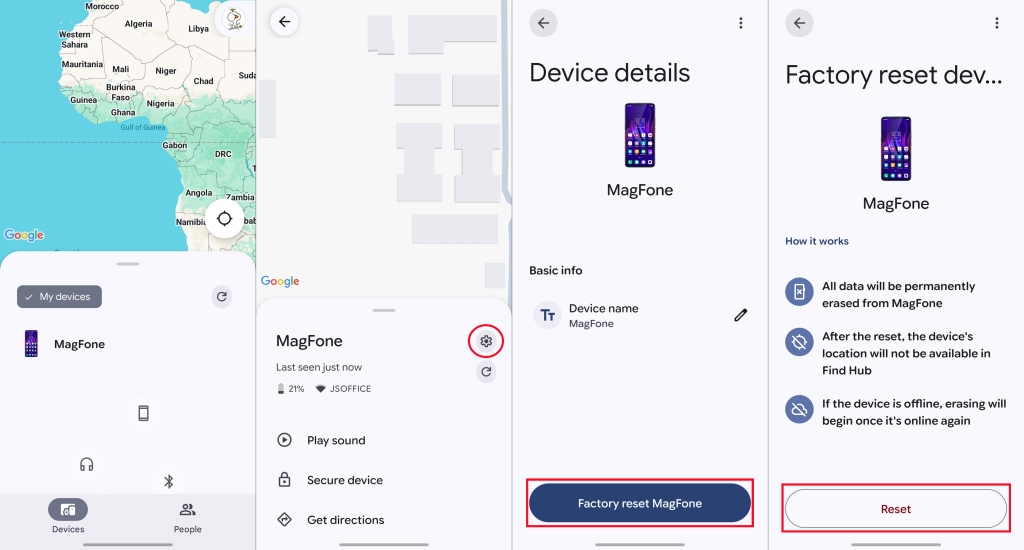
Step 1. Sign in with your Google account on the Find Hub app of another Android device.
Step 2. Find your Vortex phone from the list of Devices and tap the Settings icon.
Step 3. Choose Factory reset device > Reset.
Part 5. Conclusion
Factory resetting a Vortex phone without password may be stressful for you. If you remember the screen password clearly, you can factory reset it straightforwardly. But if you forget the password, you can also factory reset the Vortex phone via MagFone Android Unlocker, Recovery Mode, Find Hub site, and Find Hub app. And MagFone Android Unlocker is the ideal option for you to factory reset your Vortex phone. Try it now!

Dylan Jones
Editor in chief





