









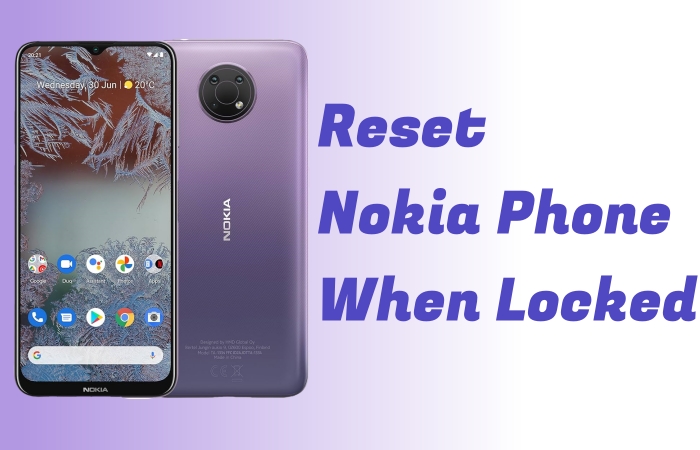
If you forget the password, PIN, or pattern lock of your Nokia phone, resetting it will be a bit difficult. But there will be several methods to help you reset it smoothly, even if your phone is locked. Whether you forget the password or you can’t remove the screen lock of the last phone owner. The guide will provide a complete instruction on how to factory reset Nokia phone when locked. Let's explore more details!
- Part 1. Best Method to Reset Nokia Phone When Locked
- Part 2. How to Reset Nokia Phone when Locked without PC
- Part 3. How to Reset Nokia Phone when Locked with PC
- Part 4. Which Is the Best Way to Reset Nokia Phone When Locked?
- Part 5. Conclusion
Part 1. Best Method to Reset Nokia Phone When Locked
Is there any best and safe method of resetting locked Nokia phone? Of course! MagFone Android Unlocker provides a reliable, beginner-friendly solution. It can remove a forgotten PIN, pattern, password, or Google FRP verification in any scenario. If you want to reset your Nokia phone when locked, MagFone Android Unlocker can help you get it done with ease. The steps are very easy with no need for technical skills, and you can factory reset your locked Nokia phone with several clicks. Here are the steps below. Try it now!

MagFone Android Unlocker
Remove multiple kinds of screen locks on over 5000 Android devices and delete Google FRP lock without a password.
Step 1 Connect Nokia Phone to a Computer
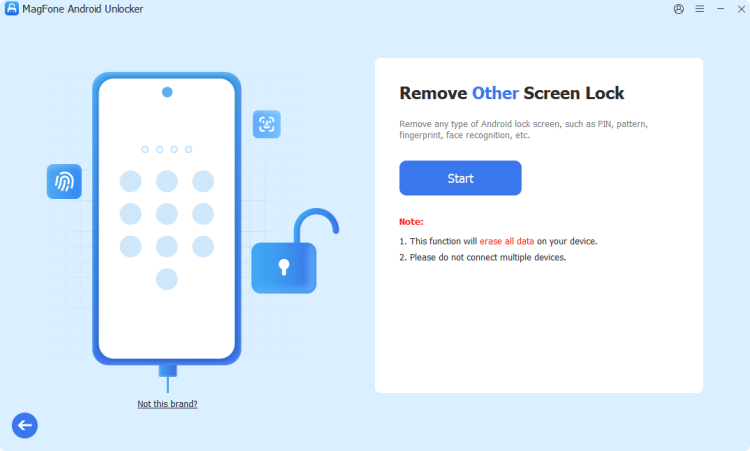
Fire up MagFone Android Unlocker and connect your Nokia phone to a computer. Launch the program, and then it will recognize your phone brand automatically, or you can choose Other.
Step 2 Put Nokia Phone into Recovery Mode
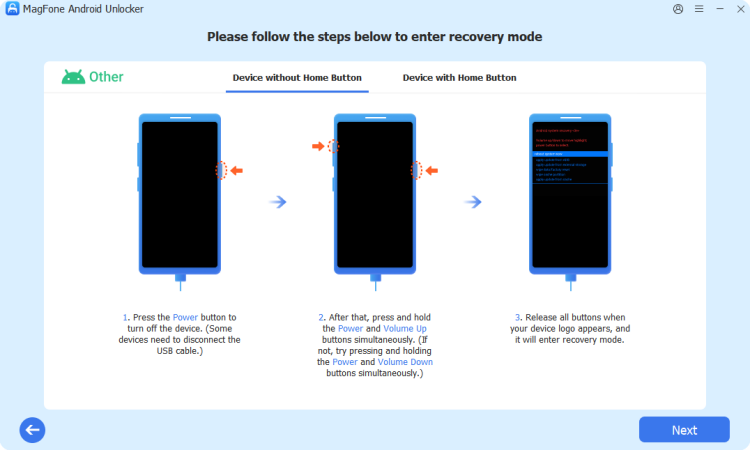
Follow the steps on the computer screen to put your Nokia phone into Recovery mode. After operating, click Next.
Step 3 Factory Reset Locked Nokia Phone
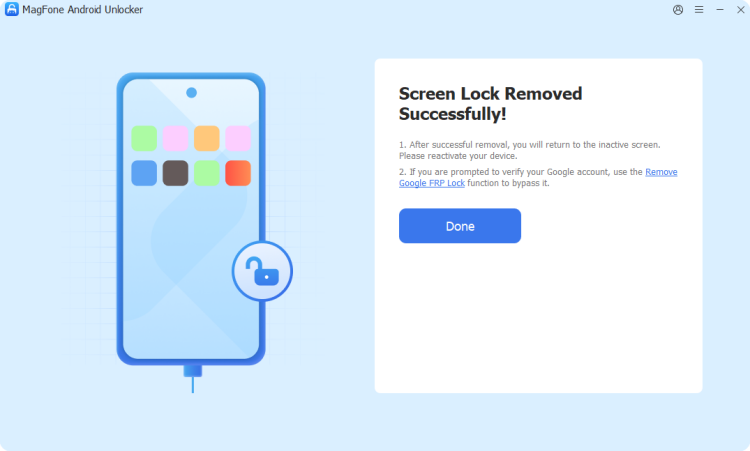
Waiting for the software to remove the screen lock and then click Next. After the whole process, you can reset your Nokia phone without password and use it freely.
Part 2. How to Reset Nokia Phone when Locked without PC
If you prefer to reset your Nokia phone when locked without a computer, several methods, including using Recovery Mode, Find Hub site or Find Hub app are available for your benefit. But for sure, these methods will be a bit complex to operate and have a low success rate. You can try the methods below to reset your Nokia phone that is locked.
Method 1. Reset Locked Nokia Phone via Physical Buttons
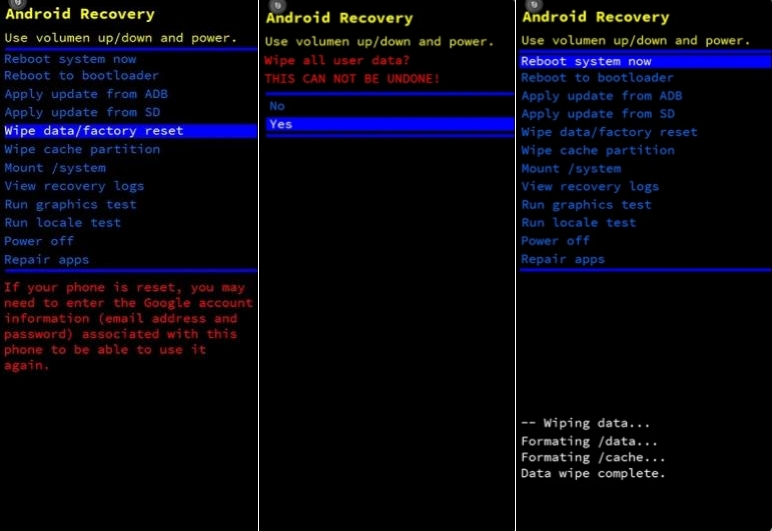
Resetting a locked Nokia phone in Recovery mode is the most direct and traditional method. With physical buttons, you can not only remove the screen lock of your Nokia phone, but also reset your phone settings totally. Here is the instruction on how to factory reset Nokia phone when locked.
📝Requirements:
At least 30% battery
Google account and password
Step 1. Power off your Nokia phone with the Power button.
Step 2. Press and hold the Volume Up and Power buttons at the same time until the Nokia logo appears on your screen.
Step 3. Press and hold the Volume Down button to enter the Recovery mode.
Step 4. Use Volume buttons to tap Wipe data/factory reset > Reboot system now, and use the Power button to confirm your choice.
Step 5. After resetting your Nokia phone, enter your Google account credentials to activate it.
Method 2. Reset Locked Nokia Phone via Find Hub App
Unlike resetting a Nokia phone in Recovery Mode, you use the Find Hub app on your other Android device to reset your locked Nokia phone. But make sure that your locked Nokia phone is connected to a useful network and logged into a Google account. If you have another Android device with the Google Find Hub app, you can try this method.
📝Requirements:
Another Android device
Google account and password
Enabled Find My Device before
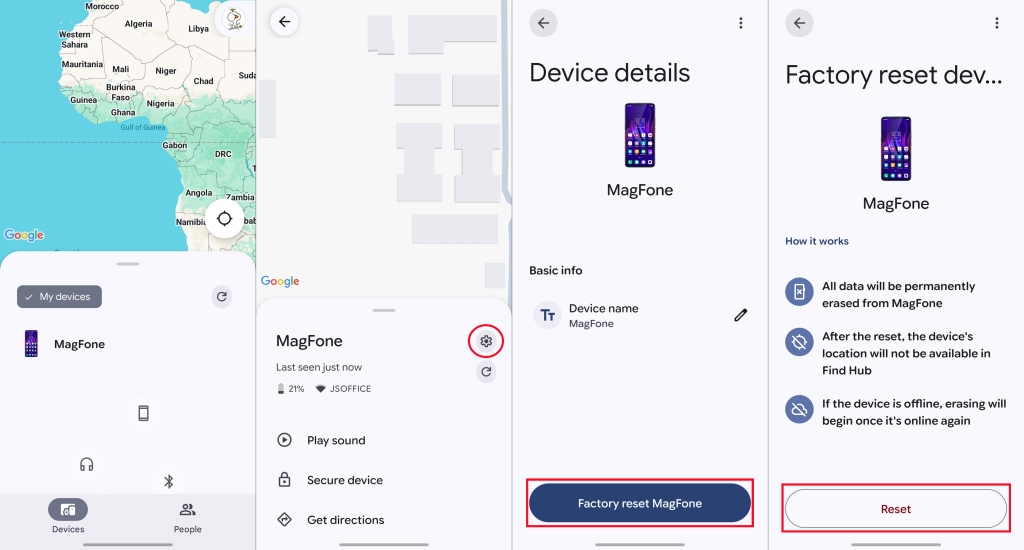
Step 1. Run the Find Hub app with your Google account on another Android phone.
Step 2. Choose your locked Nokia phone from the list of Devices.
Step 3. Tap Settings icon > Factory Reset > Reset.
Part 3. How to Reset Nokia Phone when Locked with PC
Certainly, except for those complex methods without a computer, you can also reset your Nokia phone that is locked with a computer. These methods will be easier and technically needed. Try it together!
Method 1. Reset Locked Nokia Phone via Find Hub Site
Like using the Find Hub app, the Find Hub site is a place where you can remotely reset your locked Nokia phone with your Google account. When your Nokia phone is online and logged into your Google account, you can perform a similar operation to the Find Hub app for resetting your phone.
📝Requirements:
A computer
Google account and password
Enabled Find My Device before
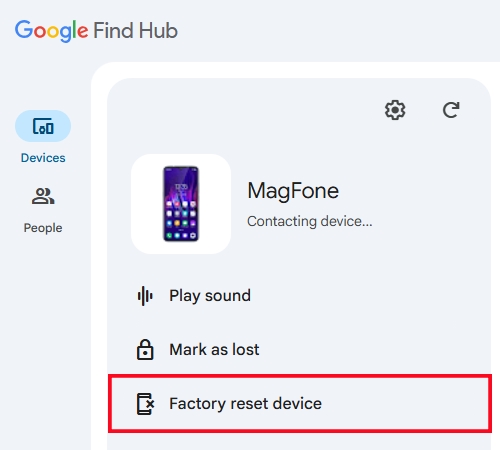
Step 1. Open the Find Hub site in a browser on your computer.
Step 2. Find your Nokia phone in My Devices.
Step 3. Select Factory reset device, and click Reset to confirm.
Method 2. Reset Locked Nokia Phone via Nokia Software Recovery Tool [Non-Android]
When the above method fails, there is a desktop utility from Nokia that can help you factory reset your locked Nokie phone. Nokia Software Recovery Tool is a free software that can reinstall your Nokia phone and fix software problems. But this method only works for a part of older Nokia phones like Nokia 40, Symbian, Asha, and Lumia Windows series. Now, follow the steps to reset a locked Nokia phone with Nokia Software Recovery Tool.
📝Requirements:
A computer and a USB cable
Google account and password
Nokia 40, Symbian, Asha, and Lumia Windows series
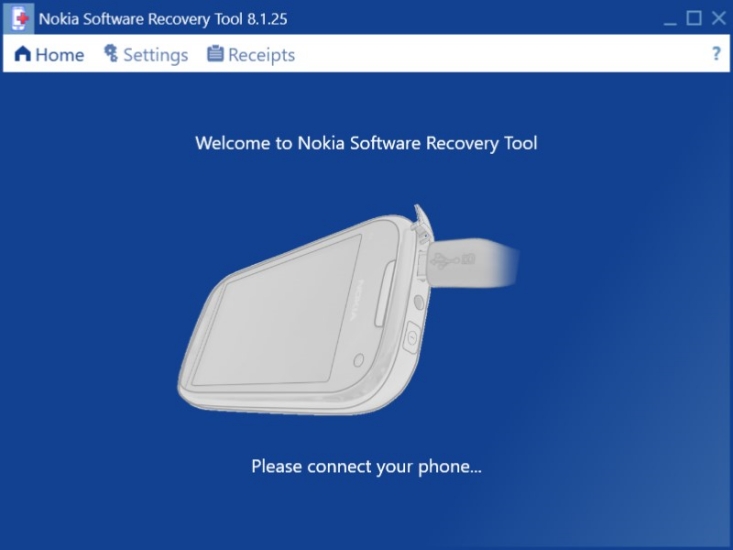
Step 1. Download and install Nokia Software Recovery Tool on your computer.
Step 2. Turn off your Nokia phone and connect it to the computer with a USB cable. The software will detect your phone automatically.
Step 3. Follow the on-screen instructions to restore the firmware of your Nokia phone.
Step 4. Click Reset your phone. Then you can set up your phone like new.
Part 4. Which Is the Best Way to Reset Nokia Phone When Locked?
Whether your Nokia phone is locked by a forgotten PIN, pattern, or password, you can reset it to the default settings with the above methods. But which method is more suitable for resetting your locked Nokia phone? The following comparison table will help you to understand all the methods more clearly and directly. Then you can select one to reset your phone safely and efficiently.
| Method | PC Required | Google Account Required | Success Rate | Limit | Recommendations |
|---|---|---|---|---|---|
| MagFone Android Unlocker | ✔️ | ❌ | High | None | ⭐⭐⭐⭐ |
| Recovery Mode | ❌ | ✔️ | Medium | None | ⭐⭐⭐ |
| Find Hub App | ❌ | ✔️ | Medium | Online | ⭐⭐⭐ |
| Find Hub Site | ✔️ | ✔️ | Medium | Online | ⭐⭐⭐ |
| Nokia Software Recovery Tool | ✔️ | ✔️ | Medium | Device compatibility | ⭐⭐ |
Part 5. Conclusion
When your Nokia phone is locked and you can't reset it, you may feel stressed and helpless. But the effective methods in the guide can solve your problem practically. Whether the methods are without a computer or with a computer, you can choose a suitable one to reset your Nokia phone when locked. But for a quick reset of a locked Nokie phone, MagFone Android Unlocker provides a simple and effective solution. Don't hesitate to download and install it for use.

Teresa Miller
Editor in chief





