







Locked modems and stubborn bootloaders can turn a perfectly good device into a paperweight. DC-Unlocker promises to fix that with a Windows client that detects your hardware, connects to a remote server, and removes network restrictions for a small fee. But do the glowing and furious reviews each tell only half the story? This guide covers features, pricing, user feedback, download steps, usage, and a stronger alternative.
- Part 1. What Is the DC-Unlocker Software?
- Part 2. DC-Unlocker: User Reviews and Ratings
- Part 3. How to Download DC-Unlocker
- Part 4. Best Alternative Tool to DC-Unlocker
- Part 5. Conclusion
Part 1. What Is the DC-Unlocker Software?
DC-Unlocker is a Windows program for unlocking modems, mobile routers, and some phones, mainly from Huawei and ZTE. You plug the device into a PC, let the client identify it, and pay credits for each operation. It suits older hardware best, not every modern handset.
01DC-Unlocker Features
The software is built around a few practical ideas that make basic unlocking easier for non-experts. These are the capabilities users mention most often when comparing it with other unlocking tools.
- Automatic detection: Reads the brand, model, and firmware as soon as the device is connected.
- Software-only unlocking: Removes network locks without soldering, hardware tweaks, or complicated manual firmware flashing.
- Broad brand support: Covers Huawei, ZTE, Sierra Wireless, and a limited number of smartphones.
- Firmware and dashboard options: Provides updates or replacement dashboards for selected models to improve their performance.
- Pay-per-job credits: Charges only for the operations you run, so you avoid buying costly dedicated unlocking boxes.
02DC-Unlocker Price
DC-Unlocker does not sell a flat subscription for casual users. You buy credits and spend them as each job runs. The cost depends on the brand and model, and basic modem unlocks usually take four to seven credits, while newer or special models can need more. Payment options include PayPal and bank transfer.
| Credit Pack | Price |
|---|---|
| 4 credits | €4 |
| 7 credits | €7 |
| 10 credits | €10 |
| 50 credits | €50 |
| 100 credits | €96 |
Some users also buy short-term licenses, such as three-day passes, for tools like DC-Phoenix. Check the current rates on the official site before paying.
03DC-Unlocker Crack
Searches for cracked clients or unlimited-credit versions are common because people want to avoid the fees. These unofficial files deserve caution. They are a common route for malware, often fail mid-operation, and can put your accounts at risk. Paying for exactly the credits you need is the safer option.
Part 2. DC-Unlocker: User Reviews and Ratings
Public opinion on DC-Unlocker is divided. On Trustpilot, the tool currently holds a 3.8 out of 5 rating, suggesting that many customers are satisfied, while a vocal group feels burned. Looking at both sides shows where the tool shines and where expectations collapse.
01User Comments on DC-Unlocker
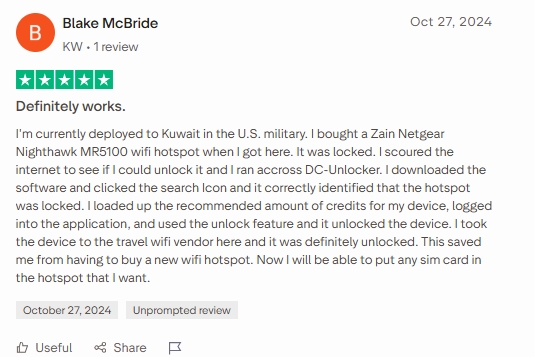
Some Trustpilot reviewers report successful unlocks. One unlocked a mobile hotspot for use with any SIM card, while another unlocked a Huawei tablet's bootloader and upgraded Android. Although the five-euro fee seemed slightly high, both users considered the results worthwhile. These cases suggest DC-Unlocker works best with compatible devices.
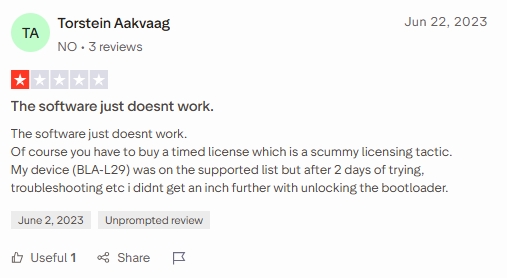
However, negative reviews are more common. Several users paid for timed licenses but failed to unlock their devices. Complaints include unsupported models, failed operations, Windows 10 compatibility issues, license misuse, and refused refunds. Although some praised quick support responses, many felt their problems remained unresolved, raising concerns about device compatibility, licensing, and customer service.
02Pros and Cons of DC-Unlocker
The tool's strengths and weaknesses follow directly from the feedback above. It is efficient when everything lines up and frustrating when it does not, so a quick comparison helps you weigh the risk before paying.
 Pros
- Fast on supported modems.
- Automatic model detection.
- Guided, beginner-friendly workflow.
- Pay only per job.
- Official client avoids risks.

- Credits and licenses cost money.
- Newer models often unsupported.
- Refunds can be difficult.
- Cracked versions carry malware risk.
- Cannot remove Android screen locks.
Part 3. How to Download DC-Unlocker
Getting the software is simple, but where you get it matters. Download only from the official website, check that your device appears on the supported list first, and avoid third-party mirrors or APK-style files. The sections below cover the client, logging in, and basic usage.
01DC-Unlocker Free Download
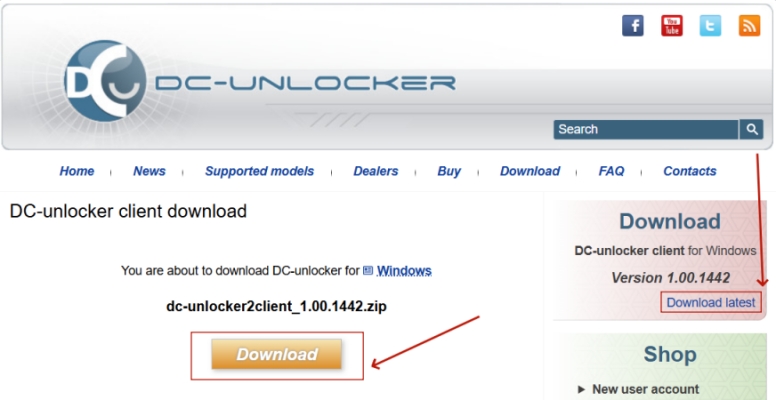
The client itself can be downloaded free from the official site, but unlocking operations still require credits or a license. The package is the DC Unlocker 2 client, a Windows application, and newer builds are released as the supported model list grows. Older versions remain available for certain legacy devices, so if your modem is not detected, try a different release. There is no official Android app, so APK files you see online are not trustworthy.
02DC-Unlocker Login
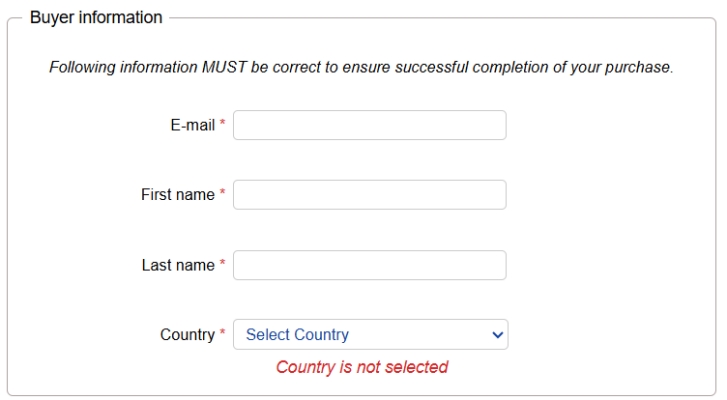
To spend credits, the client has to connect to the company's server using their registered account. Create the account on the official site first, buy your credits, and keep your credentials private, since one reviewer reported that a leaked account led to a stranger using their license. Use a unique password and never share your login.
Step 1. Register an account on the official DC-Unlocker website and verify your email.
Step 2. Purchase the credits needed for your specific device.
Step 3. Open the DC Unlocker 2 client on your Windows PC.
Step 4. Go to the Server tab and enter your username and password.
Step 5. Check that your credit balance appears before continuing.
03DC-Unlocker Usage
Once you are logged in, unlocking a supported modem takes only a few minutes. Confirm the detected model before spending anything, because a device may appear in the client and still fail during the actual unlock. If an attempt fails, stop and review support details instead of retrying.
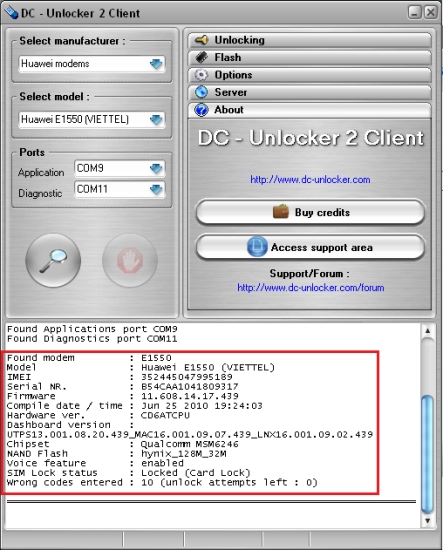
Step 1. Install the client and connect your modem to the PC by USB.
Step 2. Select the manufacturer, such as Huawei, from the list.
Step 3. Click the search icon and let the client auto-detect the model and firmware.
Step 4. Verify the details match your device and appear on the supported list.
Step 5. Open the Unlocking section and choose Unlock (or the equivalent job for your model).
Step 6. Wait for the confirmation message, then test the device with another SIM card.
Part 4. Best Alternative Tool to DC-Unlocker
If you need to unlock many kinds of Android phones, not just modems, MagFone Android Unlocker is a strong alternative. DC-Unlocker mainly handles network locks on older Huawei and ZTE hardware, and it cannot remove screen locks. MagFone, by contrast, is designed for forgotten PINs, patterns, passwords, and fingerprint locks across a wide range of Android brands. It also avoids credit-per-job licensing, offers a simpler guided process, and is easier for beginners.

MagFone Android Unlocker
Remove multiple kinds of screen locks on over 5000 Android devices and delete Google FRP lock without a password.
Step 1 Link Android Device and Launch MagFone
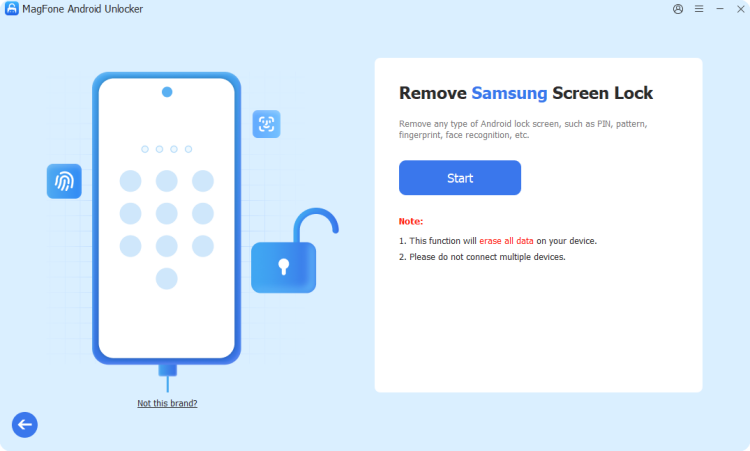
Download and install MagFone Android Unlocker on your computer, then launch the program. Select Remove Screen Lock from the main interface and connect your Android phone using a USB cable.
Step 2 Select Your Device and Follow the Instructions
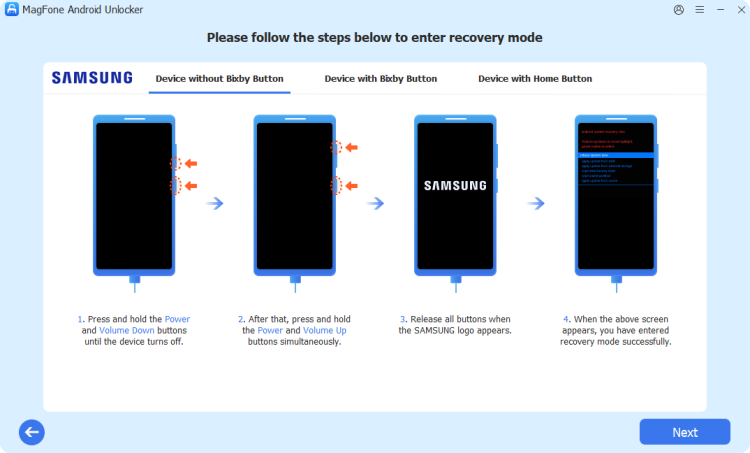
Once your device is detected, select the corresponding device brand and follow the on-screen instructions to prepare your phone for unlocking. Enter the required mode as prompted by the software.
Step 3 Finish the Android Screen Lock Bypass
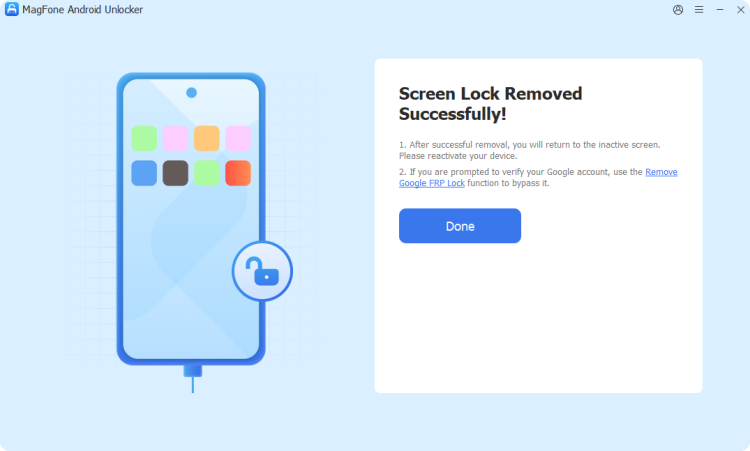
Follow the on-screen instructions to start the unlocking process. MagFone will guide you through the remaining steps to remove the screen lock, helping you regain access to your Android device.
Part 5. Conclusion
DC-Unlocker can be a cheap, effective choice for supported, older Huawei and ZTE modems, as several satisfied users show. However, mixed Trustpilot feedback, refund disputes, and the risks of cracked downloads call for caution. Verify your model, use only the official client, and keep expectations realistic. For locked Android phones, a broader tool like MagFone Android Unlocker is the safer pick.

Dylan Jones
Editor in chief




