








Curious about unlocking premium features and modded games on your iPhone or Android without touching a jailbreak? iOSGods App promises exactly that, packing thousands of tweaked apps into one tidy library. But bold promises deserve scrutiny. Is it really free, does it keep your device secure, and can you trust it? This review walks you through pricing, safety, real user feedback, installation steps, and smart alternatives, so you can decide confidently before tapping Install.
- Part 1. What Is iOSGods App?
- Part 2. Benefits and Risks of iOSGods App
- Part 3. How to Install and Use iOSGods App
- Part 4. Apps Like iOSGods for iOS or Android
- Part 5. FAQs about iOSGods App
- Part 6. Conclusion
Part 1. What Is iOSGods App?
iOSGods began as a jailbreak forum years ago, sharing tweaks and game hacks with enthusiasts. Over time, it grew into a full app library, and the iOSGods App later arrived for iOS and Android, letting people install tweaked apps directly from a browser. Today it offers the following main features and benefits:
| Feature | Description |
|---|---|
| Huge Library | 6,000+ tweaked apps and modded games for iOS and Android. |
| Quick Updates | New mods are added daily and pushed to both platforms. |
| On-Device Installs | Install over the air with enterprise certificates, App+ signing, Sideloadly, or your own certificate. |
| Cross-Platform | Runs on iPhone, iPad, and Android, and iOS apps even work on Apple Silicon Macs. |
| Custom Signing | Upload your own IPAs, inject tweaks, change icons and names, and clone apps. |
| No Jailbreak or Root | Add it to your home screen from any browser, with no computer required. |
| Multilingual | Fully localized in 19 languages, with pages tailored to your region. |
| Community Support | Forum members share guides, help with problems, and take app requests. |
01Is iOSGods App Free?
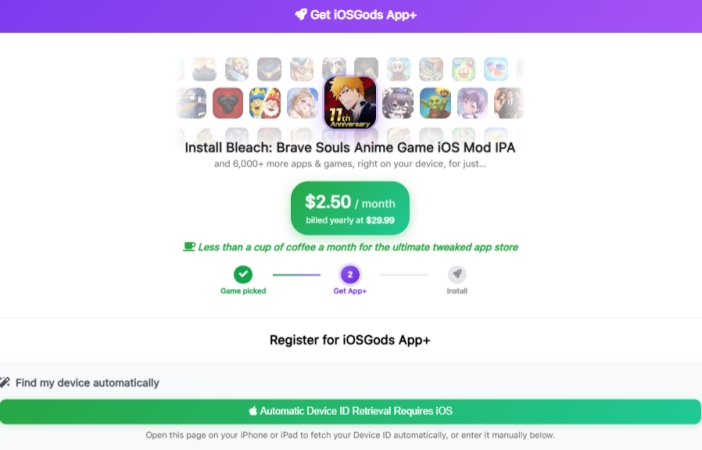
Not entirely. Browsing the site costs nothing, but you need a VIP membership before you can install and use the games and tweaked apps. The plan costs $2.50 per month, billed yearly at $29.99. Compared with many app subscriptions, the cost is relatively low, but it's best to check the official website for the latest price before subscribing.
02Is iOSGods App Safe?
Not safe enough. Based on user feedback, opinions are divided, with most reviews being negative. We'll look at some of these reviews in Part 2 to explain the main concerns.
03Is iOSGods App Legit?
The platform is a real, long-running service with an established community, so it isn't an outright scam. But it distributes modified and cracked apps, which often violate developers' terms and can get game accounts banned. It is "legit" as a working service for many games, though it operates in a legal and policy gray area.
Part 2. Benefits and Risks of iOSGods App
Opinions about the iOSGods App split into two camps on Reddit. A small group of long-time users says they have relied on it for many years and consider it safe and trustworthy, praising its steady updates, huge library, and the helpful community that steps in whenever something breaks or they need a fresh mod.

The complaints, however, are varied. Some users claim the app delivers Trojans and viruses to their devices. Others say they keep getting bombarded with ads. On Trustpilot, negative feedback makes up about 56% of all reviews, which is a worrying sign for anyone considering a subscription.

Based on the feedback above, we summarized what iOSGods can bring you, along with the risks you should weigh before using it. Reviewing both sides helps you decide clearly whether the added convenience of modded apps is worth the trade-offs for your device, personal data, and game accounts.
 Benefits
- Huge library of tweaked apps.
- Daily updates for new mods.
- No jailbreak or root needed.
- Works on iOS and Android.

- Possible malware or trojan exposure.
- Frequent intrusive advertisements.
- Game account ban possibilities.
- Paid VIP needed for access.
Part 3. How to Install and Use iOSGods App
Getting the iOSGods App running takes only a few short minutes, but the process differs slightly between iPhone and Android. The sections below clearly explain where to download it, how to install it on each platform, and how to start browsing tweaked apps and games once everything is set up.
01How to Download iOSGods App
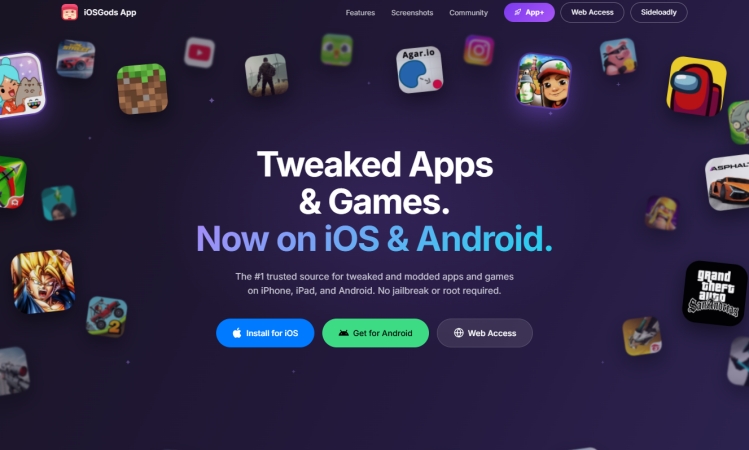
You can reach the iOSGods App straight from app.iosgods.com, with no App Store listing required. It also supports installation on both iOS and Android devices through app.iosgods.com, so simply open that address in your mobile browser and follow the on-screen prompts to begin the download and setup process.
02How to Install iOSGods App
Installing the iOSGods App works differently on iPhone and Android, because each system handles web apps and app files in its own way. Follow the steps below that match your device, and the app icon should appear on your home screen within just a few moments, ready to launch instantly.
On iPhone or iPad:
Step 1. Open Safari and navigate to app.iosgods.com.
Step 2. Tap the Share icon at the bottom of the browser.
Step 3. From the available options, select Add to Home Screen.
Step 4. Confirm the installation, then open the app from your home screen and browse its content.
On Android:
Step 1. Launch Chrome or another supported browser and visit app.iosgods.com.
Step 2. Open the browser's menu using the icon in the upper corner.
Step 3. Select Add to Home Screen and follow the prompts to add the app.
Step 4. Once added, open it from your home screen and begin browsing or downloading.
03How to Use iOSGods App
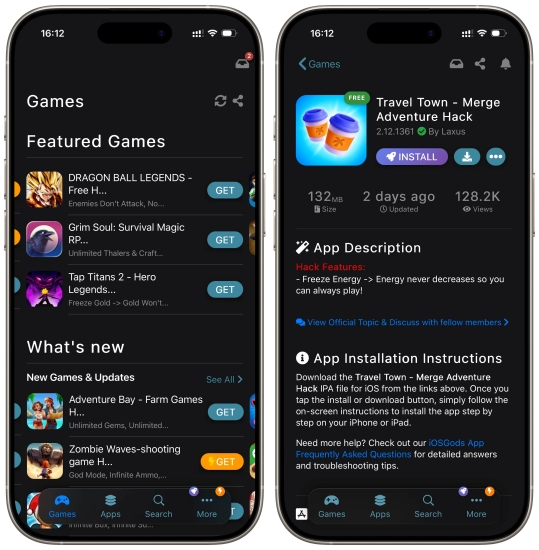
Whatever platform you use, the routine stays the same. Browse or search the library, open the app or game page you want, then tap the Get button. Remember that VIP membership is needed first, so sign in, and the tweaked version will then begin installing on your device automatically.
Part 4. Apps Like iOSGods for iOS or Android
If the iOSGods App does not suit you, several alternatives exist. On iOS, popular options include TutuApp, Panda Helper, AppValley, and TweakBox, all offering tweaked apps and games. Android users can try AN1, HappyMod, APKPure, or Aptoide for modded APKs. Each service has its own catalog, pricing, and safety record, so compare them carefully before installing anything. These stores rely on enterprise certificates, so expect occasional revocations and sometimes unreliable updates.
Here's a secret tip for GPS-based game users: MagFone Location Changer is a great helper for playing these games. It lets you change your device location and simulate movement without modifying the game itself, and the software supports both Windows and Mac computers, making setup quick and simple for beginners.
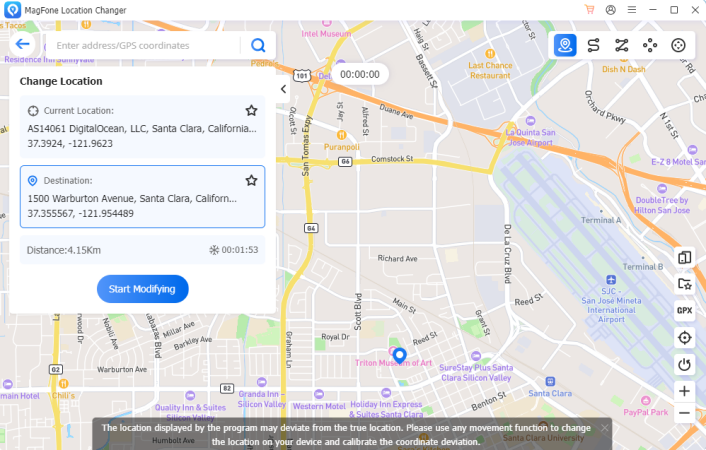

MagFone Location Changer
Easily change your GPS location on iOS and Android devices to anywhere with one click, while not requiring root or jailbreaking!
Part 5. FAQs about iOSGods App
How to fix iOSGods app crashing?
Start by closing the app fully and reopening it. If it keeps crashing, update your iOS or Android system, clear your browser cache, and check that your device has enough free storage. Still no luck? Delete the home screen shortcut, reinstall it from app.iosgods.com, and confirm your VIP status is active.
What to do if iOSGods app not installing?
First, make sure you are using Safari on iOS or Chrome on Android, since other browsers may not offer the Add to Home Screen option. Check your internet connection, free up storage, and restart your device. On iPhone, go to Settings > General > VPN & Device Management and trust the required profile. If the problem continues, check the iOSGods community for current fixes.
Is there any iOSGods app download limit?
The service advertises a library of more than 6,000 apps and games, and it doesn't publicly emphasize a strict download cap for VIP members.
Part 6. Conclusion
iOSGods App offers a large, regularly updated library of tweaked apps and modded games for iOS and Android, but access requires a paid VIP plan. Its safety and legitimacy depend heavily on how carefully you use it, since malware, ads, and account bans are real concerns. Weigh the benefits against the risks, protect your accounts, and consider alternatives before committing to any paid subscription.

Edgar Davis
Editor in chief





