








GPS location plays a pivotal role in applications like gaming, social networking, and travel services. Whether you want to fake your location on a map for privacy, gaming, or other reasons, iMyFone AnyTo Location Changer is a popular tool that can help. In this in-depth review, we will evaluate iMyFone AnyTo Location Changer from several different aspects, including features, usability, compatibility, pricing, and more, to help you decide if it's the right solution for your needs. Also, we'll introduce some better alternatives to iMyFone AnyTo. Let's dive into the details.
- Part 1. What Is iMyFone AnyTo Location Changer?
- Part 2. How to Download iMyfone Anyto
- Part 3. How to Use iMyfone Anyto Easily
- Part 4. Better Apps Like iMyfone Anyto
- Part 5. FAQs about iMyfone Anyto
- Part 6. Conclusion
Part 1. What Is iMyFone AnyTo Location Changer?
iMyFone AnyTo is a GPS location changer designed for users who want to change their mobile device's GPS location without any hassle. Here we will focus on three aspects: the key features, pricing plans, and user feedback, respectively, which will give you a clearer idea of iMyFone AnyTo.
01Key Features of iMyFone AnyTo
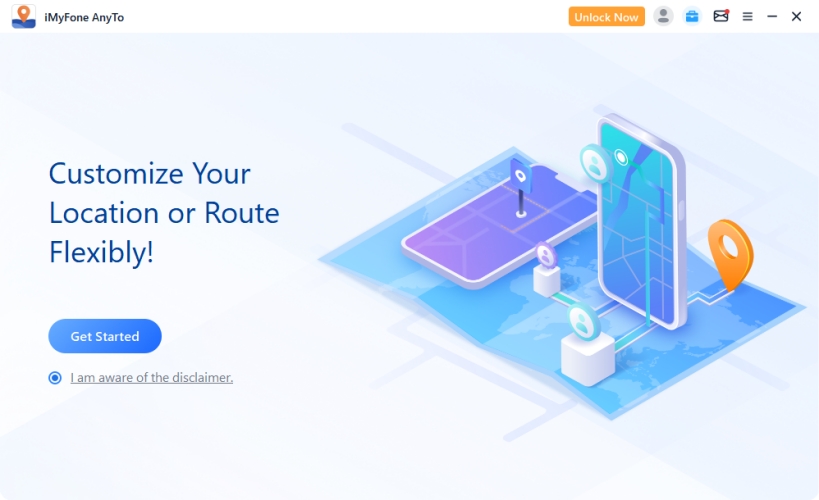
iMyFone AnyTo works just like most location changing tools. To better understand iMyFone AnyTo, you need to know its functions and features. Here are the primary features of iMyFone AnyTo you can get while utilizing it.
Feature 1. One-Click Location Spoofing
Instantly teleport your device location anywhere worldwide for location-based games and apps.
Feature 2. Multi-Spot Movement Simulation
Simulate natural movement routes by selecting multiple map points and adjusting travel speed.
Feature 3. Work on Both iOS and Android Devices
Supports Apple devices running iOS 5.0+ and Android devices running Android 6.0+.
Feature 4. No Jailbreak or Root Required
Change GPS locations safely without jailbreaking iPhones or rooting Android devices.
Feature 5. Real-Time GPS Control
Keep spoofed location updates smooth, accurate, and synchronized in real time.
Feature 6. Wide Application Support
Compatible with social, travel, and location-based gaming apps across multiple platforms.
02Price Plan of of iMyFone AnyTo
iMyFone AnyTo is not a freeware, but comes with a free trial version and a paid version. The free trial version allows users to test basic features no more than five times. With a paid subscription, you can unlock all the features of iMyFone AnyTo. iMyFone AnyTo offers flexible pricing options to cater to different user needs:
| Pricing Plans | Monthly Plan | Quarterly Plan | Yearly Plan | Lifetime Plan |
|---|---|---|---|---|
| VIP Plan | $14.99 | $29.99 | $59.99 | $89.99 |
| SVIP Plan | $19.99 | $39.99 | $79.99 | $119.99 |
| VIP plan only offers basic features, while SVIP plan includes all features. | ||||
03Customer Feedback of iMyFone AnyTo
iMyFone AnyTo has received positive feedback from users worldwide. Many commend the software's ease of use, reliable performance, and robust features. However, a few users have pointed out the issue of iMyFone AnyTo not working and the limitation of requiring a computer for operation. On Trustpilot, iMyFone has received more than 5,000 user reviews, earning an overall rating of 4.7 out of 5. In all reviews, 82% of users gave it a 5 stars, while 8% gave it a 1 star. From the official user review, we can find both positive and negative reviews.
Positive Customer Review:
Due to its user-friendly interface and excellent customer service, a part of users gave positive reviews. This means that users can get good customer service from iMyFone. And iMyFone AnyTo is easy for all users to use, even if you are not tech-savvy.

Negative Customer Review:
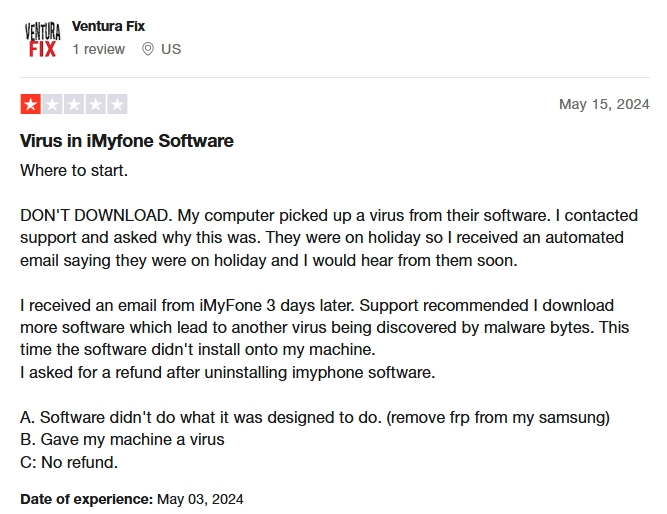
Some users reported that iMyFone AnyTo fails to work and cannot perform well in some functions. This shows that iMyFone AnyTo's system is unstable. Besides, the technical support cannot resolve the issue in no time.
 Pros
Pros- Intuitive and user-friendly interface for all users;
- Not require jailbreak or root mobile devices;
- Versatile features catering to various user needs;
- Offer regular updates to ensure compatibility.

Part 2. How to Download iMyfone Anyto
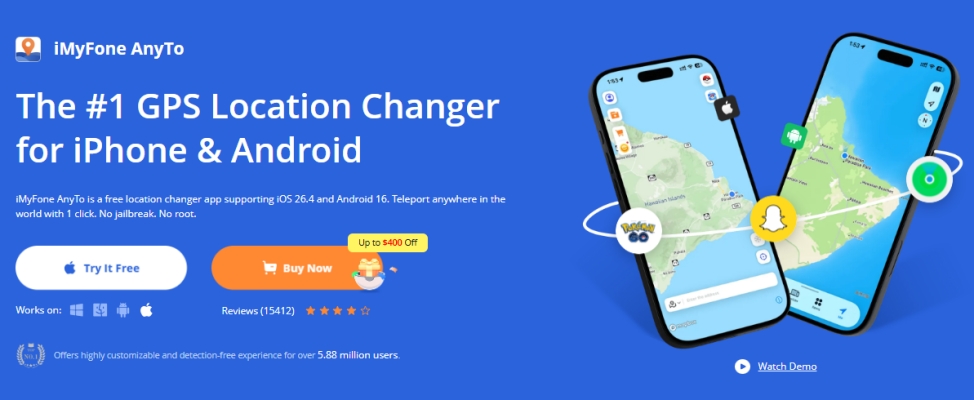
You can directly download iMyFone AnyTo from its official website, with full support available for both Windows PCs and macOS devices.
Part 3. How to Use iMyfone Anyto Easily
Using iMyFone AnyTo is straightforward. As iMyFone AnyTo offers both mobile and desktop apps, you can choose to download and install it to your mobile device or computer. Here we will show you how to use iMyFone AnyTo for Pokemon GO on the computer. Now follow these steps to change your GPS location in Pokemon GO effortlessly.
Step 1 Activate iMyFone AnyTo and Connect Device
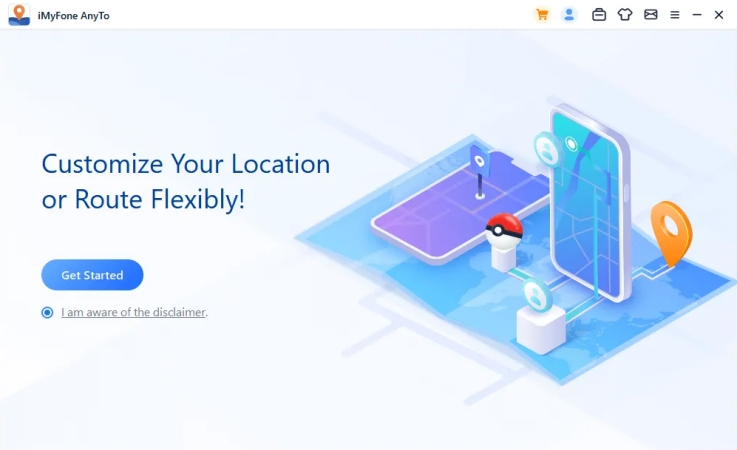
Install and launch iMyFone AnyTo on your computer, then click Get Started. After that, connect your mobile device to the computer through a USB cable.
Step 2 Select the Mocking Mode for Pokemon GO
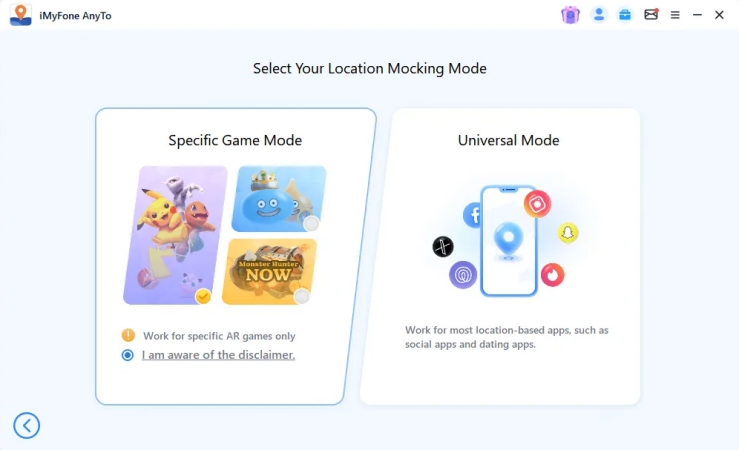
To change your location in Pokemon GO, you can select Special Game Mode. In this mode, you can choose Bluetooth or USB/WiFi connection method.
Step 3 Select a Destination on the Map to Teleport
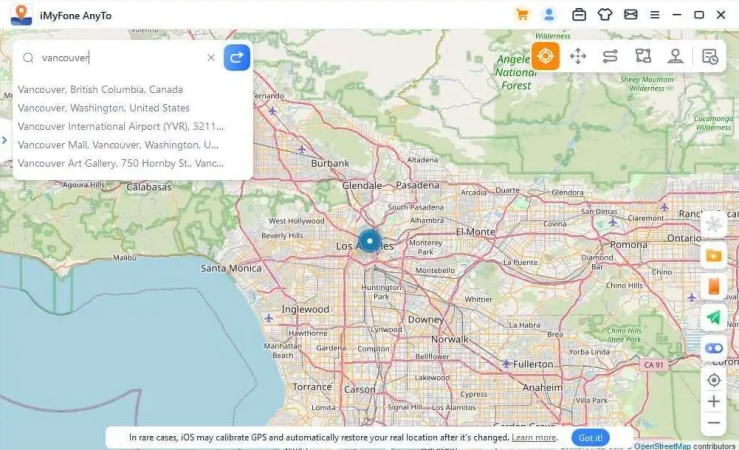
Then choose Teleport Mode at the upper right corner. Now you can zoom out the map to select a destination or enter the address in the search bar to find a destination.
Step 4 Start to Change Your Location in Pokemon GO
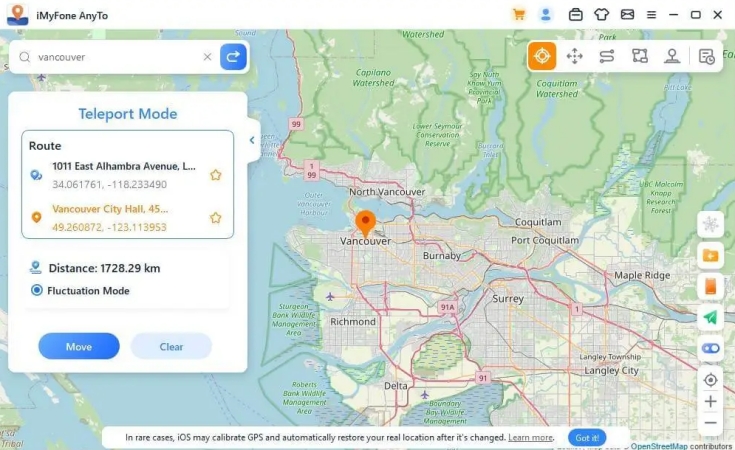
Once selecting your destination, the sidebar will pop up, where you can find all the destination information. Finally, click Move to change your location in Pokemon GO.
Part 4. Better Apps Like iMyfone Anyto
While iMyFone AnyTo offers users many features, it's not always a top-notch choice for everyone, as some users have reported potential technical issues. Fortunately, there are some alternatives to iMyFone AnyTo that are better choices. So, if you are looking for a free iMyFone AnyTo alternative or an iMyFone AnyTo alternative with similar features at a lower price, you can find the answer below.
| iMyFone AnyTo | MagFone Location Changer | Fake GPS Location | |
|---|---|---|---|
| Compatibility | iOS & Android devices | iOS & Android devices | Android devices |
| User Interface | Easy to use | Easy to use | A bit difficult to use |
| Features | Change location on mobile devices; Simulate GPS movement at several speeds; Offer GPS joystick to control location direction; Work with most location-based apps like Pokemon GO. |
Change location on mobile devices; Simulate GPS movement at several speeds; Offer GPS joystick to control location direction; Work with most location-based apps like Pokemon GO. |
Change location on Android devices |
| Pricing Plans | Start from $14.99 | Start from $9.95 | Free |
01iMyFone AnyTo Alternative Paid: MagFone Location Changer
MagFone Location Changer is a highly recommended option for iOS and Android users to try as it has stable usability, better performance, and robust features. Using this location changer, users can teleport to anywhere around the world with just one click. Not to mention, users can custom a simulated GPS route at different speeds for more realistic movement. With this tool, users can access a virtual joystick to move characters more flexibly. Here is a step-by-step guide on how to change location by using MagFone Location Changer.

MagFone Location Changer
Easily change your GPS location on iOS and Android devices to anywhere with one click, while not requiring root or jailbreaking!
Step 1 Connect Device and Run MagFone Software
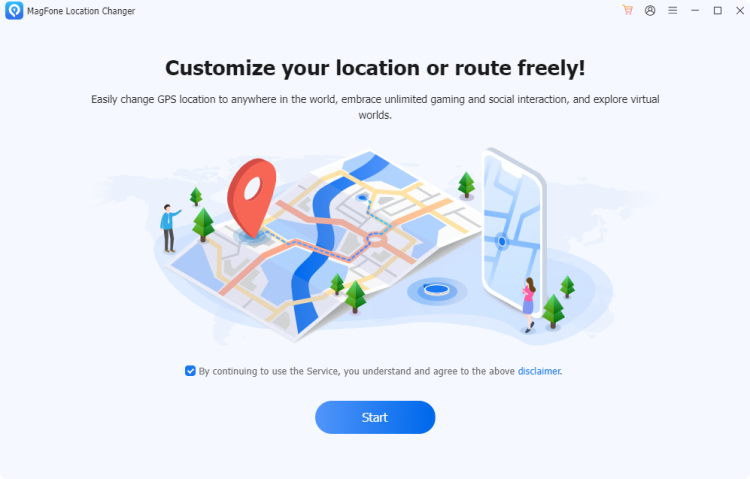
Connect your device to a computer via a USB cable, then run MagFone Location Changer. Select Change Location on the main interface of the software and click Start.
Step 2 Find the Desired Location and Start to Teleport
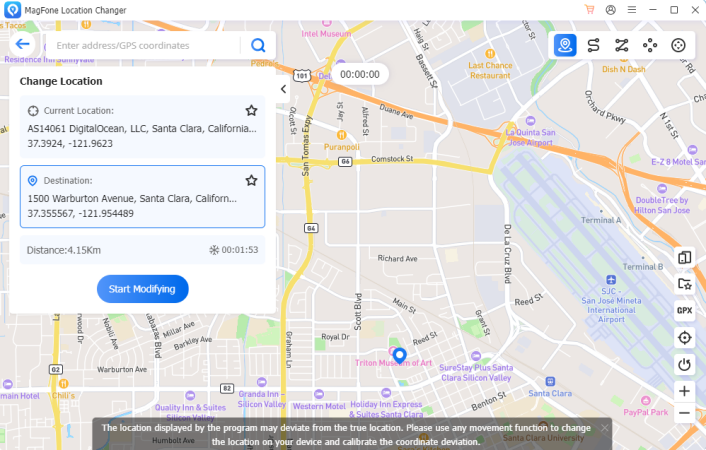
Enter the address in the search bar to find a destination to teleport. Click Start Modifying to change your location in Pokemon GO.
02iMyFone AnyTo Alternative Free: Fake GPS Location
Fake GPS Location is a free alternative to iMyFone AnyTo. All Android users can download and install it to use for free. Unlike iMyFone AnyTo, this tool is specialized in changing GPS location on Android devices. By using this free location changing tool, users can change the GPS location on their Android devices to anywhere in the world. Once installing it from the Google Play Store, follow the steps below to use it to change your Android location.
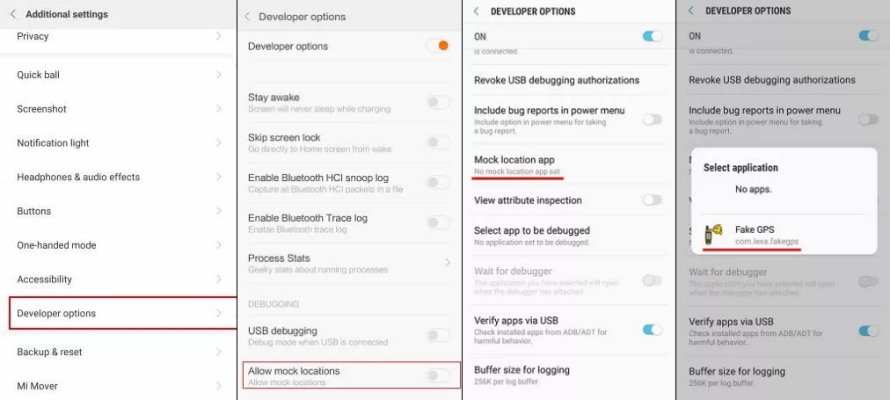
Step 1. Launch Fake GPS Location on your Android phone.
Step 2. Access the Settings app and tap Developer Mode.
Step 3. Turn on Developer Mode and enable Allow mock locations.
Step 4. Tap Select Mock Location App to select Fake GPS Location.
Step 5. Start changing your location on your Android device.
Part 5. FAQs about iMyfone Anyto
How long does iMyFone AnyTo last?
On iPhones, iMyFone AnyTo spoofed GPS locations may reset after about 3 to 6 hours due to iOS recalibration, while Android devices are usually more stable.
Does iMyFone AnyTo work?
Yes, it generally works for changing GPS locations on iPhone and Android. But it will also bring some potential risks to some location-based applications, such as account banned.
What to do if iMyFone AnyTo is not working?
If iMyFone AnyTo is not working on your phone, you can try these fixes:
1) Update AnyTo and your phone OS.
2) Restart the phone and reconnect it to the computer.
3) Reinstall the affected app/game.
4) Enable developer options or USB debugging if required.
5) Wait for an AnyTo update if a recent iOS/Android update broke compatibility.
6) Try another reliable location changer like MagFone Location Changer.
Part 6. Conclusion
iMyFone AnyTo is a good GPS location changer for users looking to spoof their device's location without compromising security or usability. Its comprehensive features, user-friendly interface, and regular updates make it a top choice for location-based applications. While it does have a few limitations, such as slow in performing functions and being a paid tool, the advantages far outweigh these drawbacks. But if you want to find an alternative to iMyFone AnyTo, MagFone Location Changer is worth considering. Why not give it a go?

Olivia Wood
Editor in chief




