








Ever wished you could see exactly where a rare Pokémon, a five-star raid, or a juicy research reward is hiding before you even leave the house? That is the promise of NYCPokeMap, a live community map loved by trainers worldwide. But is it accurate, easy to use, and really worth your time? This guide explains what it is, how it works, and how to reach the spots it reveals.
- Part 1. What Is the NYCPokeMap App?
- Part 2. How Does NYCPokeMap Work?
- Part 3. Magfone Map vs. NYCPokeMap: What's the Difference?
- Part 4. Conclusion
Part 1. What Is the NYCPokeMap App?
NYCPokeMap is a free, community-driven tool that appeared in the early days of Pokémon GO, when players wanted a faster way to locate spawns around New York City. Today it is used to check live Pokémon spawns, raids, field research, and Team Rocket activity, so you can plan your route instead of wandering blindly.
The site covers its running costs through ads and voluntary donations, and it has a donation channel for anyone who finds it useful. One thing to clear up: there is no downloadable app. It only works as a website (nycpokemap.com) that you open in your phone or computer browser.
Part 2. How Does NYCPokeMap Work?
The map shows information that players and scanning tools report, then plots it on a live map you can pan and zoom. Instead of guessing where to walk, you can see what is currently available and head straight there. The site is organized into seven tabs along the top, each with a different job. Here is what each one does.

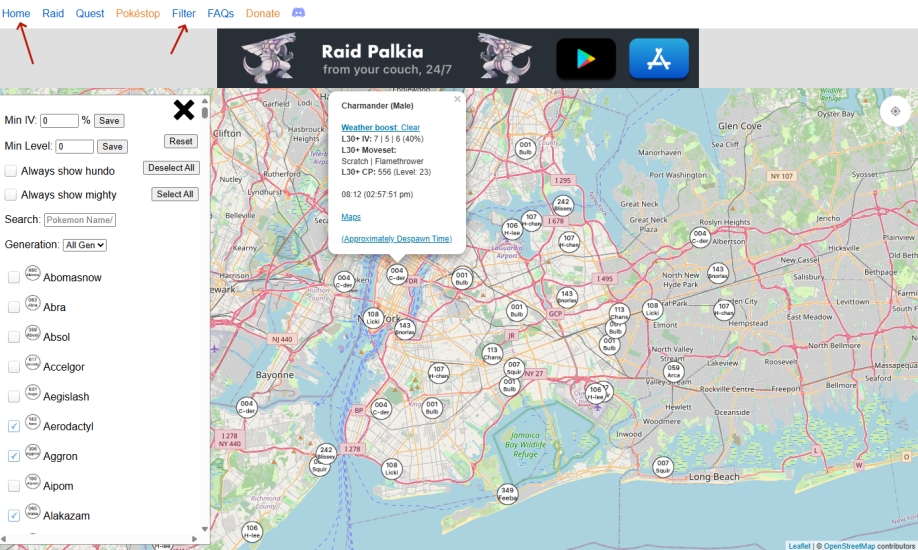
01Filter
Filter is the fifth tab in the top bar and works with the first four. To use it, tap Home, Raid, Quest, or Pokestop, then tap Filter to open the filter panel for that section. Each section offers its own options, so your results show only what you care about.
02Home
Home displays where Pokémon are currently spawning. For each one, you can check its level, weather boost, moveset, CP, and how long it will remain. In the filter panel, you can set a minimum IV and level, narrow the results to hundos or "mighty" Pokémon only, and even pick which generations you want to see. This is the tab people usually mean when they search for "nycpokemap ditto," since it lets you hunt for particular targets.
03Raid
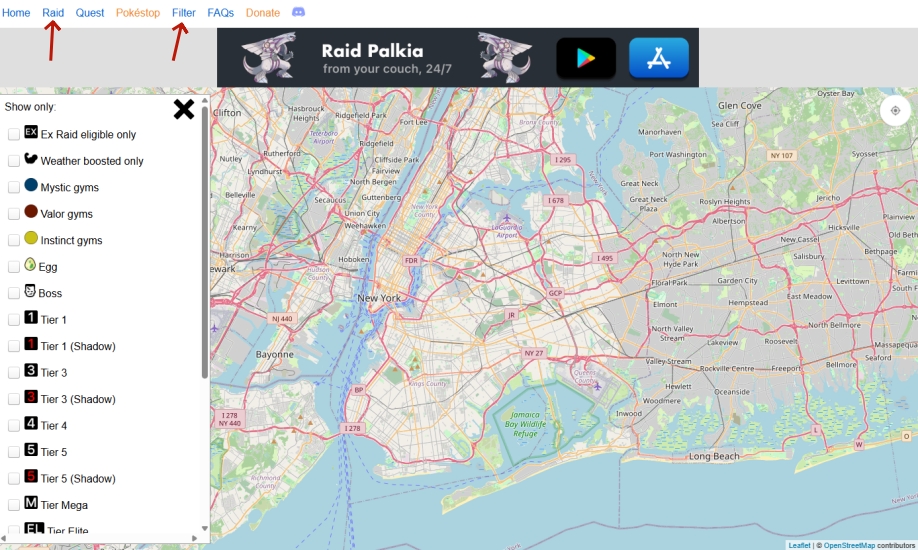
The Raid tab maps raids and gyms, including raids of different tiers. If the map looks empty when you open it, don't panic. Raids don't run at night, so there's nothing to display until they return. (Insert your screenshot here.)
04Quest
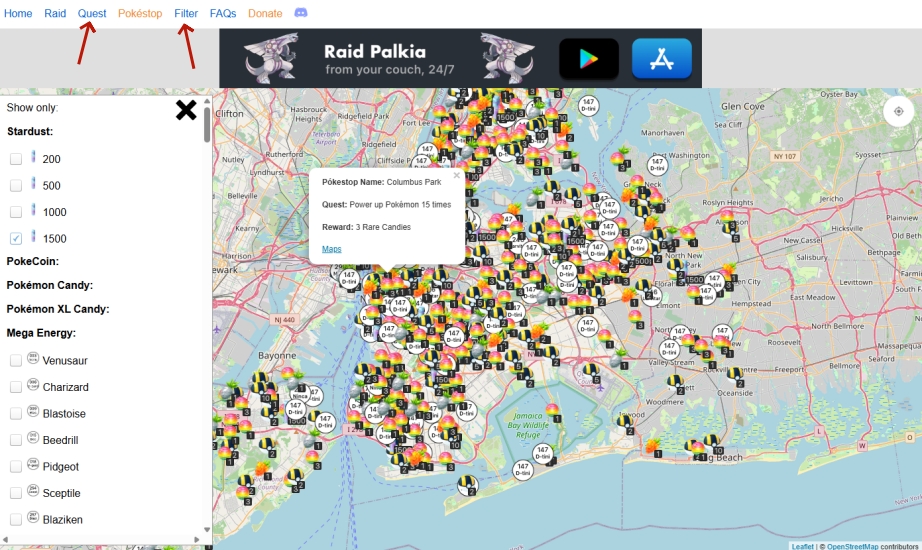
Quest is the tab for valuable items. It lists each Pokéstop's name and the reward attached to its field research task. With the filter, you can choose whether Stardust rewards appear, which helps you skip the clutter and focus on better prizes.
05Pokestop
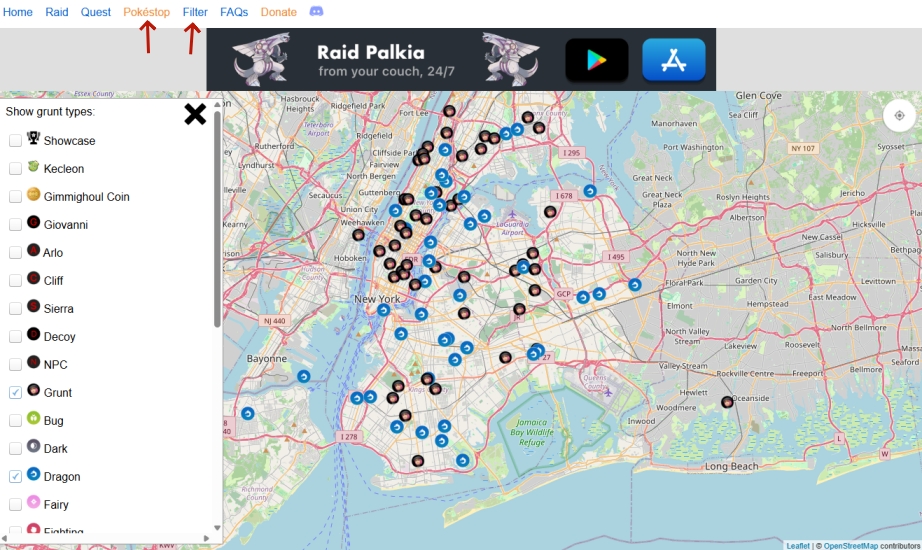
This tab shows Pokéstops that have been taken over by Team Rocket. The filter lets you sort by grunt type, so you can find the specific battles you want instead of checking every stop one by one.
06FAQs
The FAQs tab collects common questions about the site and about problems you may run into while using it, such as "nycpokemap not working" complaints. It is worth a quick read before you start, because the answer you need may already be there.
07Donate
If the site saves you time, you can support it with a $10 donation through the link on this tab. The money goes toward keeping the service online.
08Discord
The Discord tab takes you to the community server, a handy place to chat with other trainers, trade tips, or ask questions about the map. The server currently has over 4,000 members, so someone is usually around to help.
So, is NYCPokeMap still worth using for Pokémon GO players? Yes, it is. NYCPokeMap is free, and it helps in several ways: you can track live spawns, raids, quests, and Team Rocket stops without wasting time or battery wandering around. It also has a Discord community where you can chat with other trainers, share tips, and get quick answers to your questions.
Part 3. Magfone Map vs. NYCPokeMap: What's the Difference?
The two tools do different jobs. NYCPokeMap tells you where things are, while MagFone Location Changer is what lets your device go there. If NYCPokeMap shows a rare spawn or raid far from home, MagFone can place your phone at that exact location.
MagFone Location Changer lets you teleport to specific coordinates or named places, simulate walking routes, and move around with a joystick. It can also help with daily chores like hatching eggs and walking your buddy without leaving your chair. Here is how to get started.

MagFone Location Changer
Easily change your GPS location on iOS and Android devices to anywhere with one click, while not requiring root or jailbreaking!
Step 1 Set Up MagFone Location Changer
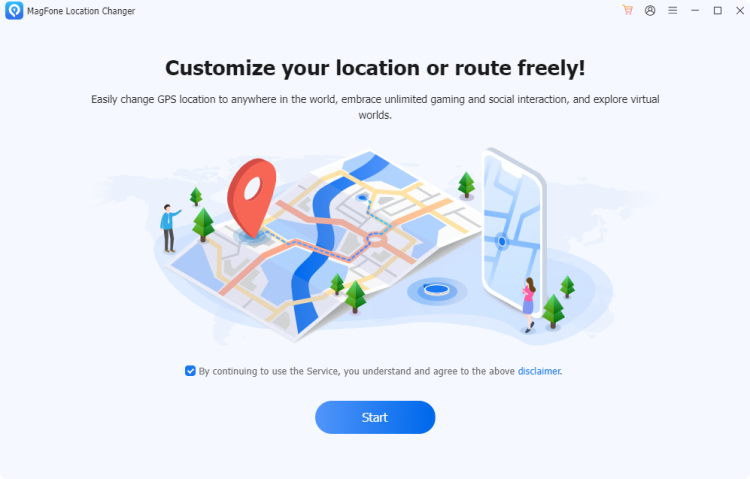
Connect your iPhone or Android phone to your computer with a USB cable, then open the MagFone Location Changer software. On the main screen, choose the Change Location feature and click Start. This gets the program ready to adjust your device's GPS position.
Step 2 Choose and Apply a New Location
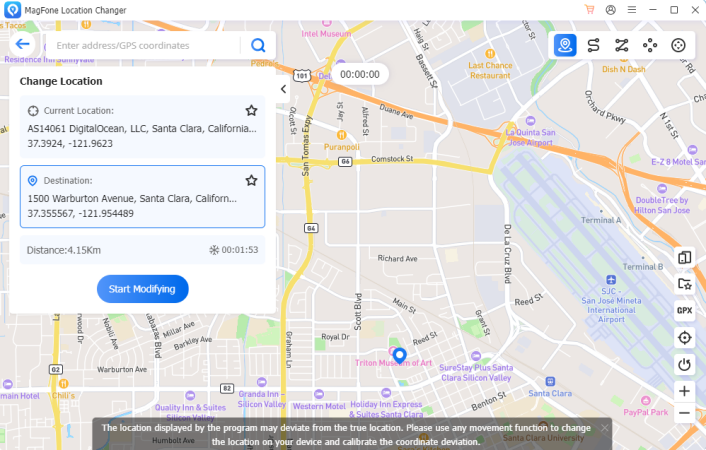
When the map appears, click a spot on it, or type an address or set of GPS coordinates into the search box. After selecting your destination, click Start Modifying to move your device there right away.
Part 4. Conclusion
NYCPokeMap is a free, useful web-based map for finding spawns, raids, quests, and Team Rocket stops, backed by a friendly Discord community. It is not an app, so just open it in your browser. For trainers who want to act on what the map shows, tools like MagFone can change your location, though they carry account risks.

Edgar Davis
Editor in chief




