








When you need to change your device's location and make it appear as if you are in another part of the world, you might need some tools. MocPOGO is a very popular location spoofing tool for both Android and Apple users. However, sometimes MocPOGO also has some problems, such as unstable operation and occasional failures in changing location. Therefore, we also need to explore the best alternatives to save time when it malfunctions. This review will detail MocPOGO location changing tool and its alternative.

- Part 1. What Is MocPOGO?
- Part 2. Does MocPOGO Work for Changing Location?
- Part 3. How to Change iPhone Location with MocPOGO
- Part 4. Best Alternative When MocPOGO Not Working
- Part 5. Conclusion
Part 1. What Is MocPOGO?
MocPOGO is a location changer tool designed to modify a device's GPS location virtually. It is commonly used with location-based apps and games, especially Pokemon GO, but it can also affect social, dating, and tracking applications that rely on GPS data. Unlike system-level modifications, MocPOGO works without requiring jailbreak or root, which is one of the main reasons users search for it. In this section, we'll show you several aspects of MocPOGO to help you know it better.
1.1 Key Features of MocPOGO Explained
Many users search for MocPOGO because they feel restricted by location-based apps and games. Whether it's limited access to features, physical distance barriers, or testing requirements, these frustrations often lead users to explore GPS location changer tools. However, not everyone is familiar with MocPOGO. So, what can MocPOGO do for you? Below are the main features of MocPOGO.
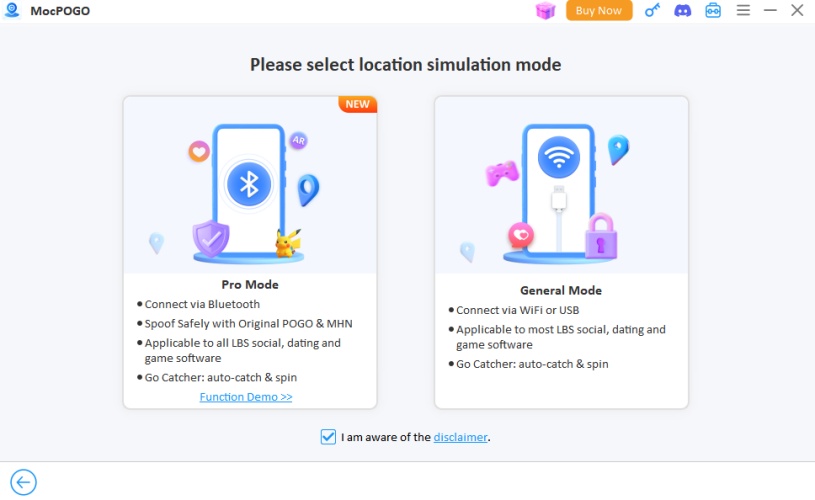
Teleport Mode: Instantly change their GPS location by searching for an address or entering coordinates.
Route & Movement Simulation: Simulate walking, running, or driving along a planned route and with more natural speed.
Joystick Control: A virtual joystick allows manual control of direction, useful for interactive apps and games.
Cooldown Reminder: Cooldown Timer designed to reduce unusual behavior patterns between location changes.
1.2 Device Compatibility of MocPOGO
As a multi-platform tool, MocPOGO Location Changer works not only on Windows and macOS computers but also on Android and iOS devices. In addition to working on different devices, it is also compatible with the latest versions of Windows, macOS, Android, and iOS. This is crucial for a smooth experience when using location-based services or games. Refer to this table below.
| Operating System and Device | Version |
|---|---|
| Windows | Windows 11/10/8/7 |
| macOS | macOS 10.12 or later |
| Android | Android 16 |
| iOS | iOS 26 |
1.3 Pricing Plans and Price of MocPOGO
Many users ask: is MocPOGO free? To put it plainly, MocPOGO is a premium software that offers different subscription plans. To unlock all of MocPOGO's features, you will need a paid subscription. The flexible subscription plans offered by MocPOGO are shown below.
| Pricing Plans | Month Plan | Quarter Plan | Year Plan | Lifetime Plan |
|---|---|---|---|---|
| Windows | $9.95 | $19.95 | $49.95 | $79.95 |
| macOS | $12.95 | $19.95 | $69.95 | $89.95 |
| Android | $14.99 | / | $49.99 | $59.99 |
| iOS | $19.95 | $39.95 | $79.95 | $119.95 |
1.4 Frequently Asked Questions about MocPOGO
Is MocPOGO safe?
Yes, MocPOGO is safe to use. The software will not harm your personal data and ensures your privacy is protected. It also includes a cooldown timer, which can reduce the risk of account bans when playing location-based games with MocPOGO.
Is MocPOGO legit?
Not necessarily, because changing your device's location is illegal in some location-based software. For example, Pokemon GO will ban accounts that use location spoofer. However, changing your location is legal in some dating apps.
Part 2. Does MocPOGO Work for Changing Location?
MocPOGO exists to address real frustrations with location-based apps by offering controlled GPS simulation without jailbreak or root access. Its strengths lie in accessibility and feature variety, but some users confused about whether it works. Here we will summarize all real user reviews of MocPOCO online, as well as its main advantages and disadvantages.
2.1 User Feedback of MocPOGO
MocPOGO allows users to easily change their device's GPS location, which has attracted the interest of many users. In user feedback across various platforms, its practicality and convenience have been praised by most users. However, some users have also reported drawbacks, such as unstable performance and crashes during operation.
MocPOGO Trustpilot Reviews:
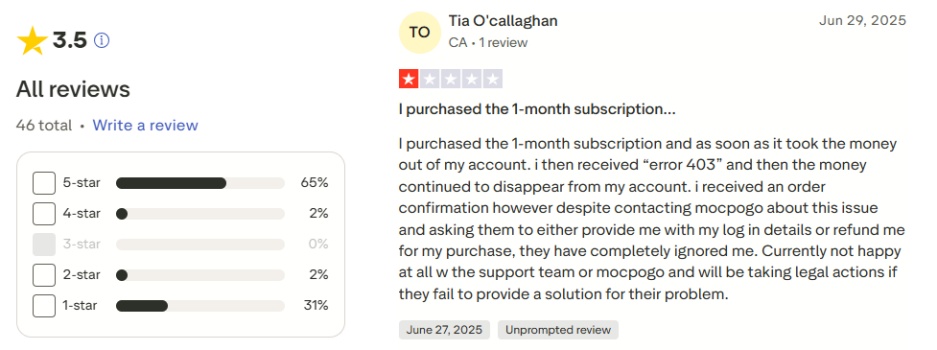
The user rating on Trustpilot is 3.5 stars. Feedback is mixed, but most users report that MocPOGO crashes during operation. Sometimes, for unknown reasons, MocPOGO charges users but then fails to work, preventing them from using its location changing features.
MocPOGO Reddit Reviews:
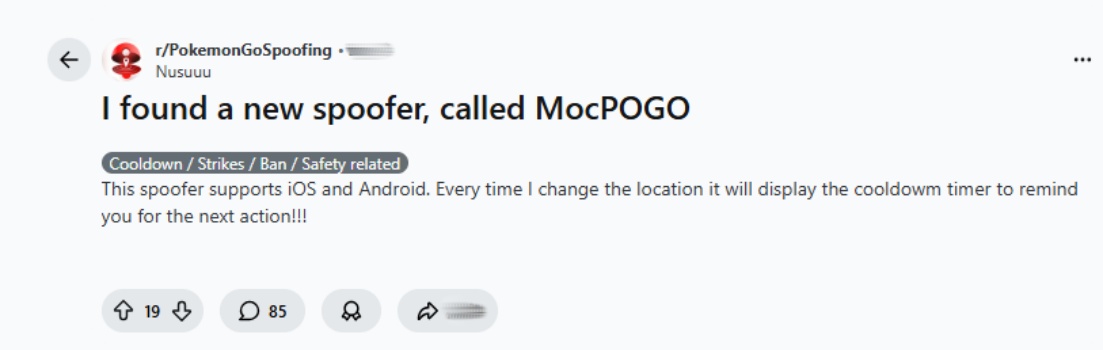
User feedback on Reddit is varied. Some users praised the cooling timer, while others reported issues such as MocPOGO being unable to connect to their device or failing to run.
2.2 Pros and Cons of MocPOGO
After carefully analyzing the main features and other information about MocPOGO, and considering user feedback from different platforms, we can summarize the main pros and cons of MocPOGO.
 Pros
Pros- Compatible with multiple platforms;
- Multiple movement simulation options;
- No jailbreak or root required;
- Intuitive interface for convenient operation;
- Ensures personal data privacy.

- Mixed user reviews regarding stability;
- Unlocking all features requires a subscription;
- Potential subscription and refund complaints;
- Requires frequent updates due to app detection changes;
- Not risk-free for games with strict policies.
Part 3. How to Change iPhone Location with MocPOGO
MocPOGO offers a comprehensive set of features and is compatible with various operating systems and devices, making it a popular choice for users who want to change their iPhone location. However, some users also report issues such as unstable operation, inability to connect to devices, and failure to change location. If you prioritize functionality and convenience, you can try changing location using MocPOGO by following the steps below.
Step 1 Connect Your iPhone and Launch MocPOGO
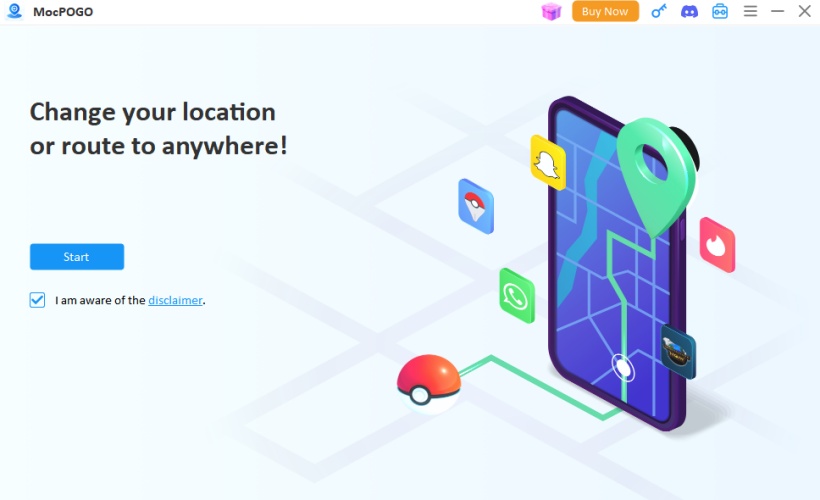
Install MocPOGO on your computer and connect the device to your computer via USB cable or Wi-Fi. Then enable developer mode on your iPhone.
Step 2 Change Location with MocPOGO
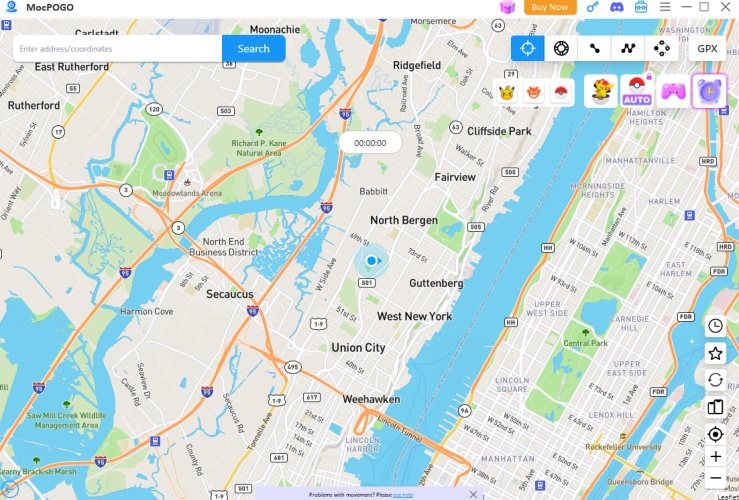
Enter the location name or coordinates in the search box, then click search. You will then see a GO option on the map and click it, after it your location will be moved to new location.
Part 4. Best Alternative When MocPOGO Not Working
When MocPOGO fails to work as expected whether due to technical glitches, compatibility issues, or connection errors, many users look for another GPS spoofing solution that can still meet their needs. In such cases, MagFone Location Changer is widely considered a solid alternative. By offering a range of movement modes, broad compatibility, and options for multi-device control, it can fit many use cases where MocPOGO might be limited or less intuitive.
4.1 Comparison: MocPOGO VS MagFone Location Changer
MocPOGO can sometimes fail to find locations, crash, or struggle with device detection, especially after app updates or on certain operating systems. When that happens, MagFone Location Changer stands out as a strong alternative to MocPOGO for users who want a flexible, relatively easy-to-use GPS spoofing solution for multiple types of apps. Compared to MocPOGO, there are some differences of MagFone Location Changer.

1. Multi-Device Management
MagFone supports connecting and controlling multiple devices simultaneously, which can be helpful for users who manage more than one device at a time.
2. USB & Wi-Fi Connection Options
MagFone allows device connection either by USB cable or over Wi-Fi, giving users flexibility in how they control the software.
3. Simpler UI for Beginners
Many users find MagFone easier to navigate due to its clear controls and straightforward map interface, which can reduce confusion for people new to location spoofing.
4. Versatile App Support
In addition to games, MagFone can help spoof location for social media, dating, and tracking apps, making it appealing for broader applications where GPS customization matters.
5. Regular Features and Updates
Updated versions of MagFone have added features like improved game compatibility, Bluetooth support, and multi-device control, reflecting ongoing development and improvement.
4.2 How to Fake Location on iPhone with MagFone
If MocPOGO isn't working due to connectivity problems, unsupported OS versions, app incompatibilities, or glitches after updates, then MagFone offers an alternative path forward by letting you continue with GPS spoofing through a desktop interface and flexible connection options. Simply follow the steps below to change location on your device using MagFone Location Changer .

MagFone Location Changer
Easily change your GPS location on iOS and Android devices to anywhere with one click, while not requiring root or jailbreaking!
Step 1 Connect Device to computer and Run MagFone Location Changer

Download and install the MagFone Location Changer software on your computer, then launch the software. Connect your device to computer using a USB cable or Wi-Fi connection. Enable the Developer Mode, and then select a location simulation mode you prefer.
Step 2 Start Changing Your Location

Use the world map to select your target location, or enter precise coordinates in the search bar for accuracy. After confirming the location, click the Start Modification button to immediately update your device's location.
Part 5. Conclusion
MocPOGO is a great tool for users who want to flexibly change their device's GPS location. From playing location-based games to accessing restricted content, it can meet a variety of user needs. However, if MocPOGO fails to change your virtual location, you can also consider the best alternative location changer tools such as MagFone Location Changer. With MagFone Location Changer, you can easily spoof your location on both iOS and Android devices easily.

Edgar Davis
Editor in chief





