








Location spoofing tools have become increasingly popular among Pokemon GO players who want to explore different regions, catch rare Pokemon, or join global events without having to travel. One tool that's been getting a lot of attention is easyspoof. Before downloading it, many players look for an honest easyspoof.com review to see if it's safe and legit to use. Next, let's take a look at whether the Easyspoof tool is still usable in 2026 for spoofing Pokemon GO.

- Part 1. Can You Still Use Easyspoof in 2026?
- Part 2. Why Easyspoof Is No Longer Working?
- Part 3. Best Alternative to Easyspoof: MagFone Location Changer
- Part 4. Conclusion
Part 1. Can You Still Use Easyspoof in 2026?
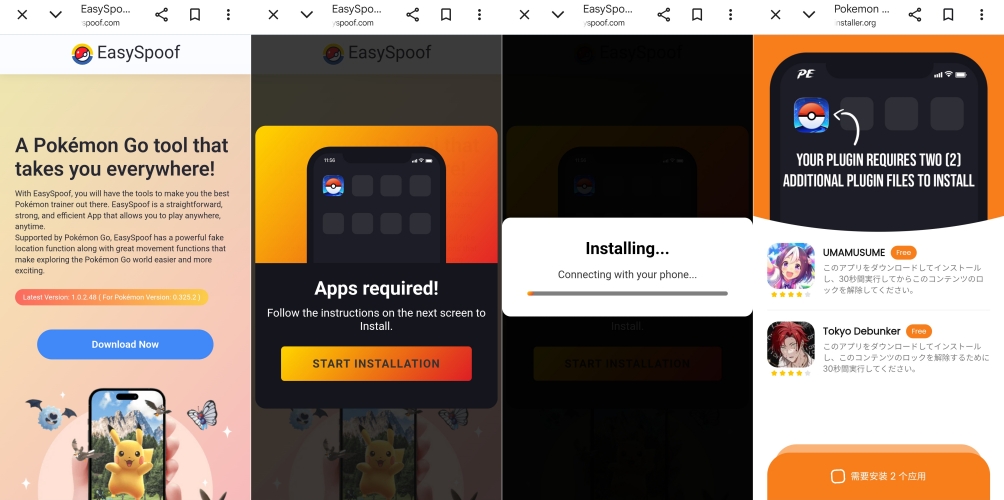
In 2026, Easyspoof will no longer be available for download. Attempts to access it through the official website no longer lead to a real installer, and instead, the page appears to have been turned into a misleading redirect hub that pushes users toward unrelated software downloads. There is no clear, verified source that provides the original Easyspoof tool anymore.
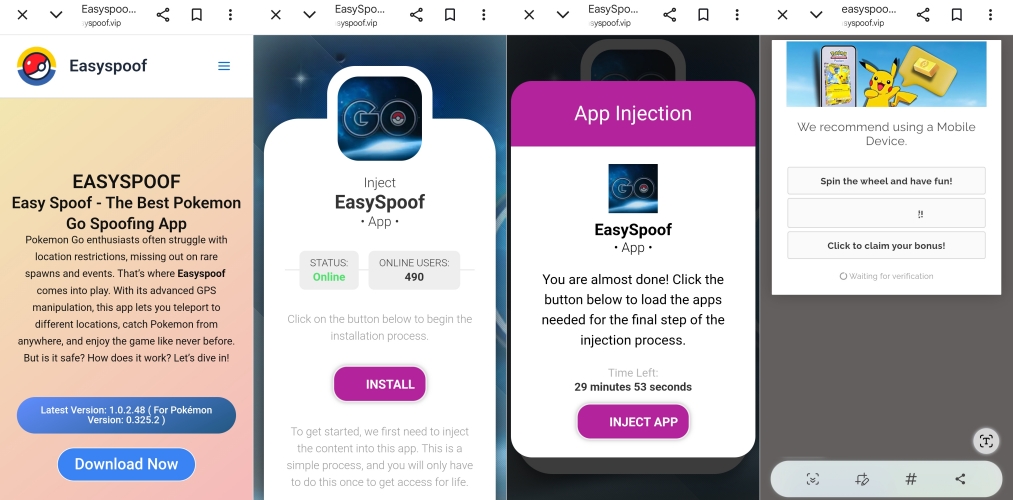
Similar issues appear on their VIP download site, where users cannot download Easyspoof and get redirected to unsafe third-party pages instead.
Part 2. Why Easyspoof Is No Longer Working?
Easyspoof is no longer working in 2026, mainly because developers of apps like Easyspoof are frequently forced to take them down or change their distribution methods due to policy enforcement by Apple, Google, and game companies. As a result, even when the website is still online, the backend services or signed installation certificates often expire quickly, causing downloads to fail or apps to stop launching entirely. By 2026, even if Easyspoof pages still exist, they will no longer lead to a working or maintained tool.
Part 3. Best Alternative to Easyspoof: MagFone Location Changer
Even though EasySpoof is no longer allowed to download or use, there are still other location-changing tools available for Pokemon GO. MagFone Location Changer is one such option that allows users to modify their virtual location with ease. Below are more details.

MagFone Location Changer
Easily change your GPS location on iOS and Android devices to anywhere with one click, while not requiring root or jailbreaking!
01Main Features of MagFone Location Changer
MagFone Location Changer helps you easily spoof GPS in Pokemon GO. Here are the main functions of this tool.
Instant GPS location spoofing for Pokemon Go gameplay freedom.
Simulates realistic movement routes to avoid detection while playing.
Virtual joystick allows manual navigation anywhere on the map.
Cooldown timer helps reduce the risk of soft bans in-game.
02Compatibility of MagFone Location Changer
MagFone Location Changer supports a wide range of devices and operating systems for Pokemon Go spoofing convenience on both platforms today.
| Supported Platforms |
Windows 10 or later macOS Big Sur 11 or later |
| Supported Devices |
iPhone 4 to iPhone 17 All models of iPad Pro, iPad Air, iPad mini, and iPad iPod touch 7, iPod touch 6, iPod touch 5, iPod touch 4, iPod touch 3, iPod touch 2 Samsung, XiaoMi, HUAWEI, OPPO, LG and other 5000+ Android devices |
| Supported Versions |
iOS 12 to iOS 26 Android 6 to Android 16 |
03Usage Guide of MagFone Location Changer
Using MagFone Location Changer is simple connect your device choose location and start spoofing Pokemon Go instantly within minutes quick setup.
Step 1 Connect Device and Launch Software

Plug your phone into the computer using a USB cable. Activate developer settings on the device if required. Open MagFone Location Changer on your PC and select the location change mode, then press the start option.
Step 2 Set and Modify Location in Pokemon GO

Use the built-in map to pick a destination or type the address in the search bar. Once the location appears, confirm it and click the modify button to apply the new virtual position in the game.
Part 4. Conclusion
MagFone Location Changer is a practical alternative when Easyspoof is unavailable for Pokemon Go users seeking location flexibility. It provides tools to change GPS positions, simulate movement, and enhance gameplay experience across different devices. Users can connect phones to a computer, pick destinations on map, and apply changes quickly and safely for testing purposes.

Olivia Wood
Editor in chief





