








Unlocking an iPhone, iPad, or Apple Watch that is locked to an iCloud account can be frustrating, but there are tools available that can help. iCloudin is one such tool that promises to bypass the iCloud Activation Lock on Apple devices. Released as a free solution, iCloudin has become popular among users who need to access their devices without the original Apple ID credentials. However, the tool comes with its own set of challenges. This full iCloudin review will help you understand how iCloudin works, where to download it, and how to use it effectively. Let's dive in.

- Part 1. iCloudin Review: Is It Free/Safe/Legit?
- Part 2. Pros and Cons of the iCloudin Software
- Part 3. How to Use iCloudin for iCloud Bypass
- Part 4. Best Alternative to iCloudin Bypass Tool
- Part 5. Conclusion
Part 1. iCloudin Review: Is It Free/Safe/Legit?
iCloudin is a tool designed to help users remove the Activation Lock from iPhones, iPads, and Apple Watch. This tool uses a software-based approach by removing the device's verification and activation files. This process skips the step that normally requires the user to enter an Apple ID and iCloud password. Once these files are removed, the device is unlocked and can be used normally. Next are some commonly asked questions about this tool.
Is iCloudin Free?
iCloudin was originally promoted as a no-cost solution for bypassing iCloud Activation Lock. Unlike many paid unlocking programs, it claimed to offer full functionality without subscription fees. However, because there is no longer an official website, many downloads today come from third-party sources, which may include hidden costs or bundled software.
Is iCloudin Safe?
Safety is a major concern. Since the official distribution channel is unclear, users often rely on file-sharing websites. This increases the risk of malware or modified installers.
Is iCloudin Legit?
iCloudin was once recognized as a working bypass solution for very old devices, particularly those running iOS 9 or earlier. However, user reviews across platforms show mixed feedback. While a small number report success, many claim the bypass failed or only worked partially.
Part 2. Pros and Cons of the iCloudin Software
Before deciding to try iCloudin, it's important to weigh its strengths and weaknesses. While it attracts users because of its free unlocking claims, compatibility limits and security concerns significantly impact its reputation. Below is a quick summary of what you can expect.
 Pros
Pros- Free activation lock bypass
- Simple beginner-friendly interface
- Supports older iOS devices
- No advanced skills required

- No official secure website
- Limited to Windows computers
- Uncertain success rate
- Not compatible with newer iPhones
- No customer support available
Part 3. How to Use iCloudin for iCloud Bypass
The tool claims to bypass iCloud Activation Lock by modifying system files. However, success rates vary depending on the iOS version and device model. Here, we will walk you through the process of using iCloudin to unlock the iCloud lock of an iPhone. Keep in mind that iCloud bypass tools often have compatibility issues and may not work on newer iOS devices. Here's how to iCloudin for iCloud bypass.
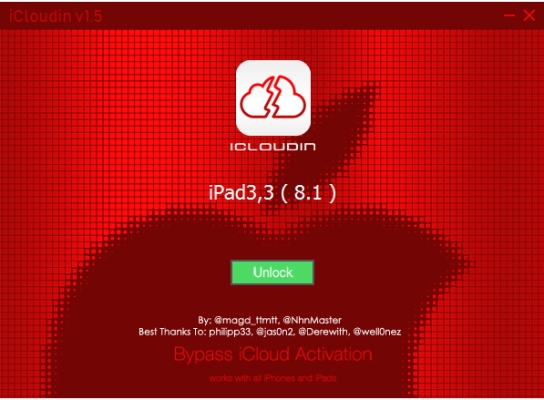
Step 1. First, download the iCloudin software and unzip the compressed folder to extract its contents.
Step 2. Verify that iTunes is installed on your computer and is updated to the latest version. If it isn't, update it before proceeding.
Step 3. Use a Lightning cable to connect your iPhone to the computer securely.
Step 4. After establishing the connection, launch iCloudin and select the option labeled Host's file IMEI.
Step 5. A new window will appear—navigate to the iCloudin directory and choose Hosts_Activation_IMEI.java.
Step 6. Then, iCloudin software will then start the iCloud removal process, and you can monitor the progress through the on-screen status bar.
Part 4. Best Alternative to iCloudin Bypass Tool
The drawbacks of iCloudin are exactly where MagFone iPhone Unlocker stands out: it comes from a reliable source, supports both Mac and Windows, and offers a high success rate for unlocking. As a specialized iCloud unlock tool, MagFone Activation Unlocker can bypass the Activation Lock on iPhone, iPad, and iPod without requiring your Apple ID password or device details such as the IMEI number. You can download the tool directly from the official website and here's a simple guide to get you started.

MagFone iPhone Unlocker
Bypass iCloud Activation Lock on iPhone, iPad, and iPod touch without the original Apple ID or password.
Step 1 Open MagFone Activation Unlocker
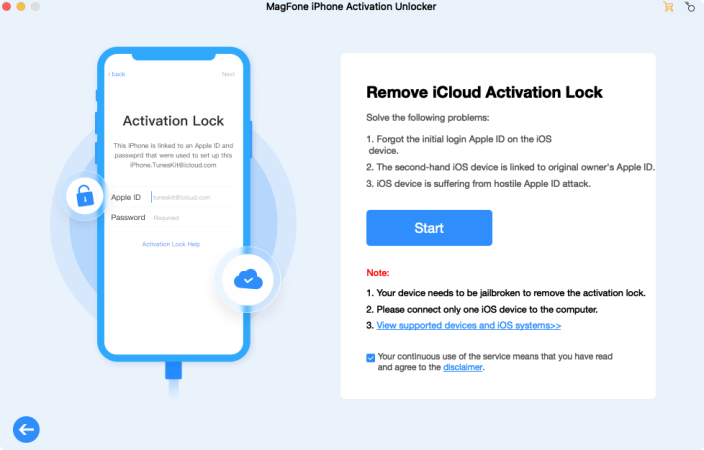
First, open MagFone Activation Unlocker on your computer and select Remove iCloud Activation Lock from the main menu. Then, click the Start button. Connect your iPhone, iPad, or iPod to your computer through a USB cable.
Step 2 Jailbreak iOS Device on Computer
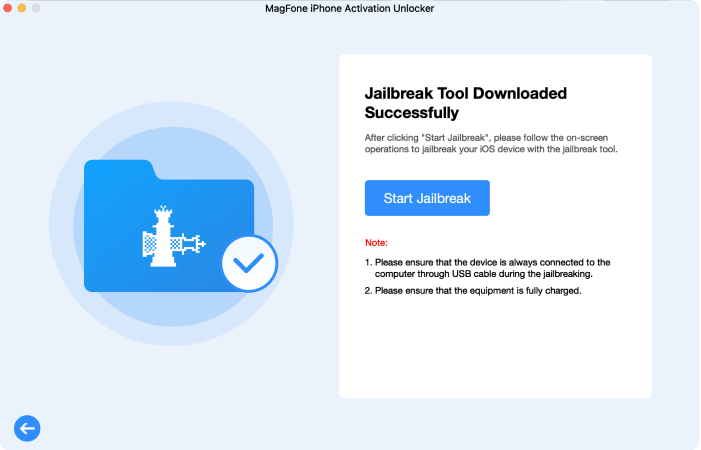
To remove the iCloud Activation Lock, you need to jailbreak your device. Follow the on-screen instructions to download the necessary jailbreak tool and proceed with the jailbreaking process.
Step 3 Start to Remove iCloud Activation Lock
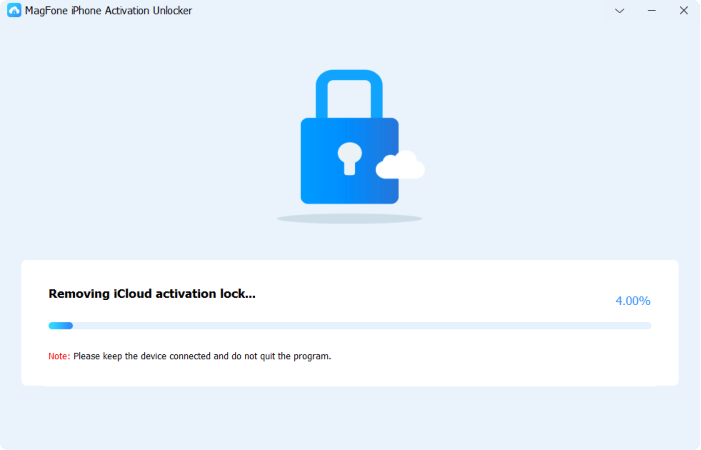
Once the device is successfully jailbroken, confirm your device details such as model and system version. Then click Next to start removing the iCloud Activation Lock. After unlocking, you'll receive a confirmation that the lock has been removed.
Part 5. Conclusion
iCloudin offers a free way to attempt an iCloud bypass, but it comes with risks. While it may work for some older devices, its effectiveness on newer iPhones is doubtful. Additionally, unofficial downloads can expose users to malware. If you need a secure and reliable iCloud bypass method, it's best to explore alternative solutions like MagFone Activation Unlocker. Always prioritize your device's security when using unlocking tools.

Dylan Jones
Editor in chief





