








Since its launch, Pokémon GO has encouraged millions of players to walk outdoors, discover new places, and catch virtual creatures in the real world. However, many players quickly notice that the game behaves differently when moving too fast. This happens because the game includes several movement restrictions designed to prevent unsafe gameplay and cheating. Here's everything you need to know about Pokémon GO speed limit.
- Part 1. What Is the Pokémon GO Speed Limit?
- Part 2. How to Bypass Pokémon GO Speed Limit
- Part 3. How to Play Pokémon GO with Speed Limit
- Part 4. Conclusion
Part 1. What Is the Pokémon GO Speed Limit?
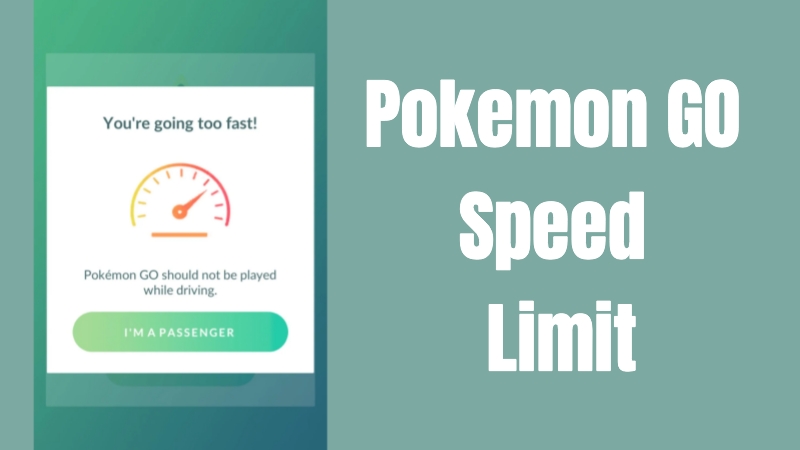
The Pokémon GO speed limit is a movement restriction system created to detect whether a player is walking, cycling, or traveling in a fast-moving vehicle. The game uses GPS data to measure travel speed and determines whether certain in-game features should remain active.
| Activity | Approx. Speed Limit |
|---|---|
| Egg hatching / Buddy distance | ~10.5 km/h (6.5 mph) |
| "You're going too fast" warning appears | ~30 km/h (18–20 mph) |
| PokéStops and spawns become unreliable | ~35–40 km/h (22–25 mph) |
| Possible speed soft-ban behavior | ~100 km/h (62 mph)+ |
In addition to the previous table, there are several additional speed limit notes that may help you play Pokémon Go safely and usefully. These tips can enhance your awareness while driving or moving at speed, helping you prevent errors and avoid fines. Let's check them.
Egg distance and Buddy candy stop counting once your average movement exceeds roughly walking/jogging pace (~10.5 km/h).
At driving speeds, Pokémon may stop spawning and PokéStops may not spin reliably.
If the game thinks you're traveling extremely fast or teleporting, Pokémon can instantly flee ("soft ban" behavior).
Adventure Sync can sometimes track movement a little more generously than the live GPS system because it uses phone fitness data.
Most players find that biking at 8–12 km/h (5–8 mph) gives consistent egg progress in Pokémon GO.
Part 2. How to Bypass Pokémon GO Speed Limit
The Pokémon GO speed limit helps create a safer gaming experience by discouraging distracted driving and encouraging players to walk naturally while exploring. It also reduces unfair GPS cheating in the game. However, the restriction can sometimes frustrate players because egg hatching and buddy progress may slow down when traveling quickly on public transportation or during long-distance trips.
Sadly, there is currently no way to bypass the Pokémon GO speed limit due to the game's official rules. However, you can use some of the alternative methods listed below to reduce the inconvenience caused by the Pokémon GO speed limit.
Part 3. How to Play Pokémon GO with Speed Limit
Pokémon GO's movement restrictions can sometimes interrupt gameplay, especially when you are traveling faster than walking speed. Fortunately, there are still several practical ways to enjoy the game smoothly while reducing issues caused by the Pokémon GO speed limit. Below are some effective methods many players use to maintain steady progress.
Method 1. Use MagFone Location Changer
If the Pokémon GO speed restriction keeps disrupting your play, you can use MagFone Location Changer to mimic realistic movement within the game. This tool allows you to customize a virtual walking route and select a movement speed that stays within Pokémon GO's acceptable limits, helping maintain egg hatching and Buddy progress more consistently. Besides route simulation, MagFone also supports GPS teleportation and joystick movement. Here's how to ceate a route plan using MagFone Location Changer.

MagFone Location Changer
Easily change your GPS location on iOS and Android devices to anywhere with one click, while not requiring root or jailbreaking!
Step 1 Launch MagFone Location Changer
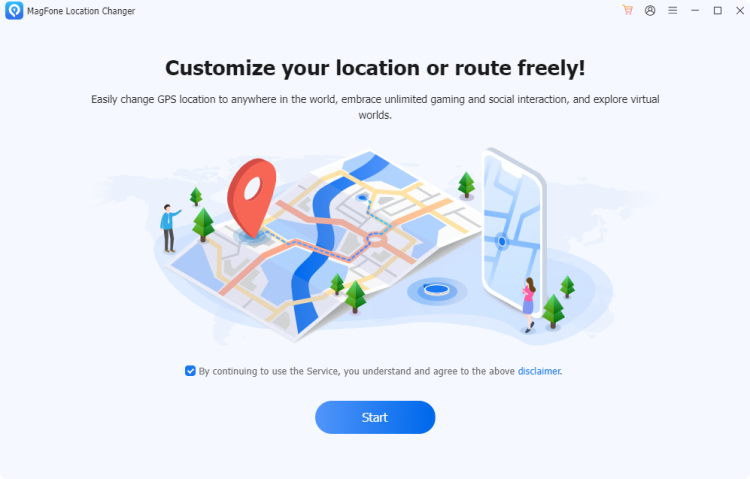
Install MagFone software on your Windows or Mac computer by downloading it first and then running the setup process. After opening the program, connect your iPhone or Android device with a USB cable. On the main interface, select the Start button and the Pokémon GO game mode.
Step 2 Create a Custom Movement Route
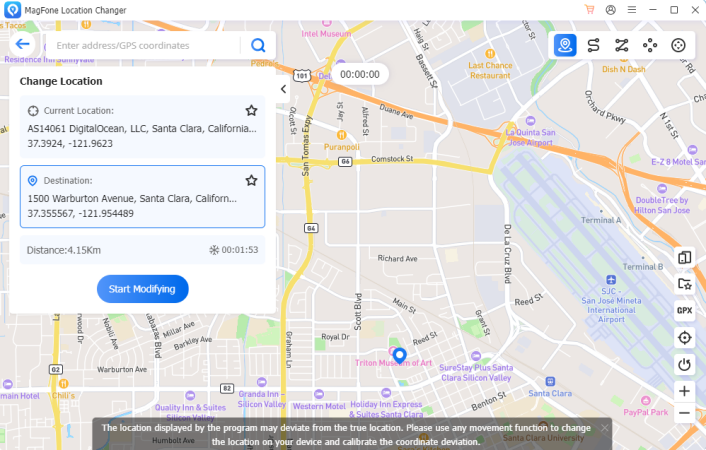
Choose the route planning mode (the second icon) from the navigation panel inside the software. Then, select multiple points on the map to build a walking path and adjust the movement speed according to your preference. Once everything is ready, tap Plan Route to start the simulation process.
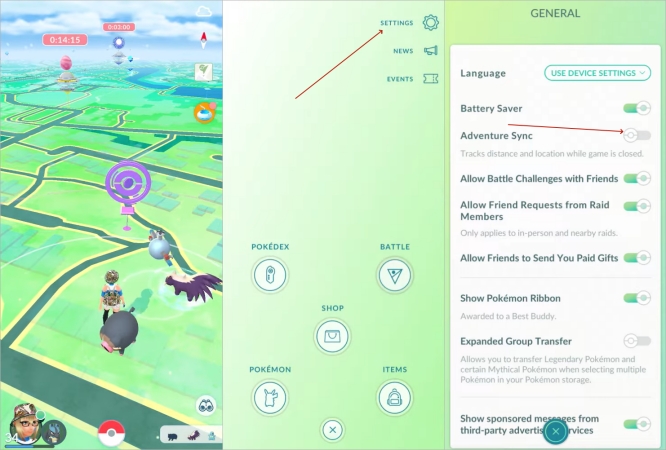
Method 2. Turn On Adventure Sync
You can enable Adventure Sync to record steps throughout the day. Many players accumulate egg distance naturally during work, shopping, or exercise routines without actively opening the game.
Method 3. Ride at a Steady Pace
Many players find that biking or jogging at moderate speeds works better than sudden acceleration in vehicles. Staying within the game's acceptable movement range improves egg hatching, Buddy candy progress, and overall gameplay consistency without triggering speed warnings.
Part 4. Conclusion
The Pokémon GO speed limit is designed to promote safer gameplay and reduce unfair advantages caused by GPS manipulation. While the restriction may occasionally interrupt certain in-game activities, players can still enjoy smooth progress by using practical methods like Adventure Sync, steady-paced movement, or virtual route planning tools.

Olivia Wood
Editor in chief





