








Ready to turn your slow, 15-second capture grind into a lightning-fast harvesting machine? If you've ever sat through the "one, two, three... click" animation for the thousandth time during a Community Day, you know the struggle. The Pokemon GO quick catch technique is the open secret of elite trainers, allowing you to bypass those tedious animations and clear entire clusters of spawns in seconds. Let's dive into how to master the Pokemon GO quick catch trick.
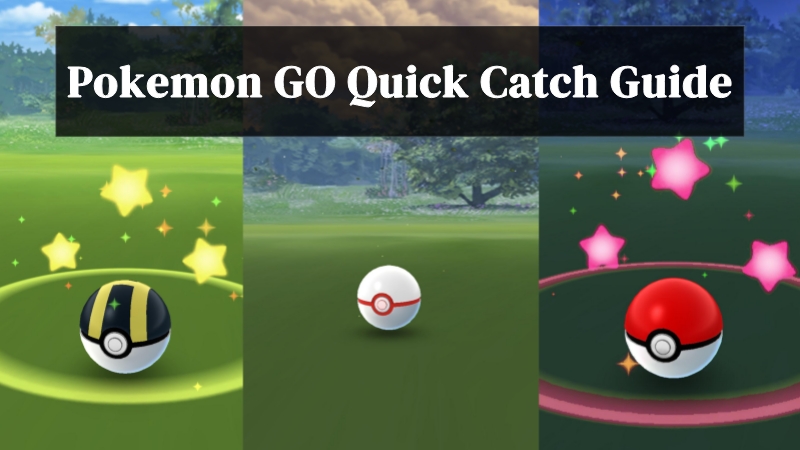
- Part 1. What Is Quick Catch in Pokemon GO?
- Part 2. How to Quick Catch in Pokemon GO
- Part 3. How to Catch Pokemon Faster with One Click
- Part 4. Conclusion
Part 1. What Is Quick Catch in Pokemon GO?
Pokemon GO quick catch (often referred to as Pokemon GO fast catch) is a time-saving capture method that allows players to bypass the standard catch animation. Instead of waiting for the full sequence to finish, trainers can return to the map almost immediately after attempting a catch, making the process far more efficient during high-spawn events.
The game determines whether a Pokémon is caught at the moment the ball makes contact, not after the animation completes. Because of this, skipping the animation does not affect success rates. While there were rumors of a Pokemon GO quick catch ban during certain anti-cheat updates, the consensus among the community is that it remains safe to use, as it relies on existing game behavior rather than rule-breaking exploits.
Part 2. How to Quick Catch in Pokemon GO
Mastering the quick catch Pokemon GO technique requires a bit of finger gymnastics, but once the muscle memory kicks in, you'll never go back to "slow" catching. Now, you can follow this video or the precise steps later to execute the perfect fast catch in Pokemon GO.

Step 1. Enter Encounter: Tap on a wild Pokemon to enter the standard capture screen.
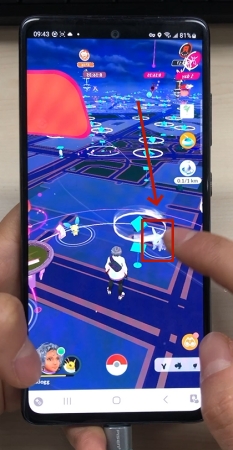
Step 2. Position Your Hand: Use your non-throwing hand to hold the Berry menu icon.
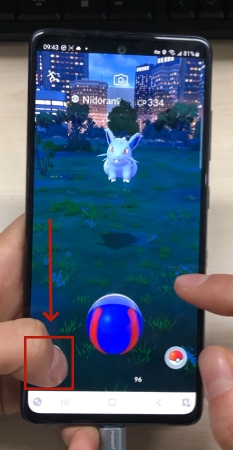
Step 3. Slide and Hold: Drag the Berry icon slightly toward the center without releasing it.
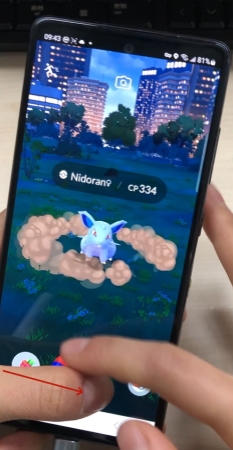
Step 4. Throw the Ball: Use your dominant hand to throw a curveball as usual.
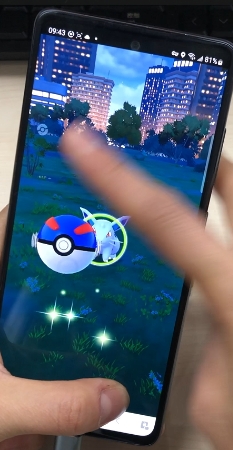
Step 5. Release the Icon: Let go of the Berry icon once the ball hits the Pokemon.
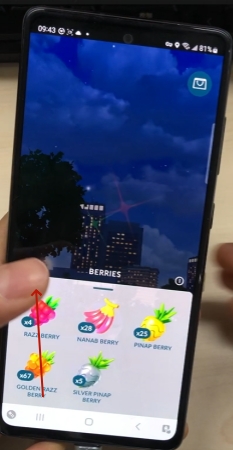
Step 6. Tap the Screen: The Berry menu will pop up; tap the screen to close it.
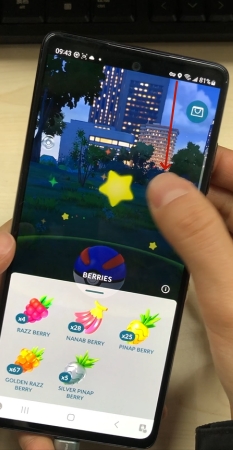
Step 7. Hit the Run Button: Tap the "Run" icon in the top-left corner immediately.
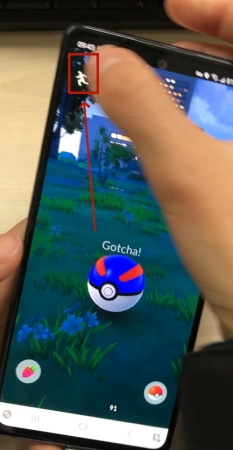
Step 8. Check Your Storage: Verify the catch in your recent list or Journal.
Part 3. How to Catch Pokemon Faster with One Click
While the manual Pokemon GO fast catch is great for local play, it still requires you to physically walk to different spawns. If you want to maximize your efficiency to an elite level, MagFone Location Changer is the ultimate force multiplier. It allows you to teleport to high-density spawn areas like Tokyo or Zaragoza instantly, where you can find hundreds of Pokemon per hour. Next, a video shows how to use the Magfone Location Changer in Pokemon GO.

MagFone Location Changer
Easily change your GPS location on Rover to anywhere with one click, while not requiring jailbreaking!
By combining MagFone's precise movement simulation with the quick catch trick, you can effectively "clean" entire cities of rare spawns. This is a simple guide on how to use it.
Step 1 Connect Phone to Computer and Run MagFone

Install and launch MagFone Location Changer on your computer, then connect your phone to the computer via a USB cable or WiFi connection. Turn on Developer Mode on your device and select a location simulation mode in the MagFone program.
Step 2 Start to Change Location for More Encounters

On the world map, select the place you want your device to change. Or enter coordinates in the search bar to locate your desired place. Then click the Start Modifying button to change your location in Pokemon GO to encounter more and rare Pokemon.
Part 4. Conclusion
The Pokemon GO quick catch remains a great way to optimize your XP and Stardust gains. By cutting out the fluff of the capture animation, you can turn a mediocre event into a record-breaking haul. Whether you are practicing the manual finger-slide technique or using tools like MagFone to find better hunting grounds, mastering the art of the fast catch is your ticket to Level 50 and beyond.

Edgar Davis
Editor in chief





