








Chasing Pikachu across your neighborhood is fun, but what if you could catch them all from the comfort of your desk chair? Many trainers wonder whether Pokemon GO can run on a computer, and the good news is yes, it can, but not officailly. In this guide, we'll teach you the best way to play Pokemon GO on PC, from setup to spoofing your location safely.
- Part 1. Can You Play Pokemon GO on PC?
- Part 2. How to Play Pokemon GO on PC
- Part 3. Best Pokemon GO Spoofer on PC
- Part 4. FAQs about Playing Pokemon GO
- Part 5. Conclusion
Part 1. Can You Play Pokemon GO on PC?
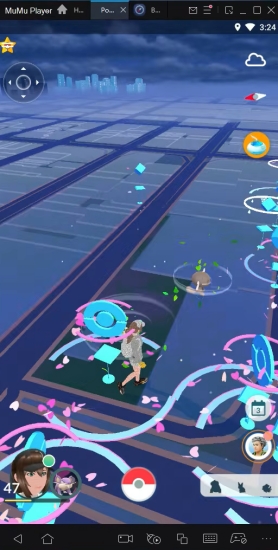
Niantic has never released an official PC version of Pokemon GO. However, players can rely on an emulator to play Pokemon GO on a computer. An emulator is software that mimics the Android operating system on your Windows or macOS machine, tricking the game into thinking it's running on a real smartphone. It creates a virtual device environment complete with a simulated GPS chip, touchscreen controls translated into mouse clicks.
Part 2. How to Play Pokemon GO on PC
Since the app itself can't be pulled straight from an app store onto your desktop, the workaround involves two pieces of software working together: an Android emulator like MuMu Player, and a companion tool called PGSharp that unlocks extra features such as joystick movement. Below is a straightforward walkthrough to get both running on your machine.
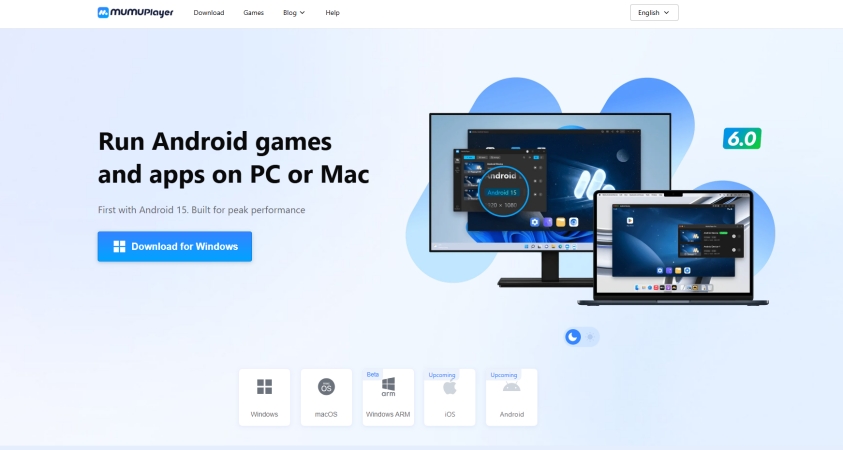
Step 1. Visit mumuplayer.com and click the download button matching your operating system, whether that's Windows or macOS.
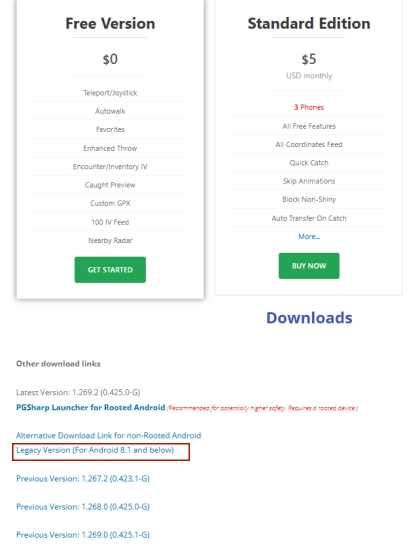
Step 2. Head over to pgsharp.com, scroll toward the bottom of the page, and click the Legacy Version option to download PGSharp apk.
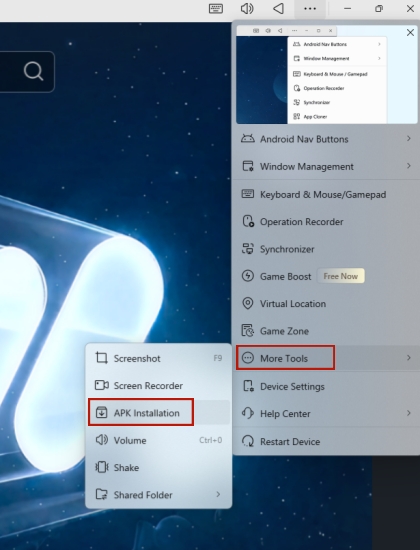
Step 3. Once MuMu Player finishes installing, open it from your desktop. Click the additional-options icon, select More Tools, and then choose APK Installation from the menu.
Step 4. Browse to the PGSharp APK file you saved earlier and select it. After a moment, the Pokemon GO icon should appear on your MuMu Player page.
Step 5. Open the game and log into your trainer account to begin playing Pokemon GO right on your PC.
Part 3. Best Pokemon GO Spoofer on PC
Once you're running Pokemon GO on your phone, you may want to move around the map without physically walking. MagFone Location Changer lets you change your iPhone or Android GPS location, making apps like Pokemon GO and Google Maps think you're elsewhere. It works on Mac and Windows and offers one-tap teleportation, custom routes, and joystick movement. Watch the video below to see how this location-changing tool works.
You can grab the installer straight from MagFone's official site with just a couple of clicks. Below, we'll walk you through a quick text guide for using the software to reposition yourself inside Pokemon GO.

MagFone Location Changer
Easily change your GPS location on iOS and Android devices to anywhere with one click, while not requiring root or jailbreaking!
Step 1 Link Your Device and Open MagFone
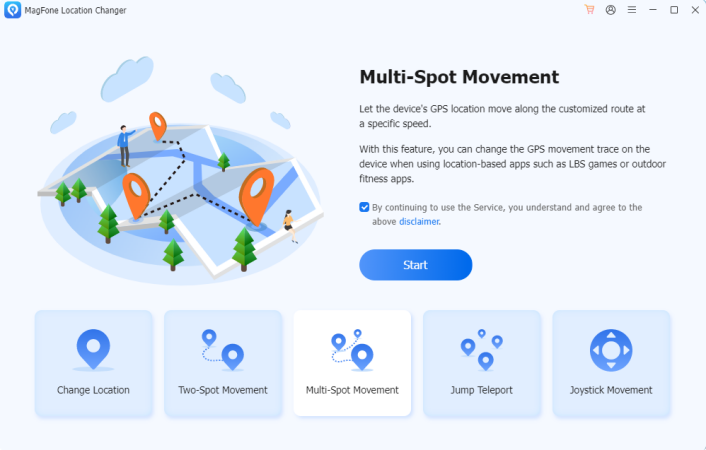
Plug your phone into your computer using a USB cable, and make sure Developer Mode is switched on beforehand. Once connected, fire up MagFone Location Changer on your computer, pick the Change Location feature, and hit the Start button to begin.
Step 2 Reset Your Position in Pokemon GO
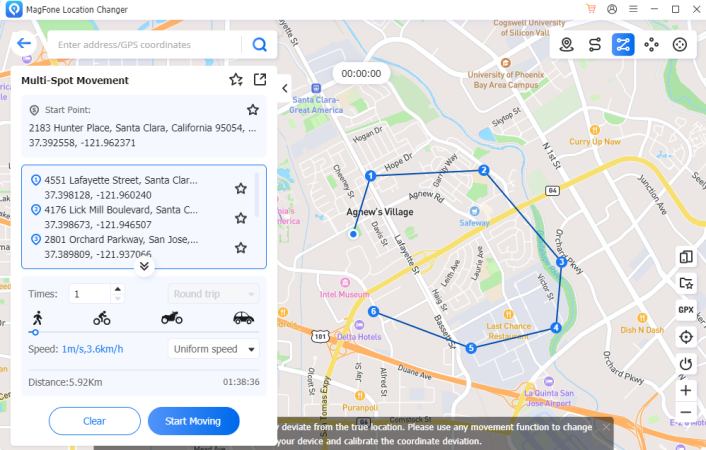
Browse the on-screen map until you spot the spot you'd like to teleport to, or simply type an address into the search field and let the tool locate it for you. Once you've settled on a destination, press the Start Modifying button, and your in-game position will update instantly.
Part 4. FAQs about Playing Pokemon GO
Can you play Pokemon GO on iPad?
Yes, technically the game will install and run on an iPad since it shares iOS with the iPhone. However, Pokemon GO isn't officially optimized for tablets, so you may notice stretched graphics, awkward button placement, or occasional performance hiccups.
Can you play Pokemon GO on Switch?
No, Pokemon GO is not available on the Nintendo Switch. The game was designed specifically for smartphones that have built-in GPS and cameras for AR features, and the Switch lacks native support for either the app store distribution or the location hardware Niantic requires.
Can you play Pokemon GO on Tablet?
Yes, if your tablet runs Android or iOS and includes GPS functionality, you can download and play Pokemon GO much like you would on a phone. Wi-Fi-only tablets without GPS or cellular data may struggle to track your real-world location accurately, which can limit gameplay.
Part 5. Conclusion
While Pokemon GO was never officially built for desktops, an Android emulator paired with tools like PGSharp makes PC play entirely possible. Add a location spoofer such as MagFone Location Changer, and you gain the freedom to explore new regions without leaving your chair. With the right setup, catching Pokemon from your computer becomes just as enjoyable as playing on your phone.

Edgar Davis
Editor in chief





