








Whether it's to unlock region-restricted apps, play location-based games like Pokemon GO, or protect your privacy, you might need to spoof your device's GPS location to virtually move to anywhere in the world. iToolab AnyGo is a feature-rich and easy-to-use virtual location changing tool. That being said, some users also report issues such as occasional software crashes preventing them from changing their location, incompatibility with the latest operating systems, or unstable performance. Therefore, when AnyGo malfunctions and fails to meet user needs, alternative solutions become crucial. This review will provide a comprehensive analysis of iToolab AnyGo and introduce its best alternatives to meet diverse user needs.

- Part 1. What Is iToolab AnyGo?
- Part 2. What Do Users Think of iToolab AnyGo?
- Part 3. How to Change Location with iToolab AnyGo
- Part 4. Best Alternative When iToolab AnyGo Cracking
- Part 5. Conclusion
Part 1. What Is iToolab AnyGo?
iToolab AnyGo is a location modification tool compatible with both iOS and Android devices, designed to easily change device's GPS location. Whether for location-based applications and games like Pokemon Go, or social and dating apps, users can virtually change their device's location in just a few simple steps, without requiring jailbreaking or root access. This makes it one of the most popular tools of its kind. In this section, we will discuss iToolab AnyGo in several aspects.
1.1 Main Features of iToolab AnyGo
As a popular virtual GPS location changer tool, iToolab AnyGo has attracted a lot of attention. Some users may wonder what iToolab AnyGo can do and what its specific functions are. The following are the main features of iToolab AnyGo.
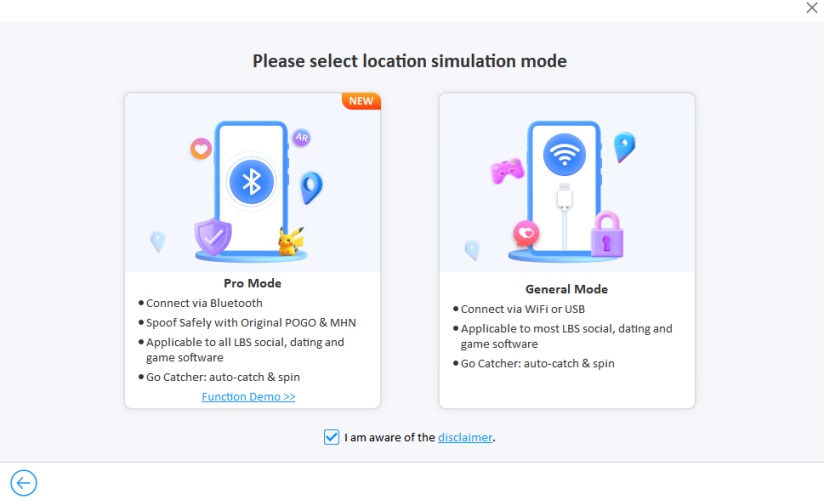
GPS Spoofing: Change your device's GPS location with one click by searching for a location or inputting precise coordinates.
Simulate GPS Movement: Users can create custom walking routes with varying speeds and simulate movement along those routes.
GPS Joystick: Support users to control GPS movement direction using a virtual joystick, and is compatible with many location-based games and applications.
Realistic Mode: Changing the device's GPS location allows you to set natural and variable speeds to simulate real-world conditions.
1.2 Pros and Cons of iToolab AnyGo
With iToolab AnyGo, you can modify your device's GPS coordinates and simulate walking routes to unlock new game features and access new game locations, making it popular among players of location-based games like Pokemon GO. However, it also has some drawbacks, such as cracking during operation, inability to change location, the risk of detection and potential bans. Below are the advantages and disadvantages of iToolab AnyGo.
 Pros
Pros- Diverse functions to meet user needs;
- Compatible with the latest iOS and Android devices;
- Intuitive interface and easy to use;
- Regular updates are provided to maintain the service;
- No jailbreaking or root access required.

- System is unstable and prone to software crack;
- Unlocking all features requires subscription;
- Location cannot be changed with 100% accuracy;
- Function execution slow and delays sometimes occur;
- Exist the risk of detection and potential bans.
1.3 Common Questions about iToolab AnyGo
Is iToolab AnyGo legit?
It varies depending on the usage scenario, as changing device location is legit in some location-based software, such as dating apps. However, using location spoofing tool will result in account bans in games like Pokemon Go and others.
Is iToolab AnyGo safe?
It can be used safely without jailbreaking or root access, reducing system security risks. It only modifies location data and does not access or disclose user private information.
Is iToolab AnyGo free?
It is not completely free. iToolab AnyGo can free download and offers a free trial version with limited functionality, but full functionality requires purchasing a paid license. iToolab AnyGo also offers different subscription plans and pricing options.
| Pricing Plans | Month Plan | Quarter Plan | Year Plan | Lifetime Plan |
|---|---|---|---|---|
| Windows | $9.95 | $15.96 | $39.96 | $63.96 |
| macOS | $12.95 | $15.96 | $55.96 | $71.96 |
| Android | $14.99 | / | $39.99 | $47.99 |
| iOS | $15.96 | $31.96 | $63.96 | $95.96 |
Part 2. What Do Users Think of iToolab AnyGo?
iToolab AnyGo allows users to change the GPS location of their iOS and Android devices, making it a popular choice in this field. However, user feedback across various platforms is mixed. While most users praise its practicality and user-friendliness, some have reported drawbacks, such as failures in changing location and crashes during operation.
Reviews on Trustpilot:
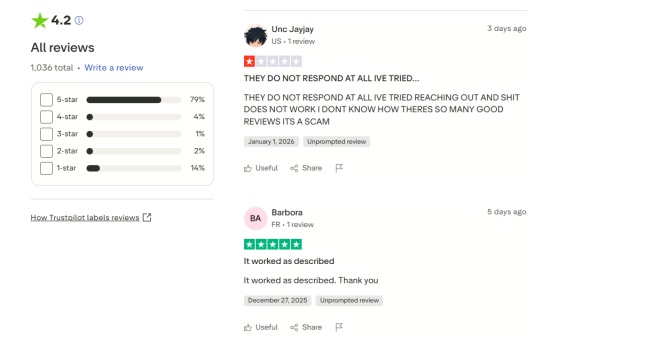
On the Trustpilot platform, the app has a user rating of 4.2 stars. User reviews are mixed, but recent reviews indicate that iToolab AnyGo is completely non-functional and unable to change device location. iToolab AnyGo also occasionally experiences crack. However, some users praise it for working as described.
Reviews on Reddit:

User reviews on Reddit are quite varied. Some users praised the usefulness of iToolab AnyGo, while others reported being detected when using the software and that there is currently no solution to this problem.
Part 3. How to Change Location with iToolab AnyGo
iToolab AnyGo offers a variety of location modification features and is user-friendly even for beginners. It's also compatible with various operating systems and devices, making it a popular choice. However, some users have reported issues such as software crashes, malfunctions, and inability to change location. For those who value functionality above all else, follow the step-by-step guide below to alter device's location.
Step 1 Connect Your Device and Launch iToolab AnyGo
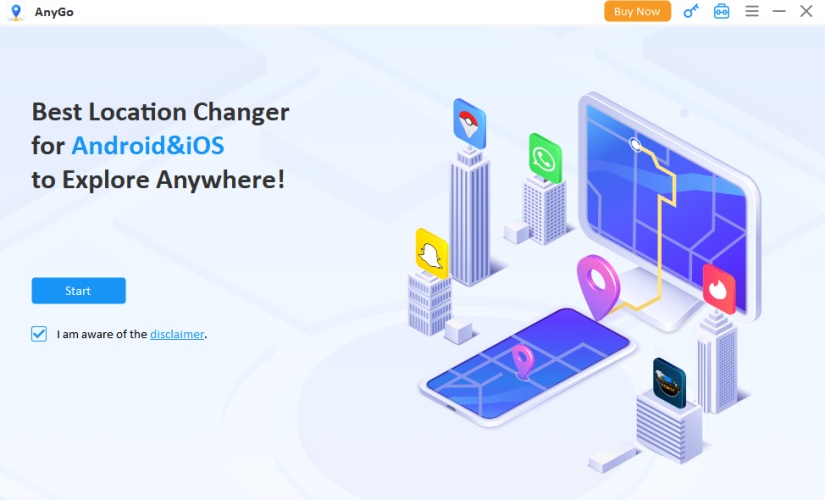
Download iToolab AnyGo on your computer and install the program. Launch the iToolab AnyGo application and connect your iOS or Android device to your computer.
Step 2 Start to Change Location
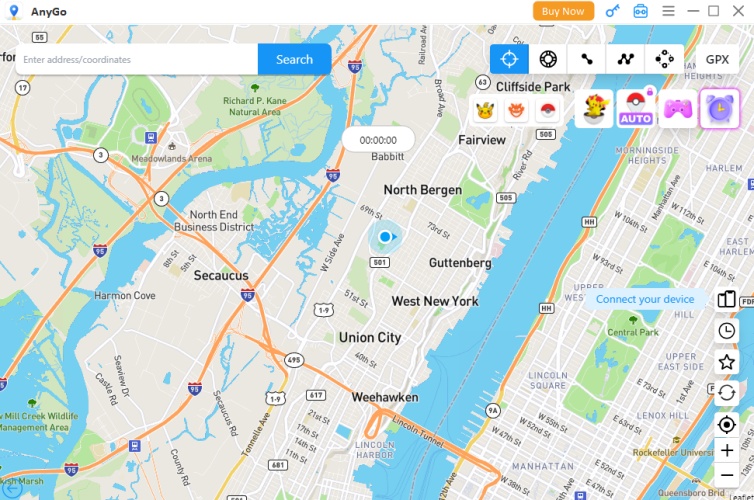
Then, enter the location name in the search bar at the top. You can also input specific GPS coordinates to find a specific location. After clicking Search, set it as your new location.
Part 4. Best Alternatives When iToolab AnyGo Cracking
When iToolab AnyGo experiences technical and operational issues, such as iToolab AnyGo crack when changing location, users may wonder if there are better alternatives to meet their location spoofing needs. This is where MagFone Location Changer stands out, becoming a reliable choice for users due to its strong compatibility and operational stability.
Comparison: iToolab AnyGo VS MagFone Location Changer
iToolab AnyGo sometimes experiences problems such as software crack, failed location modifications, or complete malfunction, especially when the application version is outdated. When iToolab AnyGo crashes or fails to run, MagFone Location Changer with its stable and convenient operation, serves as an ideal alternative, providing a perfect solution for many users. However, there are also some differences between them.

1. Subscription Plans and Pricing
MagFone Location Changer offers different subscription options, providing users with four options at affordable prices to meet their varying subscription needs.
2. Multiple Connection Options
MagFone Location Changer supports connecting devices via USB cable or Wi-Fi, making the software more convenient for users.
3. High Location Accuracy
Many users find MagFone's location changing function highly accurate and easy to use, especially for first-time users.
4. Broad Application Support
Besides location-based games like Pokemon GO, MagFone can also help users spoof their location on social media and dating apps, making it suitable for social scenarios.
5. Regular Features and Updates
Updated versions of MagFone have added features like improved game compatibility, Bluetooth support, and multi-device control, reflecting ongoing development and improvement.
How to Spoof Location with MagFone Location Changer
If iToolab AnyGo is unable to function properly due to software crack or unsupported system versions, MagFone Location Changer is a powerful alternative that offers various features, allowing you to continue spoofing your GPS location through a desktop interface. Follow the steps below to change your device's location using MagFone Location Changer.

MagFone Location Changer
Easily change your GPS location on iOS and Android devices to anywhere with one click, while not requiring root or jailbreaking!
Step 1 Connect Device and Enable MagFone

Install the MagFone Location Changer software on your computer. Connect your device to a computer using a USB cable or Wi-Fi connection. Then turn on the Developer Mode, and select a location simulation mode you prefer.
Step 2 Start Changing Your Location with MagFone

Enter precise coordinates in the search bar or use the world map to select a target location. After confirming the location, click the Start Modification to change your device's location.
Part 5. Conclusion
iToolab AnyGo is a feature-rich tool compatible with various devices and operating systems, allowing users to flexibly change their device's GPS location. It's a popular choice for playing location-based games, changing your location on dating apps, or accessing restricted content. However, if iToolab AnyGo cracks or encounters other problems that prevent you from changing your virtual location, you can consider other excellent location changing tools, such as MagFone Location Changer. With MagFone Location Changer, you can spoof your location on both iOS and Android devices. Try it out and change your device's location now!

Edgar Davis
Editor in chief





