








Hatching eggs in Pokemon GO can feel like a never-ending trek, especially when a 10 km egg ends in a disappointing surprise. What if you could rack up those kilometers from your couch? In 2026, players have more clever options than ever, from location tools to household gadgets and fitness-sync tricks. This guide shows you how to hatch eggs in Pokemon GO without walking, safely and efficiently.
- Part 1. Notes for Hatching Eggs in Pokemon GO Without Walking
- Part 2. How to Hatch Eggs in Pokemon GO Without Walking
- Part 3. How to Hatch Eggs Faster in Pokemon GO Without Walking
- Part 4. Conclusion
Part 1. Notes for Hatching Eggs in Pokemon GO Without Walking
Before you try any shortcut, it helps to know what the game will and won't accept. Pokemon GO checks speed, movement patterns, and account behavior, so each trick comes with trade-offs. Keep the following limitations in mind to save time without risking your progress.
- Carelessly using location spoofing can trigger soft bans or permanent suspensions, so always respect cooldown times between jumps.
- Distances only count below roughly 10.5 km/h, so riding or moving too fast stops your egg progress.
- Gadget tricks, such as turntables or model trains, are inconsistent and may give little or no distance.
- Attaching your phone to moving objects can cause drops, scratches, or damage if it isn't properly secured.
- Fitness-sync features like Adventure Sync need Apple Health or Google Fit permissions and still depend on real movement data.
Part 2. How to Hatch Eggs in Pokemon GO Without Walking
If you'd rather skip the long walks, you have several routes to choose from. Some rely on software, others on everyday objects or even your pets. The five methods below range from highly effective to purely fun experiments, so pick the one that fits your device, budget, and comfort with risk.
Method 1. Simulate Routes via MagFone
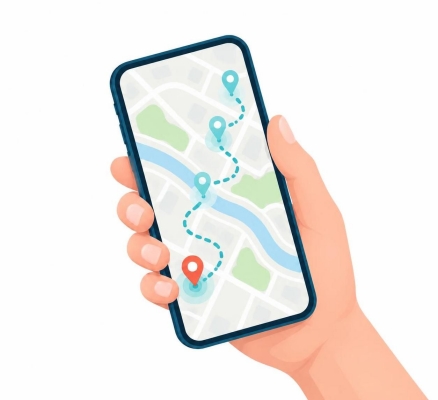
MagFone Location Changer lets you plan a route on the map, then play it back so your in-game character moves along it automatically. As the route runs, your egg distance builds up without you taking a step. Watch the short videos below to see how it works in action.
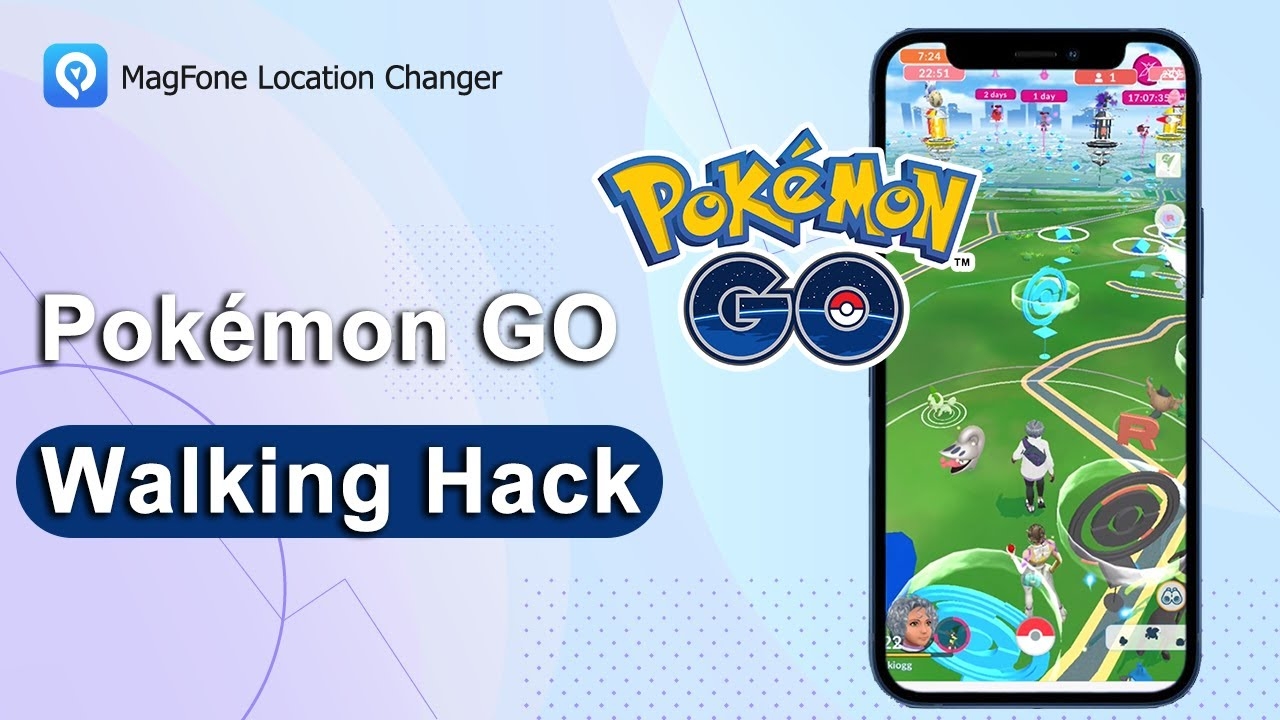
As the demo shows, MagFone Location Changer is a great tool for egg hatching and buddy walking. You can set a path, start the movement, and watch the kilometers add up on their own. It also helps with other in-game tasks: teleport to high-spawn areas to finish your daily catch tasks quickly, then jump to PokéStops or gyms for more rewards. Follow the simple instructions below to get started on your own device.

MagFone Location Changer
Easily change your GPS location on iOS and Android devices to anywhere with one click, while not requiring root or jailbreaking!
Step 1 Launch MagFone Location Changer
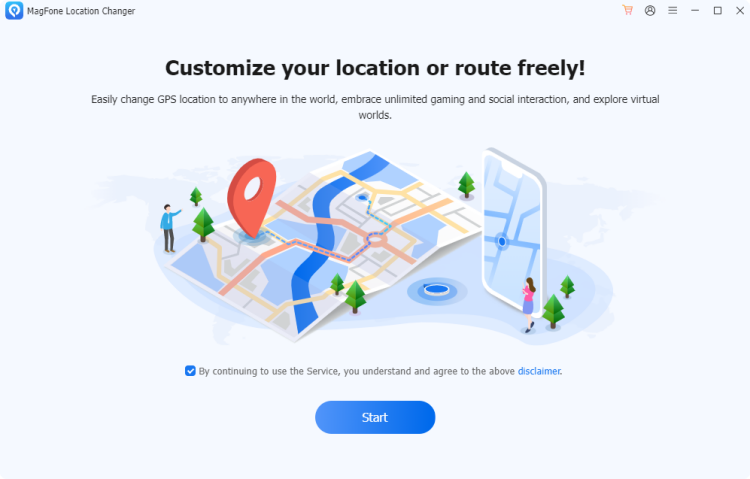
Install the program on your computer and open it. Connect your iPhone or Android phone with a USB cable, then pick the Change Location mode on the home screen and press Start to begin adjusting your GPS position.
Step 2 Set and Start Virtual Route Plan
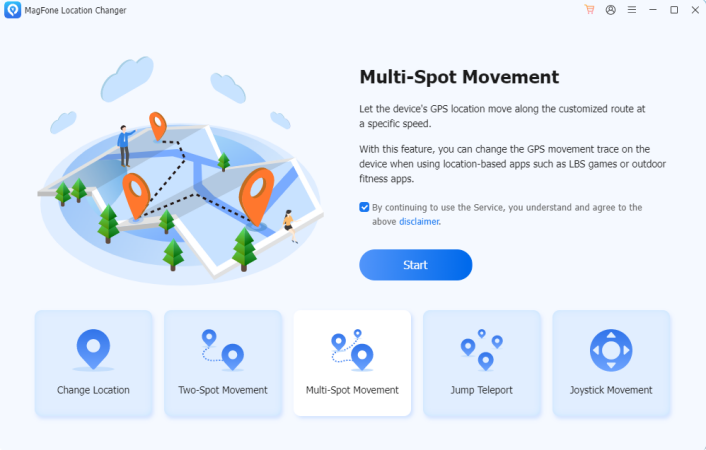
Choose the third tab from the top-right corner of the program, then drag the map to select different spots to create a custom movement route. Once set, click the Start Modifying button. MagFone will continuously update your location, allowing you to walk in Pokemon GO without any physical movement.
Method 2. Swing Your Phone
Swinging or shaking your phone is a classic low-tech trick. The motion sensors can mistake the movement for steps, and with Adventure Sync turned on, some of that activity may be recorded. It's simple and free, but results vary, so treat it as a small boost rather than a guaranteed solution.

Method 3. Use GPS Drift
GPS drift happens when your phone's signal wanders, making your avatar appear to move even when you're still. You can take advantage of this by leaving the game running, locking the screen for a few minutes, and unlocking it again. Your character may jump slightly, adding small amounts of distance.
Method 4. Attach Your Phone to a Pet
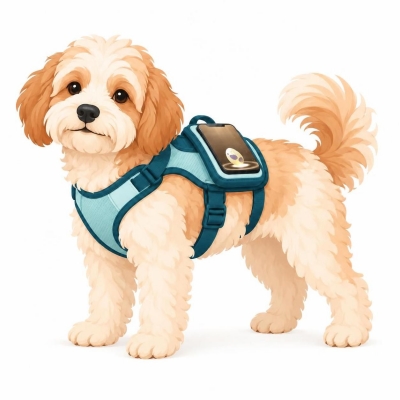
If you have an energetic dog, you can secure your phone to their harness and let them do the walking. Keep the device in a snug, protective case and check it regularly. This works best with moderate activity, since constant running could exceed the game's speed limit and stop progress.
Method 5. Use Defit App
DeFit is an Android app that syncs activity data with Pokemon GO. Once it's linked, it can feed movement time into the game, helping your eggs progress without real exercise. Setup is quick, but results depend on your device, and unofficial syncing can carry some account risk, so use it sparingly.
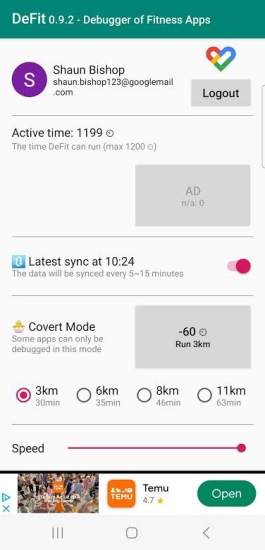
Step 1. Open the Google Play Store on your Android phone, search for "DeFit," and install the app.
Step 2. Launch DeFit and sign in with the same account you use for Pokémon GO, so the two are linked.
Step 3. Open Pokémon GO, go to the settings, and switch on the fitness data sync option so the game can read activity from DeFit.
Step 4. Return to DeFit and add activity minutes.
Step 5. Put an egg in an incubator, leave both apps running, and check your egg's progress after a while.
Part 3. How to Hatch Eggs Faster in Pokemon GO Without Walking
Once you've picked a main approach, a few tweaks can speed things up. The goal is to cover more qualifying distance in less time while staying within the game's speed rules. These two methods help you make every outing more productive without much extra effort.
Method 1. Adjust Your Walking Speed
Pokémon GO only counts movement within a certain speed range, so staying close to the upper limit makes each minute more valuable. This matters most when you use a location spoofer: set the simulated speed to a brisk walking pace, never above the cutoff, so the game records the distance and doesn't show the "passenger" warning or flag unusual movement.
Method 2. Ride a Bike
Cycling lets you cover more ground with less effort than walking. Keep your speed under the game's limit of about 10.5 km/h (roughly 6.5 mph), because anything faster stops the distance from counting. Avoid catching Pokémon while riding. Used safely, a bike is one of the quickest legitimate ways to finish a 5 km or 10 km egg.
Part 4. Conclusion
Hatching eggs doesn't have to mean endless walking. You can use route simulation with MagFone, household gadgets, pets, apps, or simple speed and bike tweaks to collect distance more easily. Just remember the limits: respect speed thresholds, protect your phone, and avoid aggressive spoofing. Choose the method that suits your style, and your next hatch will arrive much sooner.

Olivia Wood
Editor in chief




