








Nothing kills raid momentum faster than a wiped-out battle team and an empty item bag. Potions can't save a fainted Pokemon; only a Revive can bring it back into the fight. If your Revive supply keeps running dry when you need it most, knowing where to find more can save you from ending a raid early. This guide covers more than ten practical ways to get Revives in Pokemon GO, including easy methods to replenish your supply for free.

- Part 1. Things to Know About Pokemon GO Revives
- Part 2. How to Get More Revives in Pokemon GO
- Method 1. Open Daily Free Boxes
- Method 2. Check Gifts from Friends
- Method 3. Spin PokeStops or Gyms
- Method 4. Finish Research Tasks
- Method 5. Receive in Raid Battles
- Method 6. Win Team GO Rocket Leaders
- Method 7. Get Level Up Rewards
- Method 8. Get Adventure Sync Rewards
- Method 9. Join Special Events
- Method 10. Buy Revives in Shop
- Part 3. Best Way to Get Revives in Pokemon GO
- Part 4. FAQs about Getting Revives in Pokemon GO
- Part 5. Conclusion
Part 1. Things to Know About Pokemon GO Revives
Before hunting for Revives, it helps to understand what they actually do and where they typically come from. Knowing the basics makes it much easier to plan a farming routine that actually keeps your bag stocked.
Revive vs. Max Revive: What's the Difference?
Pokemon GO offers two healing items for fainted Pokemon, and picking the right one at the right moment saves both time and inventory space. Here's how they stack up against each other.
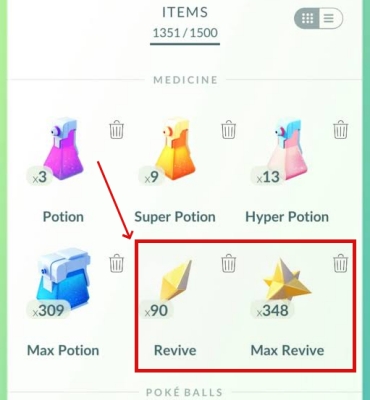
| Feature | Revive | Max Revive |
|---|---|---|
| HP Restored | 50% of maximum HP | 100% of maximum HP |
| Extra Step Needed | Usually needs a Potion afterward | None (fully healed in one use) |
| Best For | Everyday recovery when Potions are handy | Fast recovery before raids or tough battles |
How to Use Revives in Pokemon GO
Using a Revive is simple once a Pokemon faints, but the process is easy to fumble during a stressful battle. Follow these steps to correctly heal a knocked-out Pokemon.
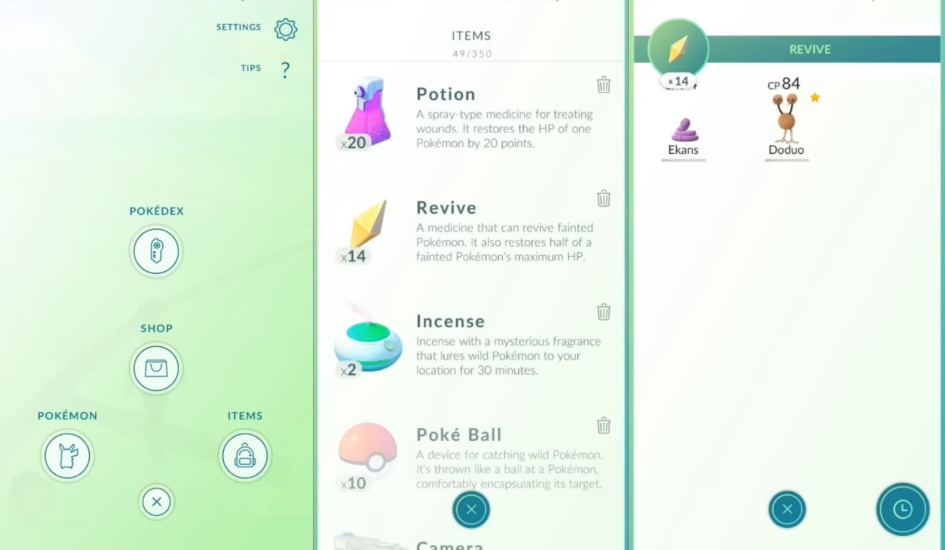
Step 1. Open your Item Bag from the main map screen.
Step 2. Select either Revive or Max Revive from your inventory.
Step 3. Choose the fainted Pokemon you want to heal.
Step 4. Confirm the action and watch its HP bar refill.
Part 2. How to Get More Revives in Pokemon GO
There's no single method that instantly fills your bag with Revives, but combining a few reliable habits can build a steady supply over time. The following methods cover practical ways to get more Revives in Pokemon GO.
Method 1. Open Daily Free Boxes
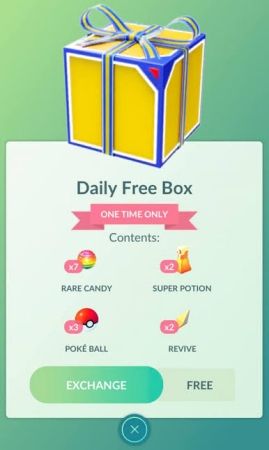
The daily free box in the shop refreshes every 24 hours and occasionally includes a handful of Revives alongside Poke Balls and other basics. It won't hand over a huge stack in one go, but claiming it every single day adds up over a month, and it costs nothing but a login.
Method 2. Check Gifts from Friends
Gifts sent by friends carry a random assortment of items, and Revives (sometimes Max Revives) show up in that mix fairly often. The more active friends you exchange gifts with daily, the more chances you get. Just remember to empty extra bag space first — a full inventory blocks you from opening anything new.
Method 3. Spin PokeStops or Gyms
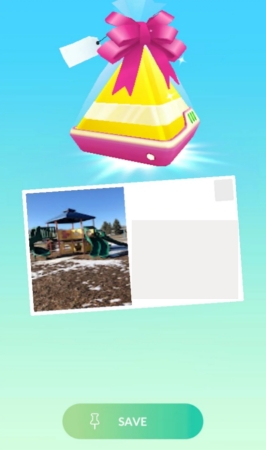
This is the most repeatable method available. Every Photo Disc spin has a chance to drop a Revive, and Gyms tend to favor battle-related items more than standard PokeStops. Controlling a Gym or holding its badge can bump up the bonus items you receive on top of the regular spin reward.

Method 4. Finish Research Tasks
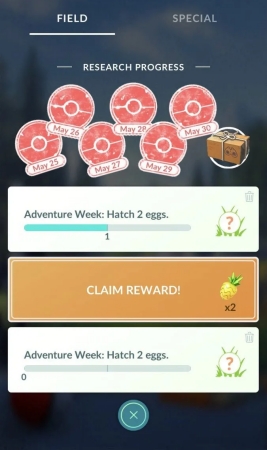
Field Research and Special Research tasks rotate their rewards, and healing items frequently appear as the payout for battle-themed objectives. Since the reward is shown before you commit to a task, it's worth scanning your available options and prioritizing the ones offering Revives or Max Revives.
Method 5. Receive in Raid Battles
Winning any raid (from a one-star encounter to a five-star boss fight) pays out a bundle of items tied to your performance. Revives and Max Revives are part of that reward pool, and tougher raids tend to offer better odds, so don't skip the daily free raid pass.
Method 6. Win Team GO Rocket Leaders
Beating an Arlo, Cliff, or Sierra encounter (unlocked after collecting a Rocket Radar from six Grunt battles) rewards two item bundles, and one of those bundles can hand over multiple Revives or Max Revives at once. Make sure your bag has open slots before the fight, or the reward gets skipped entirely.
Method 7. Get Level Up Rewards
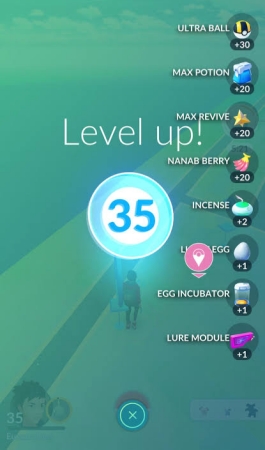
Leveling up your Trainer is one of the few guaranteed ways to collect Revives, since certain milestones always include them in the reward bundle. Early levels tend to grant regular Revives, while higher levels shift toward Max Revives — a nice long-term payoff for simply playing normally.
Method 8. Get Adventure Sync Rewards
Turning on Adventure Sync and hitting weekly walking distance milestones unlocks a reward box, and higher-distance tiers open up better loot pools that can include Revives. It's a passive bonus that rewards the walking you're likely already doing to hatch eggs or earn Buddy candy.
Method 9. Join Special Events
Community Days, seasonal celebrations, and GO Pass tracks often bundle extra healing items into their exclusive rewards, sometimes handing out five or ten Max Revives at once through paid or free pass tiers. Keeping an eye on the event calendar means you won't miss limited-time offers before they expire.
Method 10. Buy Revives in Shop
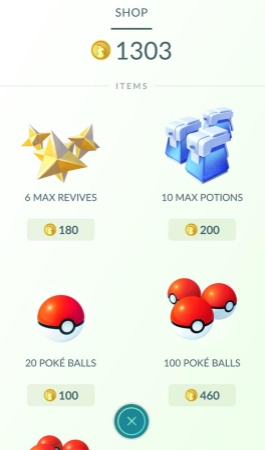
When time matters more than currency, the in-game shop sells Max Revive bundles for PokeCoins, and the Pokemon GO web store occasionally lists them for real-money purchase too. It's the fastest fix before a raid night, though it shouldn't replace the free methods above as your main strategy.
Part 3. Best Way to Get Revives in Pokemon GO
So what's the most efficient way to keep your Revive stock full without spending hours walking between PokeStops? A location-changing tool like MagFone Location Changer lets you move your in-game position anywhere on the map, so you can spin far more stops and gyms, jump into remote raids more easily, and rack up walking-based rewards without physically covering the distance. Here's how to set it up.

MagFone Location Changer
Easily change your GPS location on iOS and Android devices to anywhere with one click, while not requiring root or jailbreaking!
Step 1 Connect Device and Launch MagFone
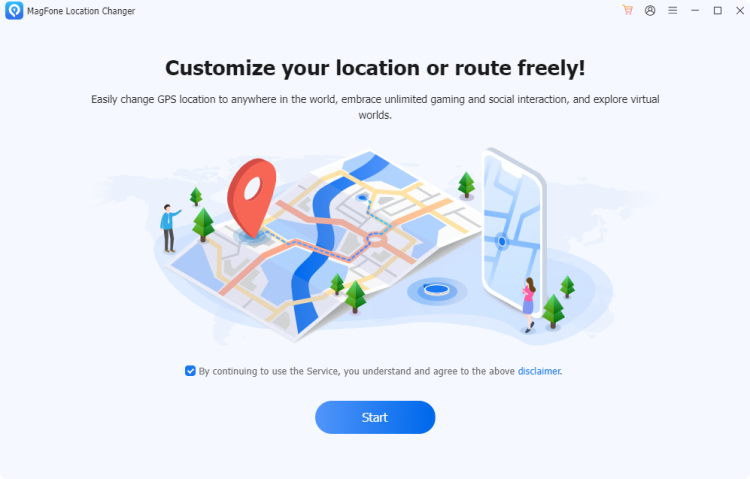
Plug your device into your computer with a USB cable and turn on Developer Mode. Then open MagFone Location Changer on your computer, pick the Change Location feature, and hit Start.
Step 2 Move Your Location in Pokemon GO
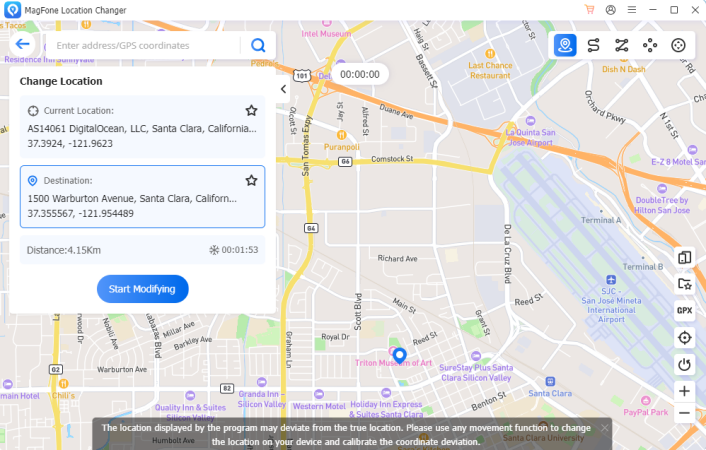
Browse the map to pick a new spot, or type an address into the search bar to jump straight there. Once you've settled on a destination, click Start Modifying to update your position inside the game.
Part 4. FAQs about Getting Revives in Pokemon GO
Can you buy revives in Pokemon GO?
Not directly. The shop sells Max Revives instead of regular Revives, either through PokeCoin bundles or the web store for real currency.
Can you gift revives in Pokemon GO?
No, Revives can't be sent as a standalone gift. Gifts contain a randomized set of items, and Revives may occasionally be part of what's inside, but you can't choose to send one specifically.
Can you trade Revives in Pokemon GO?
No. The trading system in Pokemon GO only covers Pokemon themselves, not items like Revives, Potions, or Berries.
Why am I not getting revives in Pokemon GO?
Item drops are random, so a streak of bad luck at PokeStops or Gyms is normal. A full item bag also blocks new rewards, so check your inventory space and clear out unnecessary items regularly.
Part 5. Conclusion
Keeping a healthy Revive stockpile takes a mix of daily habits: spinning stops, opening gifts, finishing research, and claiming level and event rewards. None of these alone guarantees a full bag, but combined they add up quickly. For players short on time, tools like MagFone Location Changer offer a faster route to farming without the walking.

Olivia Wood
Editor in chief




