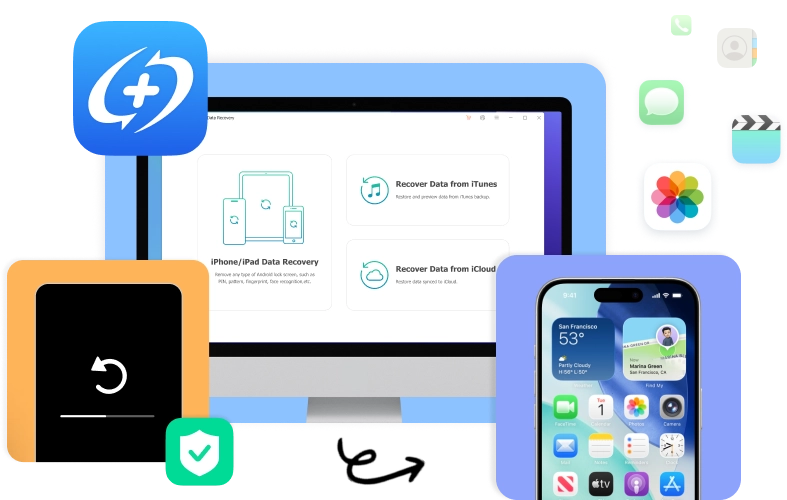

Data loss can happen at any time whether due to accidental mistakes or unexpected system issues. MagFone iPhone Data Recovery is designed to handle a wide range of real-world data loss scenarios, helping users retrieve important iPhone and iPad data quickly, safely, and efficiently.


Recover deleted photos, videos, messages, notes, and more on iPhone and iPad.


Recover lost files safely using a read-only recovery process.

Restore missing data directly from the device or backups.

Recover data after failed jailbreaks or system modifications.

Extract data from existing backups, no device access required.

Recover data by accessing iCloud or iTunes backups securely.
Losing important iPhone data can be stressful, espeically when it involves personal memories or critical information. MagFone iPhone Data Recovery is a powerful and reliable solution designed to recover a wide range of data types from iPhone, iPad, and iPod touch devices, no matter how the data was lost.

Support recovery of essential iPhone files directly from the device, iTunes backups, or iCloud backups, with the option to preview and selectively restore only what you need.


Specialize in recovering data deleted accidentally, lost, or removed from popular social and messaging apps, helping you restore conversations and media that matter most.


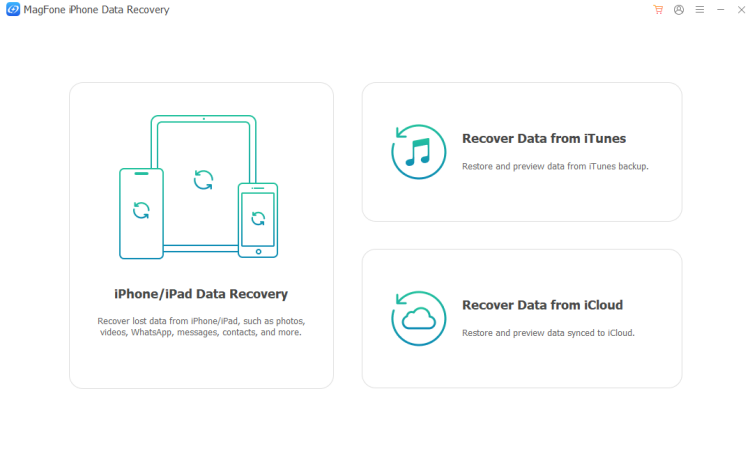
No matter how or where your iPhone data is stored, MagFone iPhone Data Recovery provides flexiable and reliable recovery solutions. With three powerful recovery modes, MagFone iPhone Data Retrieval Software helps you retrieve lost data from your iOS device, iTunes backups, or iCloud backups safely and efficiently.
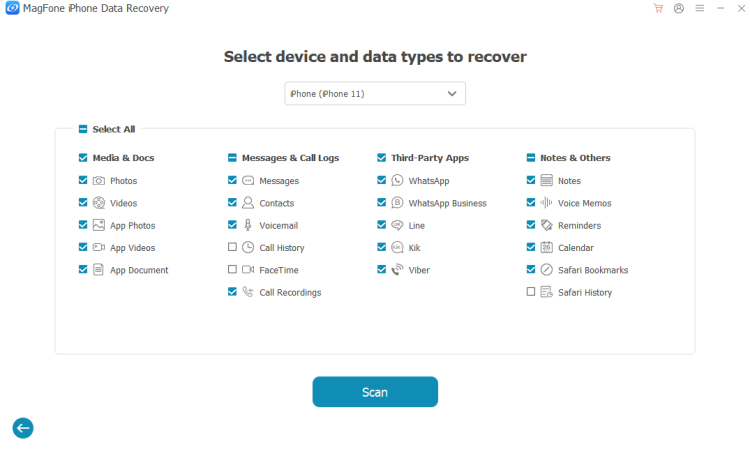
MagFone iPhone Data Recovery can scan your iPhone or iPad, or iPod touch directly to recover deleted data such as photos, videos, messages, contacts, call history, notes, and app data. This tool is ideal for accidental deletions when the data has not yet been overwritten.

Unlike traditional iTunes restore methods, MagFone iPhone Data Recovery allows users to selectively extract data from iTunes backup files without restoring the entire backup. This means your current iPhone data remains intact while you you recover only the files you need.

MagFone iPhone Data Recovery enables secure access to iCloud backups so users can download and recover data without resetting their iPhone to factory settings. Simply sign in with your Apple ID, preview available backups, and restore selected data types effortlessly.

MagFone Data Recovery for iPhone is designed to deliver a smooth, efficient, and secure recovery experience. Beyond basic data restoration, it offers a range of advanced features that make iPhone data recovery faster, safer, and more flexible for all users.

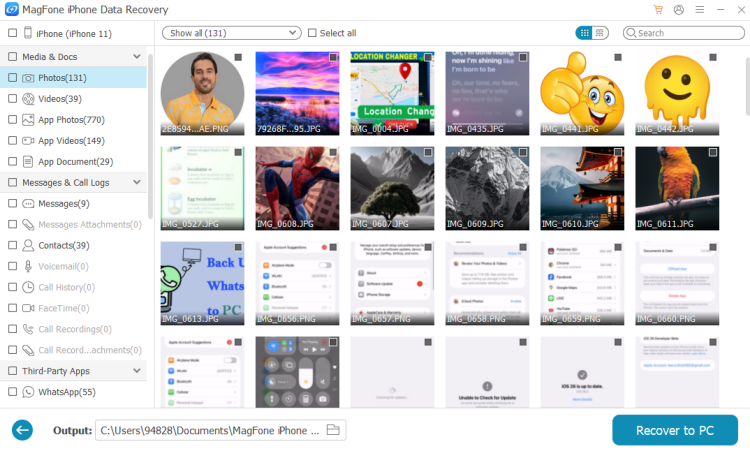
Preview recoverable files such as photos, messages, and more before restoring them.

Selectively recover specific data types or individual files, saving time and storage space.

Perform data recovery in read-only mode, ensuring original backups remain unchanged.

Quickly detect lost and deleted files from iOS devices, significantly reducing waiting time.

Export recovered data to a computer in accessible formats, making it easy to manage.

Support recovery from encrypted iTunes backups with the correct backup password.
For a safe, selective, and flexible data recovery, MagFone iPhone Data Recovery is the superior choice, while iTunes and iCloud are basic options without advanced recovery features and control.
| Features |

MagFone iPhone Data Recovery
|
iCloud Recovery | iTunes Recovery |
|---|---|---|---|
| Recover from iOS devices | 
|

|
 |
| Restore from iTunes backup |  |
|
|
| Restore from iCloud backup | |
|
|
| Recover what you want only | |
|
|
| Preview device data and backups | |
|
|
| Extract data from iTunes backups | |
|
|
| Recover without reset | |
|
|
| No data overwrite | |
|
|
| Fast recovery in minutes | |
|
|
Launch MagFone iPhone Data Recovery and select iPhone/iPad Data Recovery.
Connect your iPhone to the computer and wait for MagFone to scan your device.
Select files you want to recover and click Recover to PC to recover your data.

"MagFone iPhone Data Recovery is easy to use and works exactly as advertised. I was able to recover deleted photos without overwriting my existing data."


"The preview and selective recovery features saved me a lot of time. I only restored the files I needed, and the process was fast and smooth. Highly recommend it."

"I recovered my data from an iTunes backup without resetting my iPhone, which was a huge relief. The recovery mode felt safe, stable, and very reliable."

"After an iOS update failure, MagFone helped me retrieve my important files. The scanning speed was impressive and the interface was very beginner-friendly."

"I used the iCloud recovery mode to restore WhatsApp chats from a lost iPhone. Logging in was secure, and the data was recovered exactly as shown in the preview."

"MagFone handled a complex data loss situation better than I expected. It’s a powerful yet simple tool for anyone who needs dependable iPhone data recovery."







 MagFone iPhone Data Recovery
Restore Your iPhone Data Anytime, Anywhere.
Windows
Mac

Follow Us:











